Template details
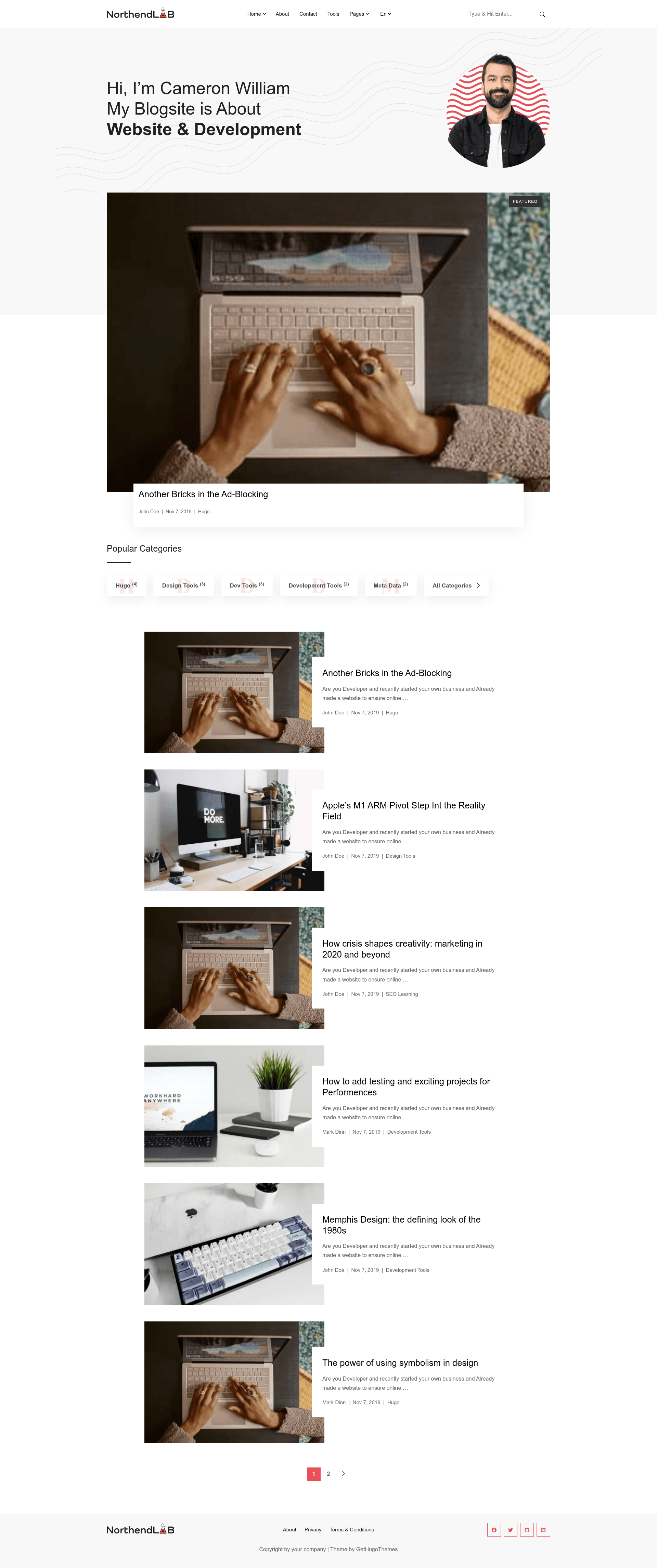
Northendlab Light
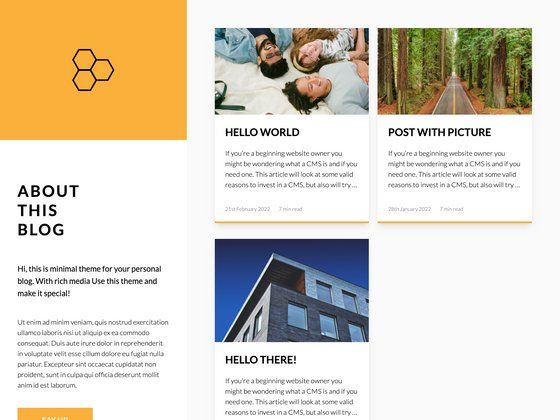
Minimal personal blog theme for Hugo, MIT-licensed, with search, contact form, and a premium version.
About this template
Northendlab Light is a responsive, performance-focused Hugo blog theme designed for tech, gaming, and developer blogs, developed by Gethugothemes and released under the MIT license.
What is Northendlab Light?
Northendlab Light is a static site theme for Hugo, the Go-based static site generator. It takes Markdown content and configuration files as input and outputs a lightweight static website. The theme requires Hugo version 0.163.3 or higher and is built on Bootstrap, jQuery, Themify Icons, Fuse.js, Mark.js, and Google Fonts. It is designed by Themefisher and developed by Gethugothemes, who also offer a paid premium version called Northendlab Premium with additional features. The theme is fully responsive and claims a Google PageSpeed score of 99% on desktop.
Key Features
- Google Analytics support — Wire up Google Analytics through the site configuration without touching template code.
- CSS and JS bundling with Hugo Pipes — Assets are concatenated and minified automatically as part of the Hugo build process.
- Netlify preconfigured settings — The repository includes a Netlify configuration file so deployment to Netlify is a push-to-deploy process.
- Contact form via Formspree — A built-in contact form that posts to a Formspree endpoint; you supply your own Formspree ID.
- Search with Fuse.js and Mark.js — Client-side fuzzy search and highlight that work on static files with no backend.
- GDPR consent banner — Includes a cookie/GDPR consent notice out of the box.
- Open Graph and Twitter Card meta tags — Social sharing metadata is generated for each page.
- Sitepins headless CMS integration — The theme is pre-configured to work with Sitepins, a Git-based CMS, so you can edit text, images, and settings visually without code.
Who is it for?
- Tech and gaming bloggers — Use it to publish articles in a minimal, fast layout that keeps reading speed high.
- Developers — Use it as a personal blog or project site because it runs on Hugo's static site workflow and can be version-controlled and deployed from a GitHub repo.
- Hugo newcomers — Use the included npm scripts and Netlify settings to get a live blog with minimal setup.
- Freelancers and agencies — Use it as a starting point for client blog projects; the MIT license allows commercial use.
What can you do with Northendlab Light?
- Tech tutorial blogs: Publish Markdown-based tutorials with built-in search and a reading-friendly design.
- Gaming news sites: Post updates and reviews with social meta tags to share on Twitter and Facebook.
- Personal developer portfolios: Use blog posts to document projects, and point to the About page for your bio.
- Content teams: Use the Sitepins CMS integration to let non-technical members edit and publish posts through a visual interface.
How does it work?
- Clone the repository from GitHub.
- Run
npm run project-setupto install dependencies and initialize the project. - Start the local server with
npm run dev. - Edit content in Markdown or through Sitepins, then deploy to Netlify using the preconfigured settings.
Pricing
The free version of Northendlab Light is open source under the MIT license. A paid premium version adds multiple language support (French and English), multiple authors, sidebar options, menu alignment customization, color and font variables, Mailchimp integration, expanded and popup search layouts, and more, along with priority support.
FAQ
Is Northendlab Light free?
Yes, the code is released under the MIT license, so you can use it freely, including in commercial projects. The images included in the demo are for display only and have their own licenses.
Does Northendlab Light support multiple languages?
The free version does not support language switching. The premium version adds multiple language support for French and English.
How do I set up the contact form?
The theme includes a contact form that uses Formspree. You need to provide your own Formspree endpoint ID in the configuration, then form submissions will be forwarded to your email.
Can I edit content without writing code?
Yes. The theme is pre-configured to work with Sitepins, a Git-based headless CMS, which lets you update text, images, and settings through a visual online editor.