Template details
Nuxt 2 with Express
Starter template for Nuxt 2 with Express.
About this template
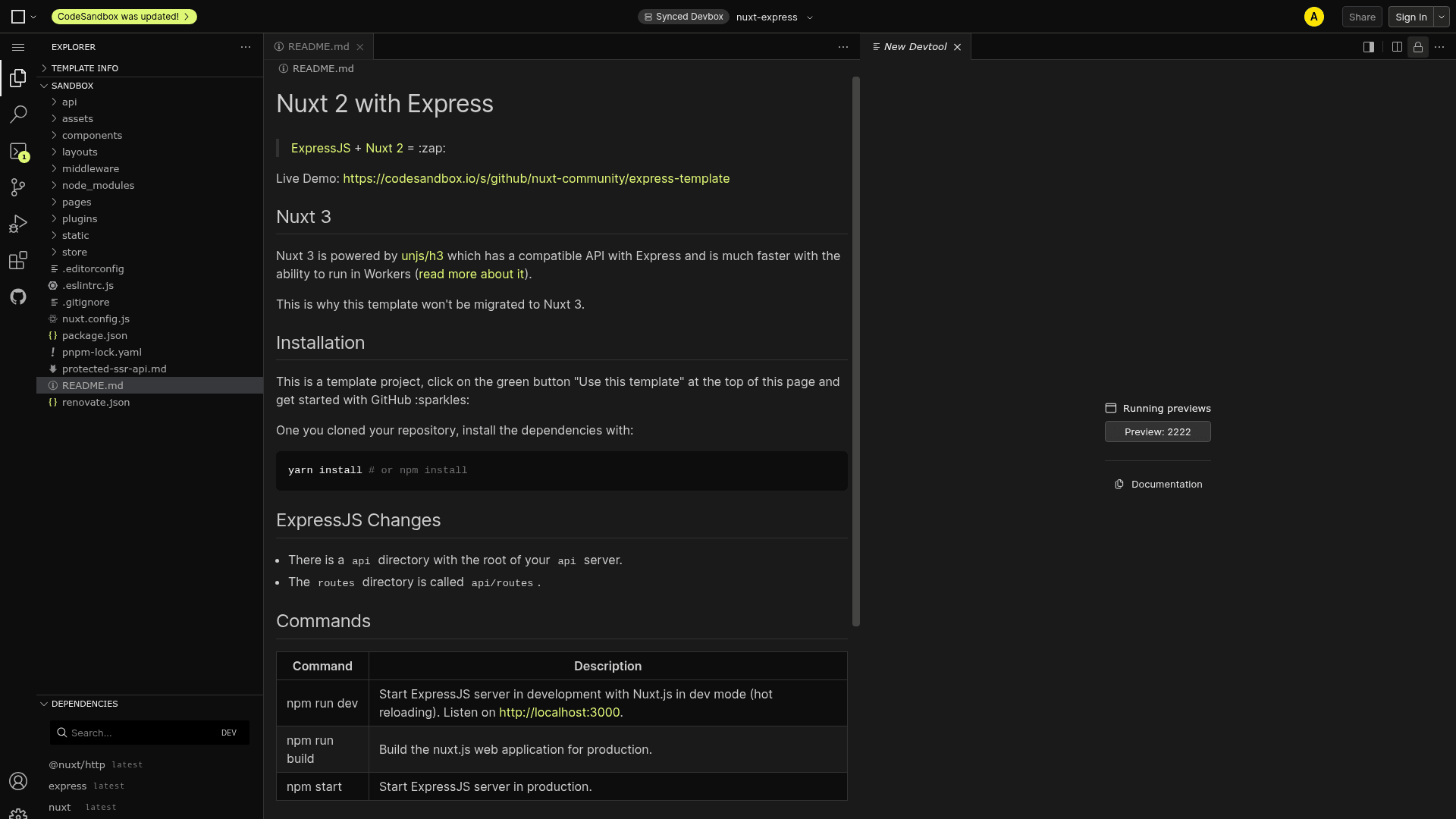
Nuxt 2 with Express is a GitHub starter template from the nuxt-community that pairs ExpressJS with Nuxt 2 for building full-stack Vue.js applications with a Node.js backend. It scaffolds an Express server with a dedicated api directory while Nuxt handles server-side rendering, routing, and the Vue frontend, and it runs on Node.js.
What is Nuxt 2 with Express?
Nuxt 2 with Express is a boilerplate that combines the ExpressJS HTTP server framework with Nuxt 2, the Vue.js meta-framework. The template takes a fresh GitHub repository as input and outputs a project with an Express server in the api directory, Nuxt 2 configured for development and production builds, and npm scripts to run both together. It is maintained by the nuxt-community organization and has 1237 stars on GitHub.
Key Features
- Express API directory — The template places your Express server inside an
apidirectory, with the route files inapi/routes, keeping backend code separate from Nuxt's structure. - Nuxt 2 with Vue.js — The frontend is built with Nuxt 2, giving you server-side rendering, vue-router, and vue-meta out of the box, with all Vue.js documentation linked for reference.
- Development hot reload — Running
npm run devstarts the Express server in development mode with Nuxt in dev mode, providing hot reloading at http://localhost:3000. - Production build —
npm run buildbuilds the Nuxt web application for production, andnpm startlaunches the Express server in production mode. - CodeSandbox demo — A live demo is available on CodeSandbox, letting you view and fork the template without cloning it locally.
- Protected SSR routes example — The repository documents how to handle protected server-side-rendered routes, useful for authentication workflows.
- License clarity — The template links the licenses for ExpressJS, NuxtJS, and VueJS directly in its README.
Who is it for?
- Full-stack JavaScript developers: start a new project with an Express API and a Nuxt 2 server-rendered frontend without manually configuring the integration.
- Teams maintaining Nuxt 2 applications: use the template as a reference for adding Express routes in the
api/routesconvention or for creating a fresh baseline. - Developers learning SSR with Vue: explore how Nuxt 2 and Express work together using the provided commands and the protected SSR routes example.
What can you do with Nuxt 2 with Express?
- Full-stack developers: scaffold a project where Express serves API endpoints under the
apiroute and Nuxt renders the frontend, with hot reloading during development. - Nuxt 2 project owners: use the template as a migration base when adding an Express backend to an existing Nuxt 2 application.
- API-focused teams: separate backend routes into the
api/routesdirectory while keeping the Nuxt frontend in its standard structure, then deploy with the provided production commands.
How does the template work?
You start by clicking the green "Use this template" button on the GitHub page, which creates a new repository from this base. After cloning it, install dependencies with yarn install or npm install. For development, run npm run dev to get both Express and Nuxt with hot reloading; for production, run npm run build to build the Nuxt app and then npm start to run the Express server.
FAQ
Is this template compatible with Nuxt 3?
No. The README states that Nuxt 3 is powered by unjs/h3, which has an API compatible with Express and can run in Workers, so this template will not be migrated to Nuxt 3.
Where do I put my Express routes?
The template sets up an api directory for your Express server, and the routes directory is called api/routes. This differs from a standard Express layout, so follow that convention when adding endpoints.
What commands does the template provide?
The README documents three commands: npm run dev for development with hot reloading, npm run build for building the Nuxt production bundle, and npm start for starting the Express server in production.
Does the template work on CodeSandbox?
Yes, a live demo is available on CodeSandbox that runs the template in the browser, so you can try it before cloning.
What licenses apply?
The template references the licenses of ExpressJS, NuxtJS, and VueJS, all linked from the README.