Template details
Nuxt Linktree
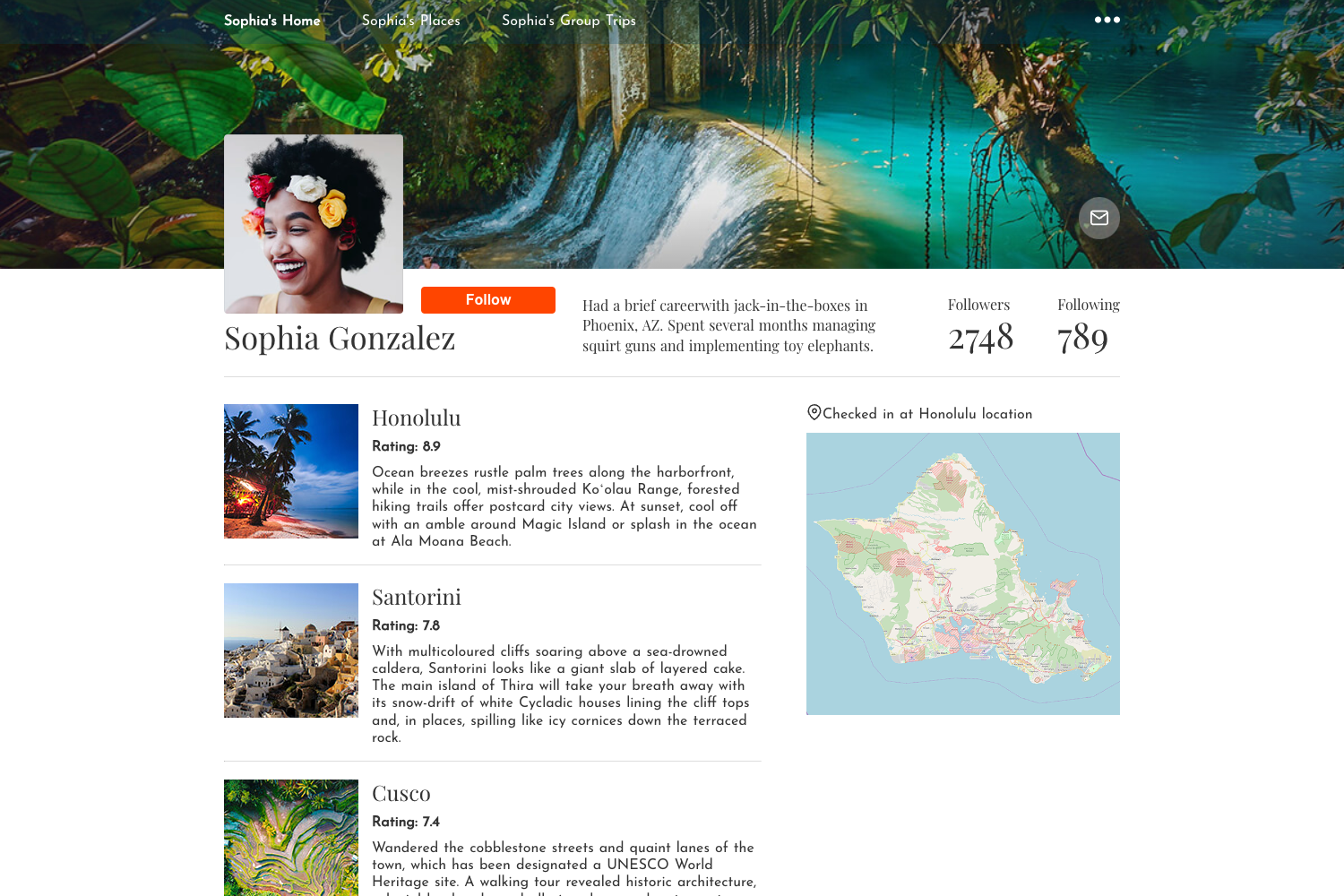
A web app where users can log in and create their own list of links and share them publicly.
About this template
LinkTree is a free and open-source Nuxt 3 starter for building a personal link-in-bio page, where users log in with GitHub, curate their own list of links, and share them publicly on a single URL.
What is LinkTree?
LinkTree is a web app template built with Nuxt 3 that reproduces the core Linktree feature set: a user authenticates with GitHub, adds links to their profile, and the app serves those links on a public share page. It uses LibSQL as the database (hosted via Turso), Drizzle ORM for type-safe queries, and Tailwind CSS for styling. The project runs with server-side rendering and is deployable to Vercel, with build commands provided for npm, pnpm, yarn, and bun.
Key Features
The template ships with a focused set of features centered on authentication, database-backed link storage, and a public share page.
- Server-side rendering — Nuxt 3 SSR renders pages on the server for fast initial loads and better SEO.
- GitHub OAuth login — Users authenticate through GitHub, so no custom email-password flow is needed.
- Public link sharing — Each user gets a page where all their saved links are displayed in one place.
- LibSQL with Turso — Data is stored in LibSQL, a SQLite-compatible database, managed through Turso's edge database service.
- Drizzle ORM — Database queries are defined with Drizzle, giving typed schema and migration support.
- Tailwind CSS — Styling is built with the Tailwind utility framework, keeping the UI customizable.
- Vercel deployment — The project is documented for deployment on Vercel, with a live demo at linktree.nurriyad.com.
- Multiple package managers — Build and preview commands are included for npm, pnpm, yarn, and bun.
Who is it for?
LinkTree suits developers and creators who want a community-built, self-hostable link page without the overhead of a full SaaS.
- Nuxt 3 developers — Anyone learning server-side rendering or GitHub OAuth integration can use this as a minimal, working reference.
- Content creators — People who want a self-hosted alternative to commercial link-in-bio services can deploy this and own their links page.
- Startup teams — A team building a product around shared profiles or link collections can fork this to create an MVP quickly.
What can you do with LinkTree?
You can repurpose LinkTree for any scenario that needs a single shareable URL for multiple links.
- Personal branding: publish a single link with all your social profiles, projects, and contact info.
- Portfolio pages: add links to your portfolio, résumé, and project demos, then share one URL.
- Educational demos: use the code as a teaching example for SSR, authentication, and edge databases in a real app.
How does LinkTree work?
The app flow is straightforward: a user signs in with GitHub, adds or removes links through the app, and those links are stored in LibSQL and rendered on a public page. The README does not include detailed setup steps beyond installing dependencies and running the production build, but the live demo shows the result.
Pricing
LinkTree is completely free and open-source. The code is available on GitHub and there are no subscription fees or hidden costs associated with the template itself; you only pay for your own infrastructure if you choose to use Turso or Vercel's paid tiers.
Alternatives
- Linktree — the hosted commercial service that inspired this template, which offers analytics and payment features on paid plans.
FAQ
Is LinkTree free?
Yes, LinkTree is an open-source project released with no licensing fees. You can clone, modify, and deploy it for free, though third-party services like Turso or Vercel may have their own usage-based pricing.
How do I deploy LinkTree?
The README includes production build and preview commands for npm, pnpm, yarn, and bun. You can deploy it to Vercel—the project is already configured for that platform—or follow Nuxt's general deployment documentation.
What database does LinkTree use?
LinkTree uses LibSQL, a SQLite-compatible database, with Turso as the hosting service. Drizzle ORM handles database access and schema definitions. You can swap Turso for any other LibSQL provider if you prefer.
How does login work in LinkTree?
Authentication is handled entirely through GitHub OAuth. Users click a "Sign in with GitHub" button, grant access, and the app creates a session so they can manage their own links. There is no separate registration form.
Why choose LinkTree instead of a hosted link-in-bio service?
With LinkTree you control the code and data, and you can customize the page with Tailwind CSS and Nuxt components. It's a starting point if you want a unique link page or want to learn modern full-stack techniques.