Template details
Nuxt UI Templates
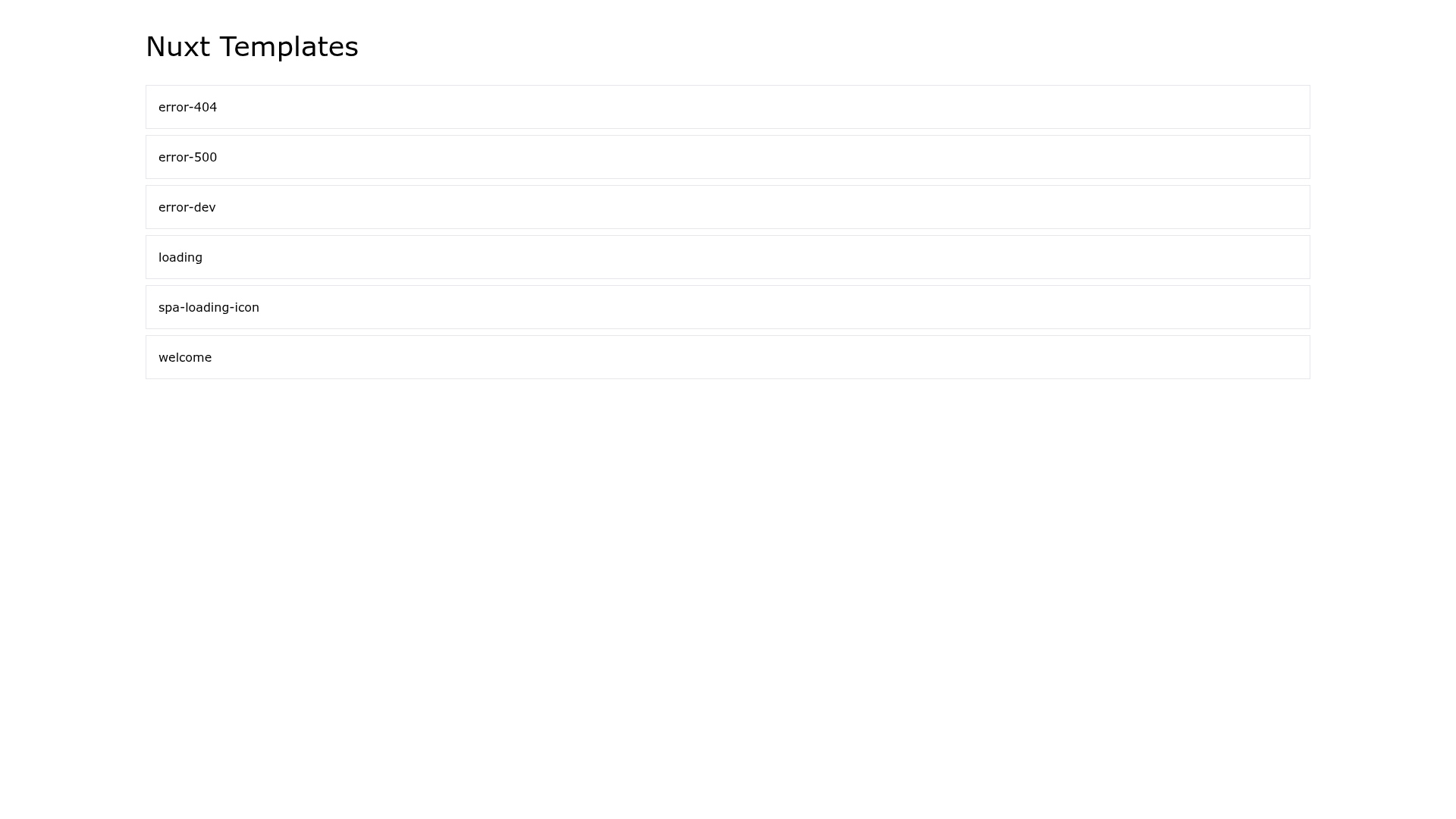
Pre-compiled HTML templates for Nuxt internal pages, now maintained within the core Nuxt repository.
About this template
Nuxt UI Templates is a set of pre-compiled HTML templates for internal pages of the Nuxt framework, now maintained directly inside the core Nuxt repository.
What is Nuxt UI Templates?
Nuxt UI Templates is a package of pre-compiled HTML templates for internal pages of the Nuxt framework. It was originally part of the "Nuxt Assets" repository, which also shipped a "UI Assets" package with shared assets and resources. The templates are designed to be dropped into Nuxt applications or used as reference markup. A live demo is available at templates.ui.nuxtjs.org, and the package now lives under packages/ui-templates inside the main nuxt/nuxt repository.
What makes Nuxt UI Templates stand out?
- Pre-compiled HTML templates — The package ships ready-to-use HTML markup for internal pages, so developers don't need to write these screens from scratch.
- Live demo site — Templates can be previewed on the demo site at templates.ui.nuxtjs.org before adoption.
- Monorepo layout — The original repository is organized into packages/templates and packages/assets, separating code templates from design resources.
- Moved into core — UI Templates now live in the nuxt/nuxt repository under packages/ui-templates; issues and PRs should be filed there.
- Corepack + pnpm — Development uses Corepack (for Node.js version 16.10 and above) and pnpm for dependency management.
- Dual licensing — Code is MIT licensed; design resources are released under CC-BY-ND-4.0, which permits use but disallows derivative works.
Who should use Nuxt UI Templates?
- Nuxt application developers — Use the pre-compiled HTML templates for internal pages instead of hand-coding system screens, and preview them on the demo site first.
- Nuxt framework maintainers — Raise issues and submit pull requests for UI Templates directly in the core nuxt/nuxt repository.
- Teams standardizing on Nuxt — Reuse the shared assets from the sibling UI Assets package to keep multiple Nuxt projects visually consistent.
What can you do with Nuxt UI Templates?
- Add internal pages quickly: Drop the pre-compiled HTML templates into your Nuxt app to replace or augment default system pages with styled markup.
- Preview before integrating: Visit the demo site to compare templates and pick the one that matches your app's design.
- Contribute improvements: Because the package is in the core repository, you can fork nuxt/nuxt, edit the templates, and submit changes for review.
How does Nuxt UI Templates work?
The templates are pre-compiled HTML files, so they can be served as static pages or integrated into Nuxt's rendering pipeline. The source of truth is now the core Nuxt repo: clone nuxt/nuxt, navigate to packages/ui-templates, and follow the repository's development setup (Corepack and pnpm are required for dependency installation). The older standalone repository remains for archival reference but is no longer the target for new issues.
Licensing
The code is released under the MIT license, while the design resources are licensed under Creative Commons Attribution-NoDerivatives 4.0 (CC-BY-ND-4.0). That means you can use the templates and assets freely, but you cannot create modified versions of the design resources and distribute them.
FAQ
Where can I find the source code for Nuxt UI Templates?
The source code now lives in the core Nuxt repository at github.com/nuxt/nuxt/tree/main/packages/ui-templates. New issues, discussions, and pull requests should be raised there instead of in the standalone Nuxt Assets repository.
What license applies to Nuxt UI Templates?
Code is licensed under MIT, so you can use, modify, and redistribute it without restriction. Design resources are under CC-BY-ND-4.0, which means you may use them but cannot create and share derivative works.
What is the difference between UI Templates and UI Assets?
UI Templates contains pre-compiled HTML templates for internal pages, while UI Assets provides shared design resources such as icons or images. Both are part of the Nuxt Assets project, but only UI Templates has been moved into the core Nuxt repository.
How do I set up the repository for development?
Clone the repository, enable Corepack with corepack enable (use npm i -g corepack on Node.js versions below 16.10), then install dependencies with pnpm install.