Template details
Jekyll Admin
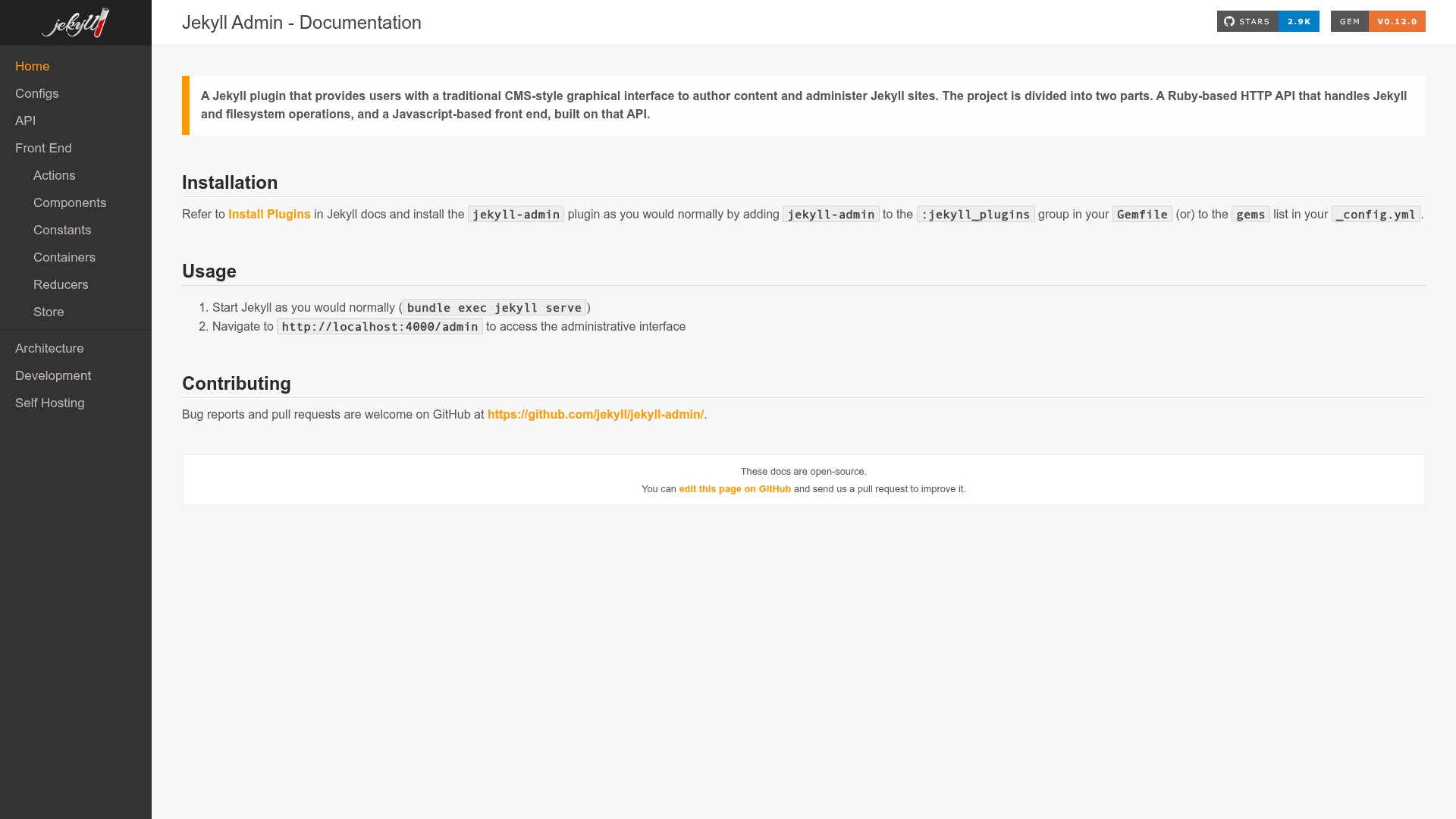
A Jekyll plugin that provides users with a traditional CMS-style graphical interface to author content and administer Jekyll sites.
About this template
Jekyll Admin is an open-source Jekyll plugin that adds a traditional CMS-style graphical interface to author content and administer Jekyll sites, pairing a Ruby-based HTTP API with a React-powered front end.
What is Jekyll Admin?
Jekyll Admin is a plugin for the Jekyll static site generator that turns a local Jekyll site into a content-manageable web app. It takes a Jekyll site as input and produces a browser-based admin interface at http://localhost:4000/admin where users can create and edit posts, pages, static files, data files, and site configuration. The project is developed and maintained by the Jekyll community and is available under the MIT License.
What makes Jekyll Admin stand out?
- CMS-style authoring — Provides a point-and-click interface for writing and publishing content, so editors can work without using a terminal or text editor.
- React-based front end — The admin UI is built with React and JavaScript, communicating with a Ruby HTTP API that handles all Jekyll and filesystem operations.
- Configurable sidebar — The
jekyll_admin.hidden_linksoption in_config.ymltoggles visibility of Posts, Pages, Staticfiles, Datafiles, and Configuration sections in the sidebar. - Custom admin homepage — The
homepageoption under thejekyll_adminkey lets you set the start page of the admin interface (e.g.,pages). - Custom collection labels — Collections can be renamed in the sidebar using the
sidebar_labelmetadata option (for example, labeling posts asNews). - Open source and contribution-friendly — The GitHub repository accepts code contributions and financial contributions via Open Collective, and provides development documentation.
Who is Jekyll Admin for?
- Jekyll site owners — Manage the full content of a Jekyll site from a web browser, avoiding direct file edits and version control commands for everyday content updates.
- Content authors and editors — Write blog posts, create pages, and upload static files through forms and upload controls without learning Jekyll's file structure.
- Agency and team workflows — Use custom collection labels to match client terminology (e.g., "News" instead of "Posts") and hide admin sections that are not relevant to non-technical clients.
What can you do with Jekyll Admin?
- Blog authors: Create, edit, and publish markdown posts with a form-based editor and a live preview, bypassing the need to write front matter manually.
- Site admins: Add or remove static files, manage data files, and adjust site configuration from the admin dashboard.
- Jekyll developers: Use the plugin as a reference implementation for building Jekyll-based CMS interfaces, since its API and front end are open for inspection and extension.
How does Jekyll Admin work?
- Add
gem 'jekyll-admin', group: :jekyll_pluginsto your site's Gemfile. - Run
bundle installto install the plugin. - Start Jekyll normally with
bundle exec jekyll serve. - Open
http://localhost:4000/adminin your browser to access the administrative interface.
Pricing
Jekyll Admin is free and open-source software, released under the MIT License. There are no paid tiers, subscriptions, or premium features; it is available for anyone to use and contribute to.
Alternatives
- Netlify CMS — A Git-based content management system for static sites that can be used with Jekyll.
- TinaCMS — A visual editing platform for static sites that offers a live preview and markdown-based content management.
FAQ
Is Jekyll Admin free?
Yes, Jekyll Admin is open source under the MIT License, so it is completely free to use, modify, and redistribute.
How do I install Jekyll Admin?
Add the line gem 'jekyll-admin', group: :jekyll_plugins to your Gemfile, run bundle install, start Jekyll with bundle exec jekyll serve, and visit http://localhost:4000/admin.
Can I hide sections from the Jekyll Admin sidebar?
Yes, set the hidden_links array under the jekyll_admin key in _config.yml with any of these values: posts, pages, staticfiles, datafiles, configuration.
Can I rename collections in Jekyll Admin?
Yes, add a sidebar_label attribute to a collection in _config.yml. For example, with collections: posts: sidebar_label: News, the sidebar will display "News" instead of "Posts".
Does Jekyll Admin require a separate server?
No, it runs as part of the standard jekyll serve command and adds the admin interface at the /admin path on the same local server.