Template details
Thulite
Web framework combining Hugo and npm for building fast, secure, SEO-friendly static websites.
About this template
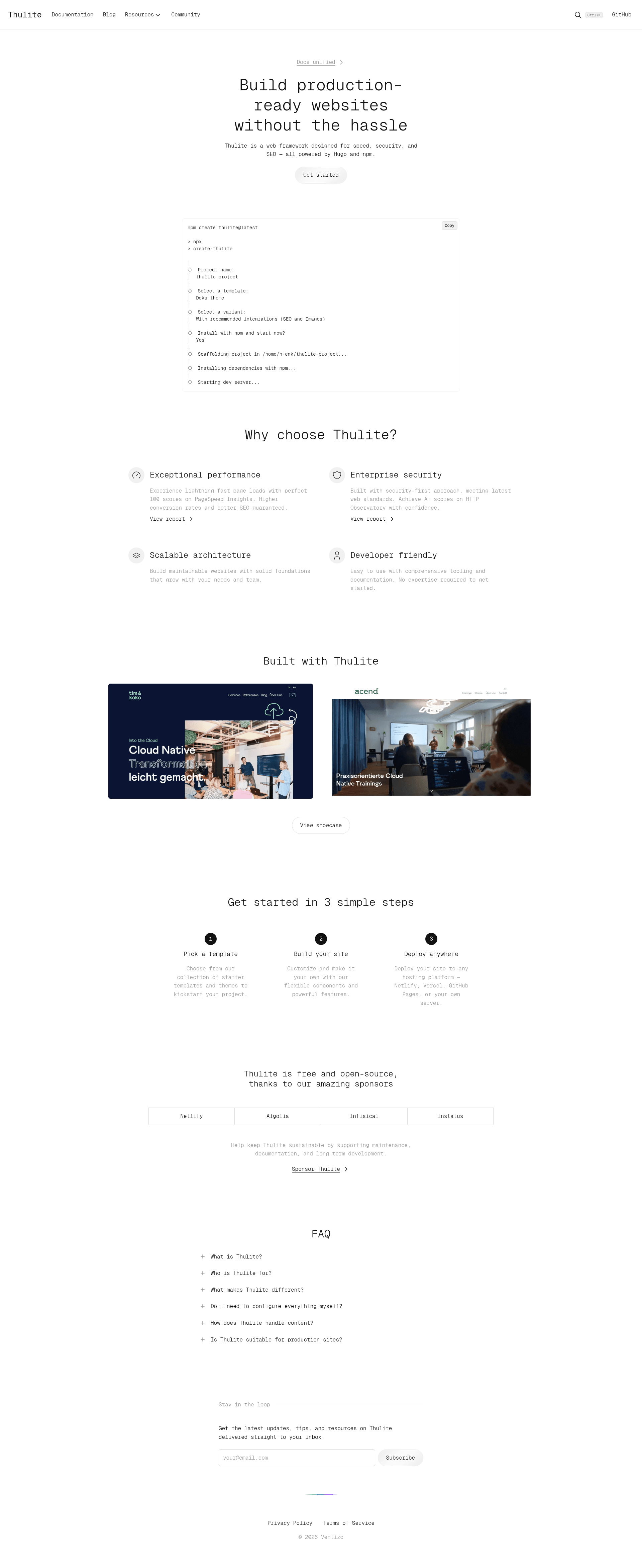
Thulite is a website build tool (web framework) that pairs Hugo's static-site generator with npm's package management to produce fast, secure, SEO-ready websites.
What is Thulite?
Thulite is an open-source web framework from the Thulite organization (thuliteio) that combines the Hugo static site generator with npm for dependency management. It takes website content and configuration as input and outputs a static HTML site designed for speed, security, and SEO. The framework requires Node.js (latest LTS) and the latest extended version of Hugo to run.
Key Features
- Hugo + npm core — Uses Hugo for static generation and npm for package management, letting developers install integrations as npm packages instead of managing Hugo modules directly.
- create-thulite CLI — Scaffolds a new project with the command
npm create thulite@latest, giving a working site structure without manual setup. - @thulite/seo — An official package for adding search-engine optimization features to sites built with Thulite.
- @thulite/images — Official image handling integration for processing and optimizing images in Hugo sites.
- @thulite/inline-svg — Package that enables inline SVG rendering, reducing HTTP requests for icons and graphics.
- @thulite/bootstrap — Official Bootstrap CSS framework integration, letting users style sites with Bootstrap components.
- @thulite/tailwindcss — Official Tailwind CSS integration for utility-first styling.
- @thulite/doks-core — Core package for building documentation sites, based on the Doks Hugo theme.
Who is it for?
Thulite is for developers who want Hugo's build speed with npm's ecosystem. It's also suited to teams building documentation sites using the Doks-based core package, and for content/marketing sites needing strong SEO through the official SEO package.
What can you do with Thulite?
- Developers: Scaffold a new static site with
npm create thulite@latestand install extra functionality like SEO or image handling through npm packages. - Documentation teams: Use @thulite/doks-core to set up a documentation site with Hugo's content management, navigation, and search features.
- SEO specialists: Add @thulite/seo to a Thulite site to manage meta tags and other on-page SEO elements.
How does Thulite work?
You install Thulite by running npm create thulite@latest in a terminal with Node.js and Hugo extended installed. The command creates a project that you can develop with Hugo's local server and build into a static site deployable anywhere.
Pricing
Thulite is free and open-source under the MIT License. It is supported by sponsors via GitHub Sponsors.
Alternatives
- Astro
- Next.js
FAQ
Is Thulite free?
Yes, Thulite is free and open-source software released under the MIT License. The project is supported financially through GitHub Sponsors.
What are the system requirements for Thulite?
You need Node.js (latest LTS version) and the latest extended version of Hugo installed on your machine. Both are listed as requirements in the project's documentation.
How do I create a new Thulite project?
Run npm create thulite@latest in your terminal. This scaffolds a new Thulite project using the official create-thulite package.
Does Thulite support Tailwind CSS and Bootstrap?
Yes. Thulite offers official packages for both: @thulite/tailwindcss for Tailwind CSS and @thulite/bootstrap for Bootstrap.
What is the difference between Thulite and plain Hugo?
Thulite wraps Hugo with an npm-based workflow and provides official integration packages, so you can manage themes, styling, and SEO features through npm rather than handling everything manually in Hugo.