Template details
Orca
A Jekyll template for creating course websites without writing HTML — content is defined in YAML and hosted on GitHub Pages.
About this template
Orca
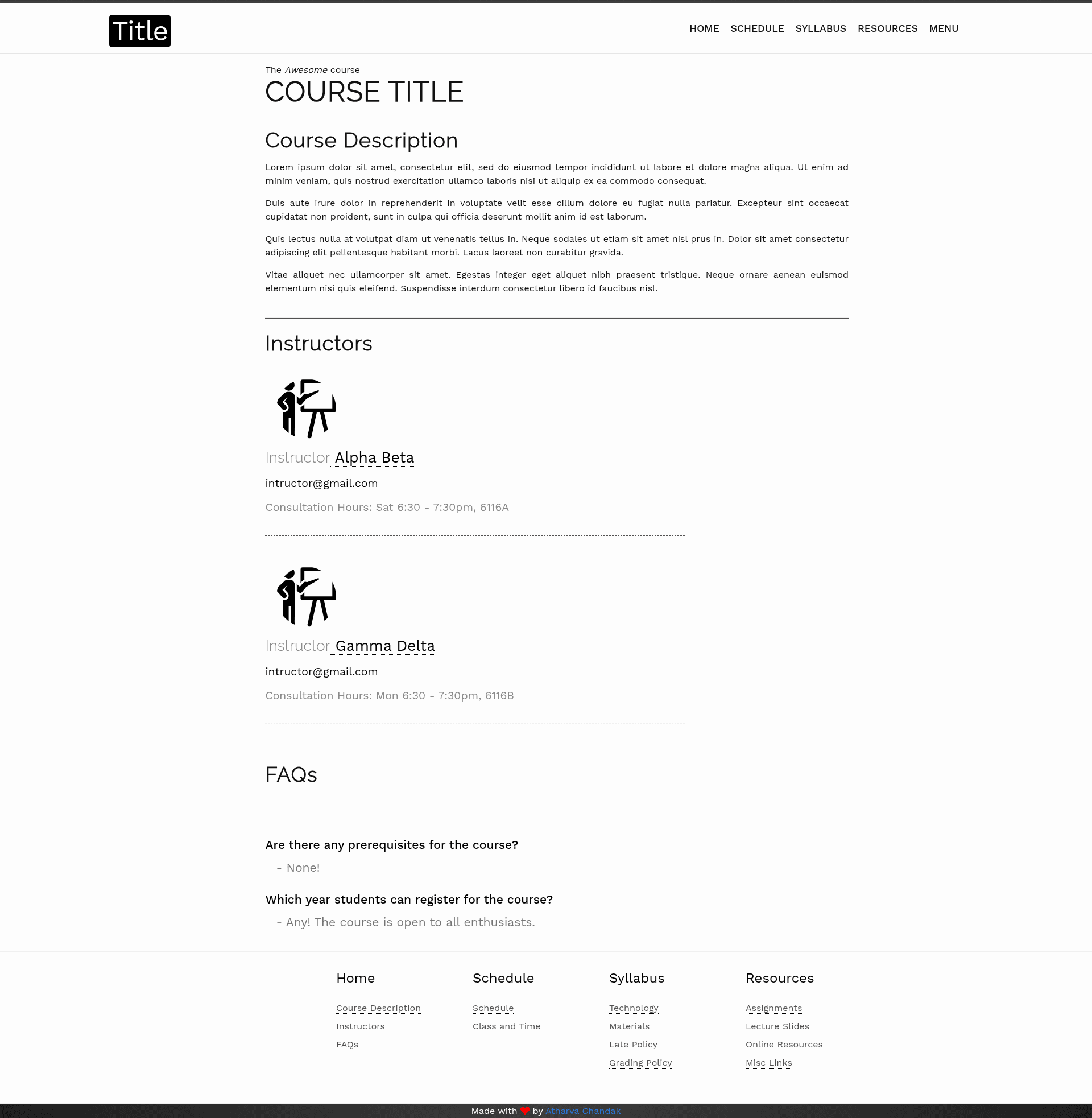
Orca is a free Jekyll template for building course websites — you define course content in YAML data files and it renders a clean, responsive static site that can be hosted on GitHub Pages for free.
What is Orca?
Orca is a Jekyll template designed to create course websites without writing HTML markup. It takes YAML data files (lectures, resources, assignments, people) and converts them into a static website with a minimalistic, responsive layout. The template lives in the atharva-chandak/orca_web_template repository on GitHub and includes a ready-to-customize header, footer, and page structure. It has been used to power live course websites at BITS Pilani (Functional Programming with Python and Natural Language Processing), GIT Jaipur (Software Engineering and Data Structures & Algorithms), and Tufts University (Computational Biology).
Key Features
- YAML-driven content — Add lectures, resources, assignments, and announcements by editing
.ymlfiles inside the_datadirectory; no HTML changes are needed for routine updates. - 6-step quick setup — The README outlines six steps: use the GitHub template button, clone the repo, add assets, customize header/footer YAML, fill in the data YAML files, and set the
config.ymlvalues. - Free GitHub Pages hosting — Because Orca outputs a static Jekyll site, you can publish it on GitHub Pages at no cost; the README explicitly calls out free hosting.
- Flexible header and footer — Navigation tabs are configured in
_data/includes/header.ymland the footer can be customized the same way. - Simple page creation — New pages are created by adding an
your_title.htmlfile in the root with front-matter, following the example inextra.html. - Responsive minimal design — The default look is simple, elegant, and works on desktop and mobile.
- Proven in real courses — The template is currently used by universities for several live courses, which gives it a real-world track record.
Who is it for?
- University instructors — Set up a course website with a syllabus, lecture slides, assignments, and resources by editing YAML files instead of writing HTML.
- Teaching assistants — Update weekly materials by adding files to the assets directory and changing one entry in a YAML file.
- Academic programs — Roll out consistent course websites across multiple classes using the same template and GitHub organization workflow.
- Self-learners or MOOC creators — Organize publicly available course material into a coherent site and host it on GitHub Pages.
What can you do with Orca?
- Course instructors: create an entire course site from YAML data and publish it on GitHub Pages in a few steps.
- Course staff: add new lecture slides, notes, or assignment PDFs to the assets directory and link them from the corresponding YAML file.
- Students: browse a clean, responsive course site on any device with clear navigation and direct access to materials.
How does Orca work?
The template follows a data-driven workflow. Start by clicking "Use this template" on GitHub to create your own repository, then clone it. Place any PDFs or images in the assets directory, customize _data/includes/header.yml and the footer file for navigation, and edit the YAML files under _data to add lectures, resources, and other content. Finally, fill in config.yml — when hosting on GitHub Pages, set baseurl to your repository name. Local builds are optional and follow the standard Jekyll installation guide.
Pricing
Orca is free to use. The README emphasizes that you get the website free and that you can host it at no cost on GitHub Pages. There are no paid tiers or license restrictions mentioned.
FAQ
Do I need to know HTML to use Orca?
No. The template is designed so content is added in YAML files. Basic HTML tags like p, br, and a are used inside YAML values when you want formatting, so some familiarity helps, but you do not need to build pages from scratch.
Can I host my Orca site on GitHub Pages for free?
Yes. Orca generates a static site, and the README explicitly says you can host it for free on GitHub Pages. In config.yml, set baseurl to the name of your repository and push your code to GitHub.
Where do I put my lecture slides?
Add slide files (PDF or other formats) to the assets directory. Then open the appropriate YAML file in _data (for example, _data/resources/lectures.yml) and add an entry with the title, date, and file name. The template will generate the links automatically.
How long does setup take?
The README describes a 6-step process. Most of the work is editing YAML files; after you create the repository from the template and fill in the data, your site can go live on GitHub Pages in under an hour.
What happens if I need to change the YAML keys?
The README advises avoiding key changes. If you do change keys, you must also update the corresponding HTML files that reference them. For most users, keeping the existing structure is the easiest path.