Template details
OS Resume
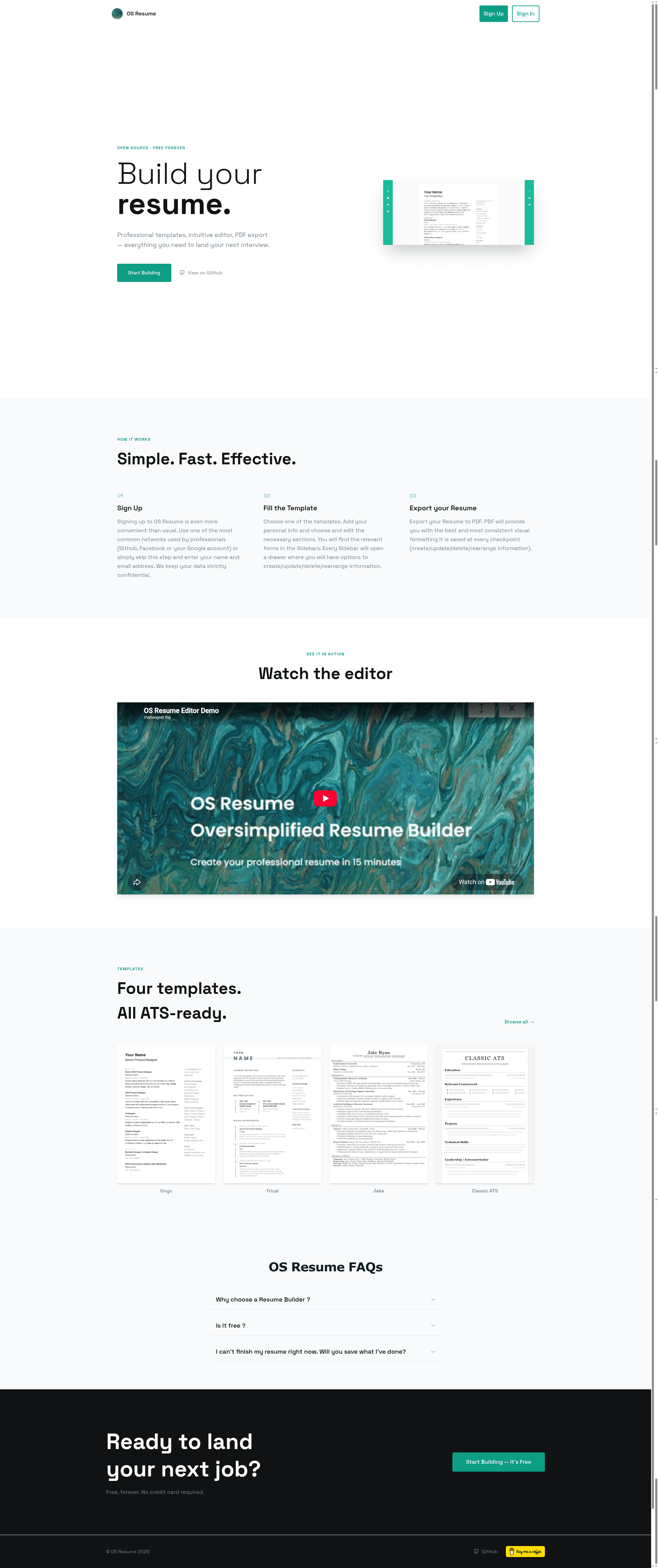
Open-source resume builder with drag-and-drop editing, Google Fonts, and multiple templates, built on Next.js and MongoDB.
About this template
OS Resume is an open-source, oversimplified resume builder built with Next.js and MongoDB that lets anyone create a professional resume in about 15 minutes through a drag-and-drop editor. The project is maintained on GitHub by Vishwajeet Raj and currently has 92 stars.
What is OS Resume?
OS Resume is a web application that accepts user profile data through structured forms and produces a formatted, styled resume document rendered from one of several built-in template designs. It runs on Next.js with a MongoDB database, uses Clerk for authentication, and is distributed as a free, open-source repository that developers can self-host after configuring a few environment variables.
Key Features
- Drag-and-drop editor — reorder resume sections visually using react-beautiful-dnd, without touching code.
- Form handling with Formik and Yup — every resume field (personal, education, experience, extras, projects, leadership) is validated through Yup schemas before saving.
- Tailwind CSS interface — the entire UI is styled with Tailwind CSS, giving the editor a modern utility-first look.
- Google Fonts support — choose from the Google Fonts library directly in the editor to change the typography of the resume.
- Multiple template styles — switch between different built-in layouts, including a "Classic ATS" template with Computer Modern Serif font.
- Extensible template catalog — built-in templates live in
shared/utils/templateCatalog.js; adding a new component there makes it appear in the app automatically. - MongoDB sync — template metadata is automatically upserted into the
resumescollection when an API request hits/api/resumes?template=true. - Seeder script —
npm run seedinserts demo content into MongoDB for local development.
Who is it for?
- Job seekers — build a clean, ATS-friendly resume quickly without needing design skills.
- Developers — use the open-source codebase as a starter for a SaaS-style editor or customize the resume templates with their own components and styles.
- Students — generate a formatted resume for internships or first jobs using the seeded demo data as a starting point.
What can you do with OS Resume?
- Quick resume drafting: fill in your personal details, work history, and education; the editor formats them into a professional layout in minutes.
- Template customization: add a new resume template by creating a component in
components/templates/, adding a preview image inpublic/templates/, registering it in the template catalog, and rendering it inpages/editor/[id].js. - Local development practice: spin up the project locally with Node v18.12.0, install dependencies via
npm installoryarn, and connect it to your own MongoDB and Clerk credentials.
How does OS Resume work?
After cloning the repo, you install dependencies and create a .env file with Clerk authentication keys and a MongoDB URI (for example, a MongoDB Atlas connection string ending in /osresume). The app then uses Next.js API routes to read and write resume records, while the editor page at pages/editor/[id].js renders the active template. The optional seed command populates the database with demo entries.
FAQ
Is OS Resume free?
Yes. The repository is open-source and available on GitHub. You only need to provide your own MongoDB database and Clerk credentials when self-hosting.
What technologies does OS Resume use?
The project is built with Next.js, React, MongoDB, Tailwind CSS, Formik, Yup, and react-beautiful-dnd. Authentication is handled by Clerk.
How do I add a new template to OS Resume?
Create a template component in components/templates/, add a preview image in public/templates/, register it in shared/utils/templateCatalog.js with a title and template name, then render it in the editor page. The template record is automatically synced to MongoDB.
Does OS Resume include a mobile app?
No. It is a web application only, accessed through a browser.