Template details
Table To JSON
jQuery plugin that serializes HTML tables into JavaScript objects.
About this template
Table To JSON
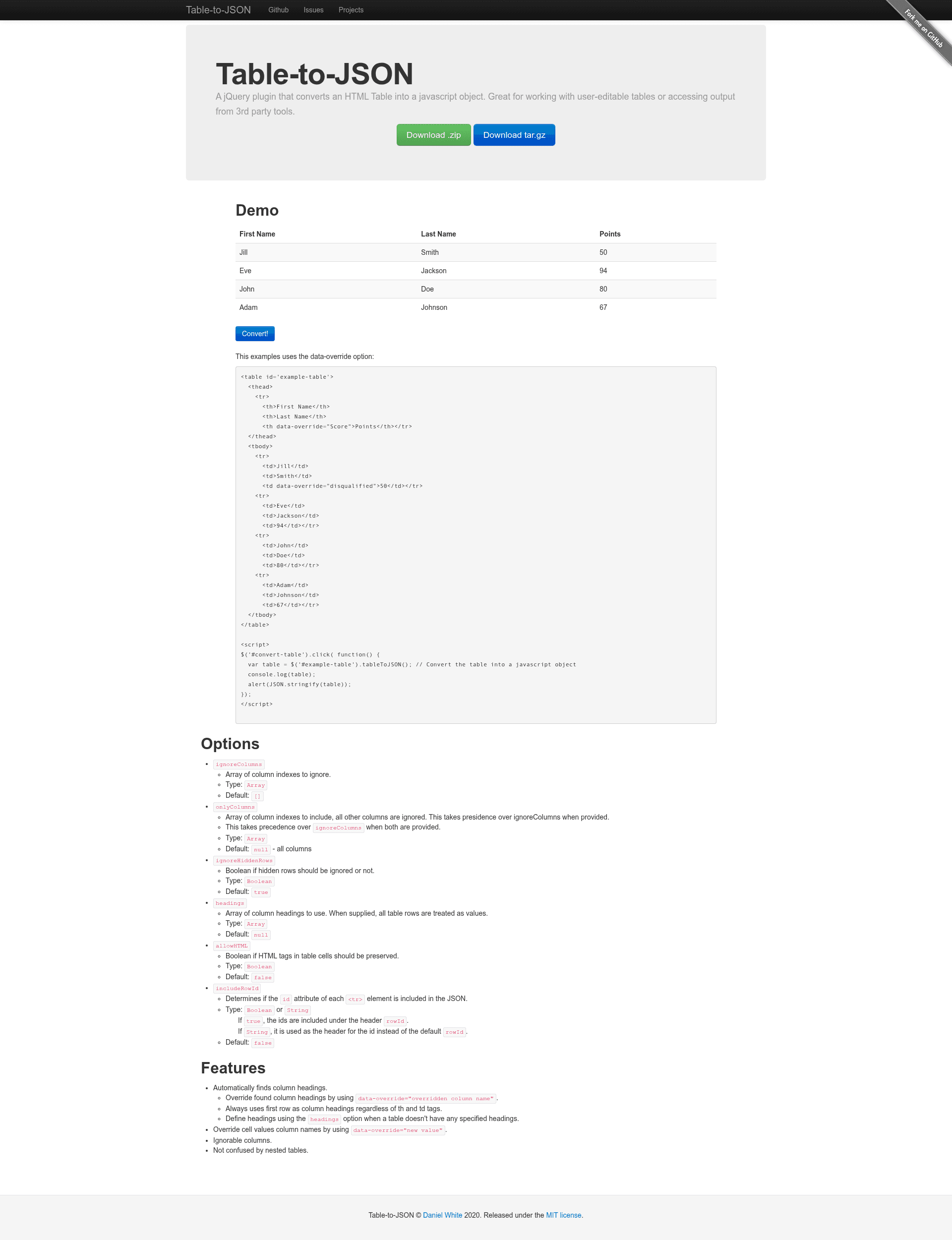
Table To JSON is a jQuery plugin that serializes HTML tables into JavaScript objects, returning an array of JSON objects keyed by column headings.
What is Table To JSON?
Table To JSON is an open-source jQuery plugin created by lightswitch05 that converts an HTML table element into an array of JavaScript objects. It takes a table selected via jQuery as input and outputs a JSON array where each object represents a row, with keys derived from the table's column headings. The plugin runs entirely in the browser, is distributed as a single JavaScript file, and is available on npm and jsDelivr CDN under the MIT license. A live demo and an editable Plunker template are linked from the repository.
Key Features
- Automatic heading detection — Uses the first row of the table as column headings regardless of whether cells are
thortd, and respectsdata-overrideattributes on heading cells. - Rowspan and colspan support — Handles merged cells correctly; support was contributed by Mottie, and a later bug in rowspan/colspan interaction was fixed by danielapsmaior.
- Nested table handling — Correctly serializes tables that contain nested HTML tables without confusing inner rows with the outer table's data.
- Column filtering options — The
ignoreColumnsoption excludes specific column indexes, whileonlyColumnsincludes only selected columns;onlyColumnstakes precedence when both are supplied. - Hidden and empty row control —
ignoreHiddenRows(defaulttrue) skips hidden rows, andignoreEmptyRows(defaultfalse) can skip rows with no text content. - Custom extraction — The
extractoroption (aliased astextExtractor) accepts a function that processes each tbody cell, returning either text or an object with multiple fields; it can also be scoped per zero-based cell index. - Cell value overrides — A
data-overrideattribute on any cell replaces its text content in the output, andtextDataOverridelets you rename that attribute. - HTML preservation and row IDs —
allowHTMLkeeps HTML tags inside cells, andincludeRowIdadds the table row'sidattribute to each output object with a configurable key name.
Who is it for?
- Front-end developers building web applications who need to convert displayed HTML tables into JSON for API requests or client-side processing.
- jQuery users looking for a ready-made plugin rather than writing custom table-parsing code.
- Automation and scraping developers who need to extract structured data from HTML tables rendered in the browser.
What can you do with Table To JSON?
- Export table data: Turn any HTML table into a JSON array that can be saved, downloaded, or sent to a server.
- Form building: Read user-entered data from editable HTML tables and serialize it into a structured format for submission.
- Data migration: Extract legacy table-based content into JSON for import into a database or a modern front-end framework.
How does Table To JSON work?
Include the plugin script on your page, then call the plugin on a jQuery selection, for example $('#example-table').tableToJSON(). The plugin reads the table's first row for headings, iterates the tbody rows, applies the configured options, and returns an array of objects. Options are passed as a plain object to customize behavior; the README includes a worked example showing how ignoreColumns filters the output.
Pros and cons
- Pros: Open source under MIT; lightweight single-file plugin; actively supports complex table structures like rowspan, colspan, and nested tables; offers fine-grained control via options and callbacks.
- Cons: Requires jQuery, so it does not work in projects without the jQuery library; it is a client-side tool and not intended for server-side parsing (the README points to a separate PHP implementation by Colin Tremblay for that purpose).
FAQ
Is Table To JSON free?
Yes, Table To JSON is open source and released under the MIT license, so it can be used freely in commercial and personal projects. The source code is hosted on GitHub and the package is published to npm.
Does Table To JSON support rowspan and colspan?
Yes, the plugin supports tables with merged cells. Rowspan and colspan support was contributed by Mottie, and a subsequent bug involving rowspan/colspan with other options was fixed by danielapsmaior. This makes it suitable for complex HTML tables.
How do I ignore columns in the output?
Use the ignoreColumns option with an array of zero-based column indexes, for example ignoreColumns: [0] to skip the first column. Alternatively, onlyColumns lets you specify which columns to keep and takes precedence over ignoreColumns when both are provided.