Template details
Paperback
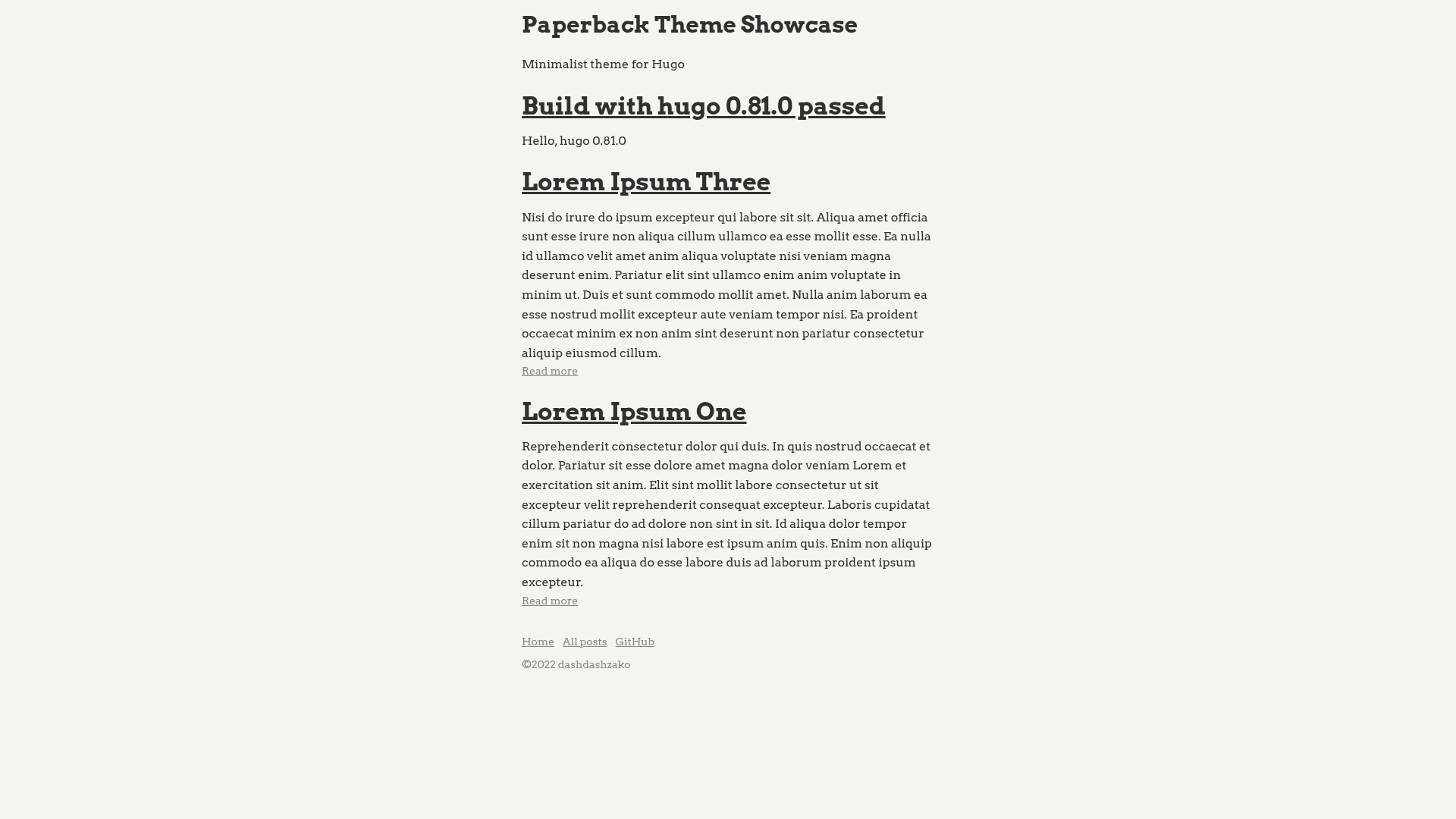
Minimalist Hugo theme focused on reading experience with high-contrast colors and Highlight.js syntax highlighting.
About this template
Paperback is a minimalist Hugo theme that prioritizes reading comfort through high-contrast typography and a deliberately simple, effect-free layout.
What is Paperback?
Paperback is an open-source theme for the Hugo static site generator. It takes Hugo site content written in Markdown and a configuration file, then renders a lightweight blog or personal website focused on readability. The theme is published on GitHub under the dashdashzako account and is showcased in a live demo at dashdashzako.github.io/paperback-demo.
Key Features
- Minimalist design — High-contrast colors and no decorative effects keep attention on the text.
- Highlight.js code highlighting — Syntax highlighting is included; you can override both the library (by placing a build in static/js) and the theme (by providing a highlight.css file in static/css).
- Configurable homepage — Set a tagline shown beneath the site title and control how many posts appear on the index with the HomepagePosts parameter (default is 10).
- Social profile links — Optional GitHub, Twitter, and LinkedIn usernames in the config add those links to the site.
- Google Analytics ready — The site config supports a googleAnalytics identifier without extra template work.
- Standard Hugo installation — Install the theme following the official Hugo themes documentation and adjust a handful of config parameters.
Who is it for?
- Bloggers who want a clean, text-first layout with no visual distractions.
- Developers who need a lightweight static site with proper code syntax highlighting for technical posts.
- Hugo users who prefer to customize a theme through config parameters rather than editing template files.
What can you do with Paperback?
- Publish a personal blog: Write posts in Markdown and use the homepage tagline and post-count settings to shape the index.
- Share code examples: Rely on the built-in Highlight.js integration to render code blocks, and swap in a custom highlight theme to match your design.
- Link your social profiles: Add GitHub, Twitter, or LinkedIn usernames to the config and the theme generates the corresponding links.
How does Paperback work?
Paperback follows the standard Hugo theme workflow. After installing the theme into your project, you set values in the site config for your name, tagline, number of homepage posts, and optional social handles. The theme then generates static HTML pages from your content, and you can customize code highlighting by placing your own Highlight.js build and highlight.css file in the static folder.
FAQ
Is Paperback free?
Yes, the theme is publicly available on GitHub, so you can download and use it at no cost.
What does Paperback do?
Paperback is a Hugo theme that renders Markdown content into a minimalist blog or personal website with high-contrast text, optional social links, and Highlight.js-powered code highlighting.
How do I install Paperback?
Install it as you would any Hugo theme: clone or copy the theme into your Hugo themes directory, then follow the Hugo themes installation documentation. After that, add the config parameters shown in the README to your site configuration.
Can I customize the syntax highlighting?
Yes. Replace the Highlight.js build in the static/js directory and provide your own highlight.css file in static/css. The theme will use those files for code highlighting.