Template details
Personal Portfolio
A React and MUI personal portfolio template for data scientists, with configurable content and Google Analytics support.
About this template
Personal Portfolio is a free, open-source React portfolio template built with Material UI (MUI), designed specifically for data scientists to present their projects, skills, and experience as a personal website.
What is Personal Portfolio?
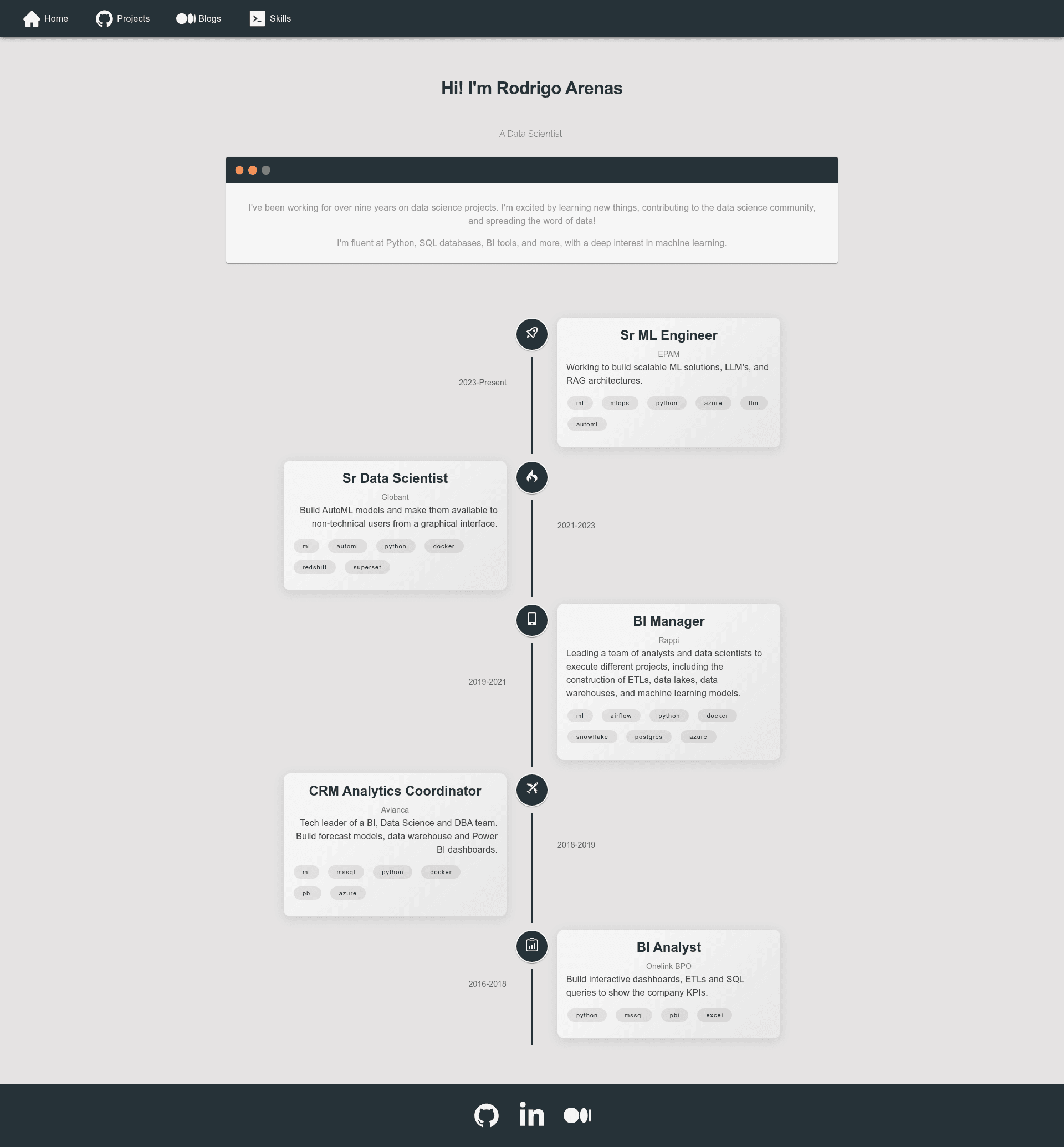
Personal Portfolio is a single-page application template built with React and Material UI, created by Rodrigo Arenas to showcase his work as a data scientist. It takes configuration files as input—text, icons, links, images—and outputs a fully styled personal website that can be deployed to GitHub Pages or any static host. The template is distributed on GitHub with 195 stars and is licensed for reuse with attribution.
Key Features
- React + Material UI stack — Built with React (via create-react-app) and Material UI (MUI) components, with CSS3 for custom styling.
- Config-driven content — All text, icons, links, and images are edited in
assetsfolders; one config file per page or component, such asfooterConfig.js. - Google Analytics support — Optional integration by setting
REACT_APP_TRACKING_IDin a.envfile copied from.env.example. - Image customization — Projects and blog images can be set either as external URLs or images from the
assets/imagesfolder. - Live demo — A working live demo is hosted at https://rodrigo-arenas.github.io/portfolio/.
- Simple installation — Fork, clone, run
npm install, and thennpm startto run locally. - GitHub Pages deployable — Includes a
homepagefield inpackage.jsonfor GitHub Pages; a known troubleshooting step covers a deployment error.
Who is it for?
- Data scientists — Create a professional portfolio website to present projects, publications, and technical skills without writing complex frontend code.
- Job seekers in tech — Replace a plain resume with a visually clean personal site that links to GitHub, LinkedIn, and other profiles.
- Beginners learning React — The template is labeled beginner-friendly and offers a good first issue for contributors wanting to practice with config-driven React apps.
What can you do with it?
- Showcase data science projects — Add project entries with images and links in
projectsConfig.jsto display your work in a grid. - Customize footer and navigation — Edit
footerConfig.jsto change icons and hyperlinks for social profiles and contact information. - Track visitor analytics — Set
REACT_APP_TRACKING_IDto your Google Analytics ID and see page view data for your portfolio. - Deploy for free — Publish the static site to GitHub Pages using the included homepage configuration.
How does it work?
- Fork and clone the repository:
git clone https://github.com/your-username/portfolio.git. - Run
npm installto install dependencies. - Run
npm startto launch a local development server. - Edit config files in
assetsto replace placeholder content with your own. - Build and deploy to GitHub Pages or any static hosting service.
FAQ
Is Personal Portfolio free to use?
Yes, the project is open-source and free to use as a template. The author asks that you link back to the original repository to give credit.
What tech stack does it use?
The template is built with React using create-react-app, styled with Material UI (MUI), and uses CSS3. It runs on Node.js via npm scripts.
How do I change the content?
All content lives in configuration files under the assets folder. Each page or component has its own config file, such as footerConfig.js; you can edit values while keeping the same key names and structure.
Can I add Google Analytics?
Yes. Copy the .env.example file, add your tracking ID as REACT_APP_TRACKING_ID, and rename the file to .env. The app then loads analytics automatically.
I get an unexpected token ">" when deploying. How do I fix it?
Remove the "homepage": "https://rodrigo-arenas.github.io/portfolio" line from package.json if you are not deploying to that exact GitHub Pages URL. This is a known troubleshooting step documented in the README.