Template details
Pico CSS
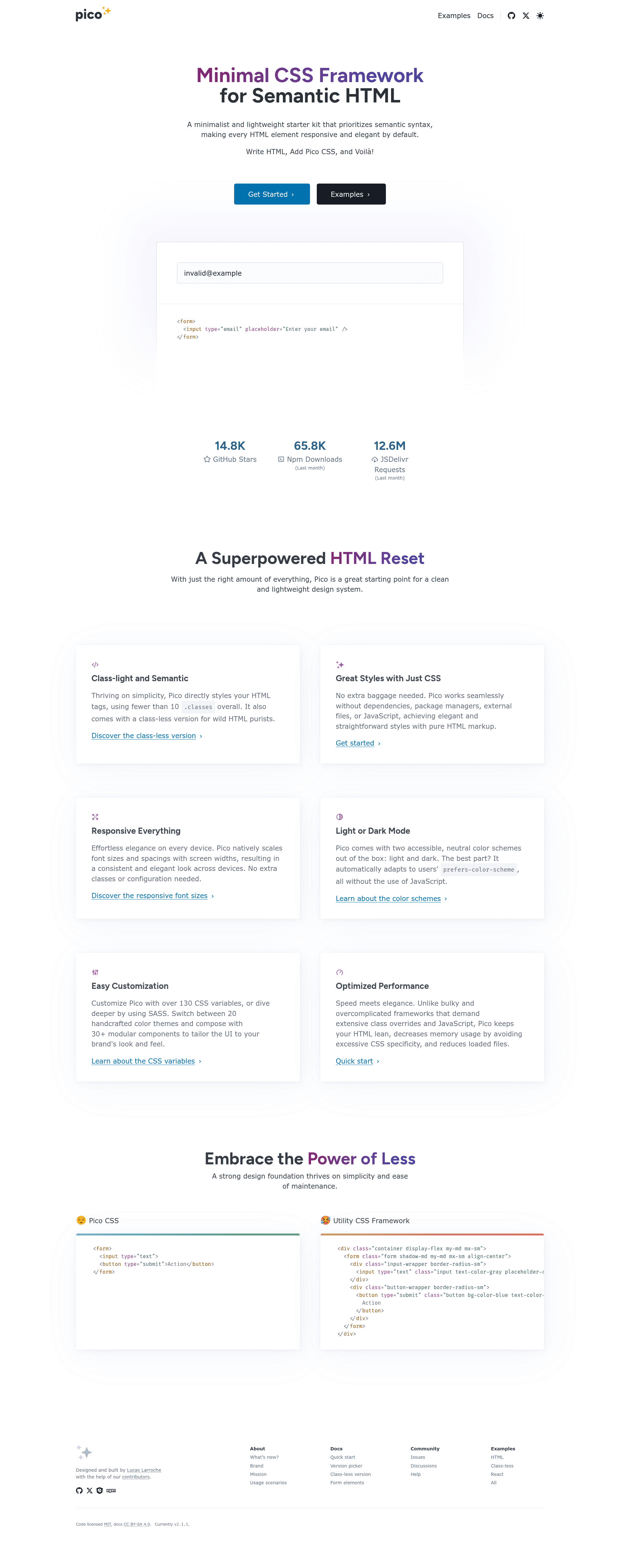
Minimal CSS framework for semantic HTML that styles native elements with responsive defaults, no classes or JavaScript required.
About this template
Pico CSS is a minimal, class-light CSS framework that styles semantic HTML out of the box, giving every element responsive and elegant defaults without requiring utility classes or JavaScript.
What is Pico CSS?
Pico CSS is an open-source, MIT-licensed CSS framework built for semantic HTML. It takes plain HTML markup — headings, forms, tables, buttons — and applies clean, responsive styling automatically, with no CSS classes or JavaScript needed for basic use. The framework is written in SCSS, distributed via GitHub, npm, jsDelivr CDN, and Composer, and is maintained by the Pico CSS team on GitHub. Version 2 focuses on better accessibility, easier SCSS customization, a complete color palette, and a new group component.
What makes Pico CSS stand out?
- Class-light and semantic — styles native HTML elements directly, so you don't need helper classes for common components.
- Responsive everything — all elements are responsive by default, adapting to viewport width without custom media queries.
- Light or dark mode — built-in support via the
color-schememeta tag and CSS variables, plus 20 precompiled color themes totaling over 100 combinations accessible through the CDN. - Classless version — a
.classlessstylesheet where<header>,<main>, and<footer>act as containers automatically, with a.fluidvariant for full-width layouts. - Customization via SASS — import with
@use "pico";and use CSS variables to override spacing, colors, and typography. - Optimized performance — lightweight minified CSS with zero JavaScript dependencies.
- Conditional styling and RTL support — v2 adds conditional styling for specific elements and right-to-left language support.
- Modern browser support — tested on the latest stable Chrome, Firefox, Edge, and Safari; no IE support.
Who should use Pico CSS?
- Front-end developers — as a fast starting point for small projects or prototypes, avoiding handwritten reset and base styles.
- Semantic HTML advocates — who want a clean default look for well-structured markup without sprinkling classes everywhere.
- Designers prototyping — need a consistent, accessible baseline for mockups and can customize colors via SCSS variables.
- Beginners learning HTML — can instantly see professional styling by linking one stylesheet to proper semantic markup.
What can you do with Pico CSS?
- Launch a landing page: Write plain HTML with a
main class="container"block, linkpico.min.css, and get styled typography, buttons, and forms. - Build a classless site: Use
pico.classless.min.cssso<header>,<main>, and<footer>become centered or fluid containers without any classes. - Prototype UI components: Pico includes components like accordions, modals, dropdowns, tooltips, nav, and progress bars that work with semantic HTML.
- Create a custom design system: Use SCSS
@use "pico";to override variables and pick from 20 color themes for a branded look.
How does Pico CSS work?
Pico CSS offers four installation paths: download and link css/pico.min.css manually, use the jsDelivr CDN URL, install via npm or yarn and import with @use "pico";, or install via Composer. After linking the stylesheet, you write standard HTML — a starter template includes a color-scheme meta tag and a <main class="container"> wrapper for a centered layout. The classless version skips the wrapper entirely.
Pros and cons
Pros:
- Free and open-source under the MIT License.
- No JavaScript dependencies; pure CSS.
- Semantic, class-light approach keeps markup clean.
- Easy theming with CSS variables and SCSS.
Cons:
- No utility or helper classes; building large custom projects requires SCSS or CSS expertise.
- Does not support Internet Explorer at all.
Pricing
Pico CSS is free and open-source, released under the MIT License. All versions, including the new v2, are available at no cost from GitHub, npm, and jsDelivr CDN.
Alternatives
- Bootstrap — a more full-featured framework that includes JavaScript components for modals, dropdowns, and carousels.
- Tailwind CSS — a utility-first CSS framework that generates styles through utility classes rather than semantic base styles.
FAQ
Is Pico CSS free?
Yes, Pico CSS is completely free and open-source, licensed under the MIT License. You can use it in commercial and personal projects without cost or attribution.
Does Pico CSS work with Internet Explorer?
No. Pico CSS is designed for the latest stable Chrome, Firefox, Edge, and Safari releases, and it does not support any version of IE, including IE 11.
How do I use the classless version of Pico CSS?
Link pico.classless.min.css for a centered container, or pico.fluid.classless.min.css for a full-width fluid container. In this version, <header>, <main>, and <footer> inside <body> automatically act as viewport containers.
Can I customize Pico CSS colors?
Yes. Pico v2 includes a complete color palette and 20 precompiled color themes — over 100 combinations accessible via CDN. You can also override CSS variables or use SCSS @use "pico"; to define your own theme.