Template details
Pixyll
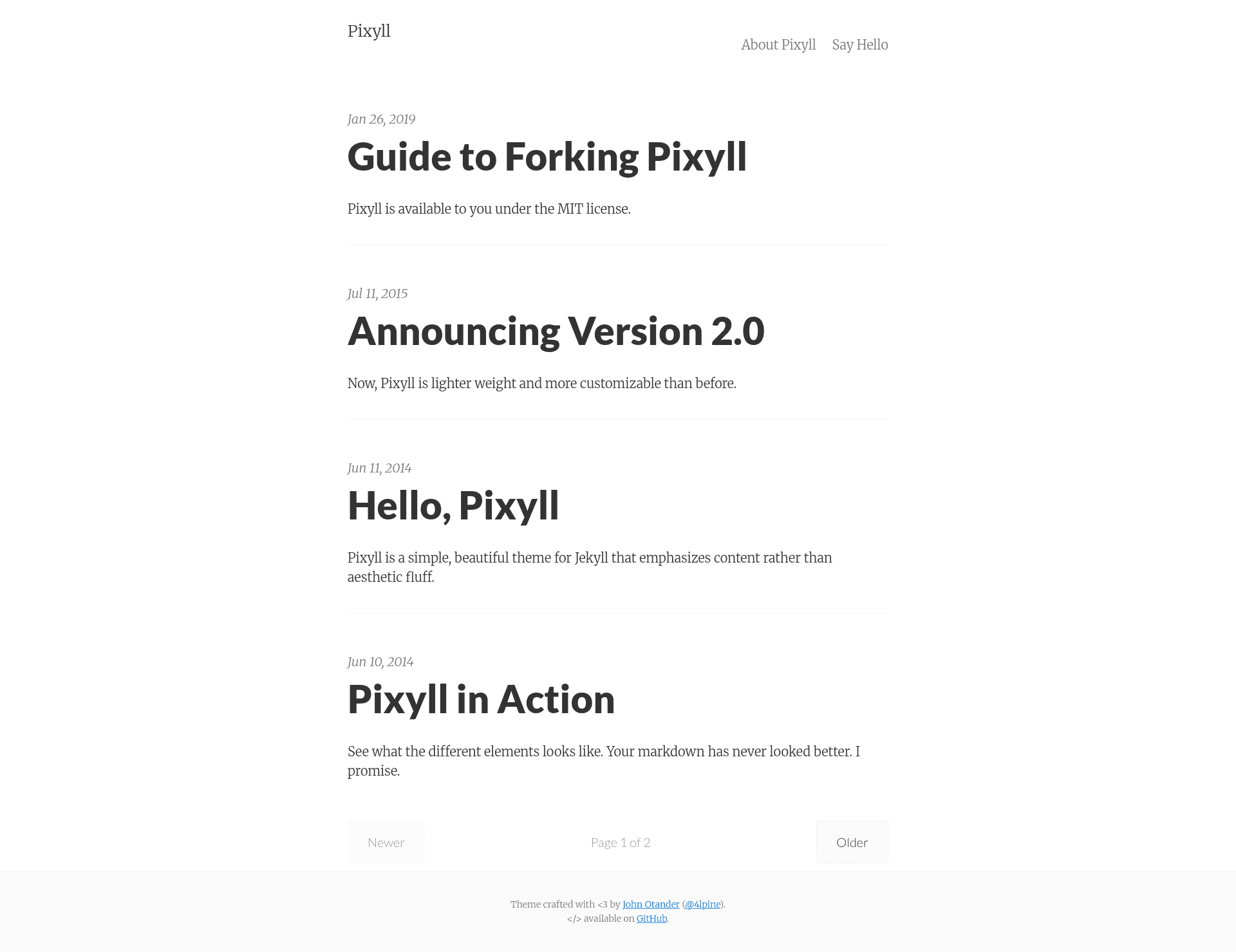
A simple, beautiful Jekyll theme that's mobile first
About this template
Pixyll is a lightweight, mobile-first theme for the Jekyll static site generator that prioritizes content with large typography and high contrast. It is developed by John Otander and distributed as an open-source project on GitHub, with an official Chinese translation maintained by ee0703.
What is Pixyll?
Pixyll is a simple, beautiful Jekyll theme emphasizing content rather than aesthetic fluff. It is mobile first, fluidly responsive, and lightweight, using large type and drastic contrast to make a visual statement on all devices. As a Jekyll theme, it takes a _config.yml file and content written in Markdown (via kramdown) and outputs a static HTML site. It requires Jekyll 3.3 or higher because it uses newer baseurl features.
Key Features
- Mobile-first responsive design — The layout is fluidly responsive and works on all screen sizes, with an emphasis on large type and high contrast for readability.
- Built-in SEO controls — Each page can define
meta_description,meta_robots(values likenoindex,nofollow,noarchive), and the site supports Google Analytics, Google Tag Manager, and verification for Google Search Console and Bing Webmaster Tools. - Progressive Web App (PWA) support — Includes a service worker (
sw.js) and web manifest so the homepage can be installed as an app icon on mobile devices and certain assets are cached for offline access. - Contact form via Formspree — The theme integrates a contact form that submits to Formspree; you must submit it once to confirm your email before it goes live.
- Disqus comments — Set the
disqus_shortnamein_config.ymlto enable Disqus-powered comments on posts. - Page animation and anchor links — Optional fade-in-down animation via Animate.css (
animated: true) and automatic deep anchor links via AnchorJS (enable_anchorjs). - Easy customization — All design variables are in
_sass/_variables.scss; many features toggle through_config.ymlsettings.
Who is Pixyll for?
Pixyll is for bloggers and content creators who want a fast, clean, text-focused website without heavy JavaScript or complex design. It also suits developers familiar with Jekyll who want a minimal base to customize with Sass variables and configuration options. Because it works well with GitHub Pages, it's a strong choice for hosting a personal blog or project page for free.
What can you do with Pixyll?
- Bloggers — Write posts in Markdown, paginate them (default 3 per page), and enable Disqus comments and SEO meta tags for better search visibility.
- Developers — Host multiple sites on a single GitHub account by using a
gh-pagesbranch and settingbaseurlto the repository name. - Offline-first sites — Use its PWA features to let visitors install the site on their home screen and access cached content without a network connection.
How does Pixyll work?
Installation is a standard Jekyll workflow: clone the repository, run bundle install, edit _config.yml with your site title, description, and integrations, then run jekyll serve --watch to preview at localhost:4000. To deploy, push the repository to GitHub Pages, adjusting baseurl if you're hosting in a sub-folder.
Pros and cons
- Pros: Free and open source; very lightweight; mobile-first; no build step beyond Jekyll; extensive configuration via
_config.yml; supports PWA and SEO. - Cons: Requires Jekyll 3.3+ (older versions won't work); contact form depends on Formspree; comments require a separate Disqus account; no built-in CMS for non-technical users.
Pricing
Pixyll is free to use. It is an open-source project hosted on GitHub, and you can clone, fork, and modify it without charge.
FAQ
Is Pixyll free?
Yes, Pixyll is free and open source. You can clone or fork the repository from GitHub and use it for personal or commercial projects without paying a license fee.
What version of Jekyll do I need?
Pixyll requires Jekyll 3.3 or higher because it uses new baseurl features that were introduced in that release. Before installing, verify your Jekyll version with jekyll --version.
Does Pixyll support comments?
Yes, you can enable Disqus comments by setting the disqus_shortname value in _config.yml to the shortname of a Disqus site you create.
Can I use Pixyll with GitHub Pages?
Yes. Pixyll can be hosted free on GitHub Pages. If you're using a project site in a sub-folder (e.g., username.github.io/repo-name), set baseurl in _config.yml to that repo name.
How do I customize the look of Pixyll?
The main styling variables are in the _sass/_variables.scss file. You can also toggle features like page animation and anchor links by adding settings such as animated: true or enable_anchorjs: true to _config.yml.