Template details
Eleventy Satisfactory
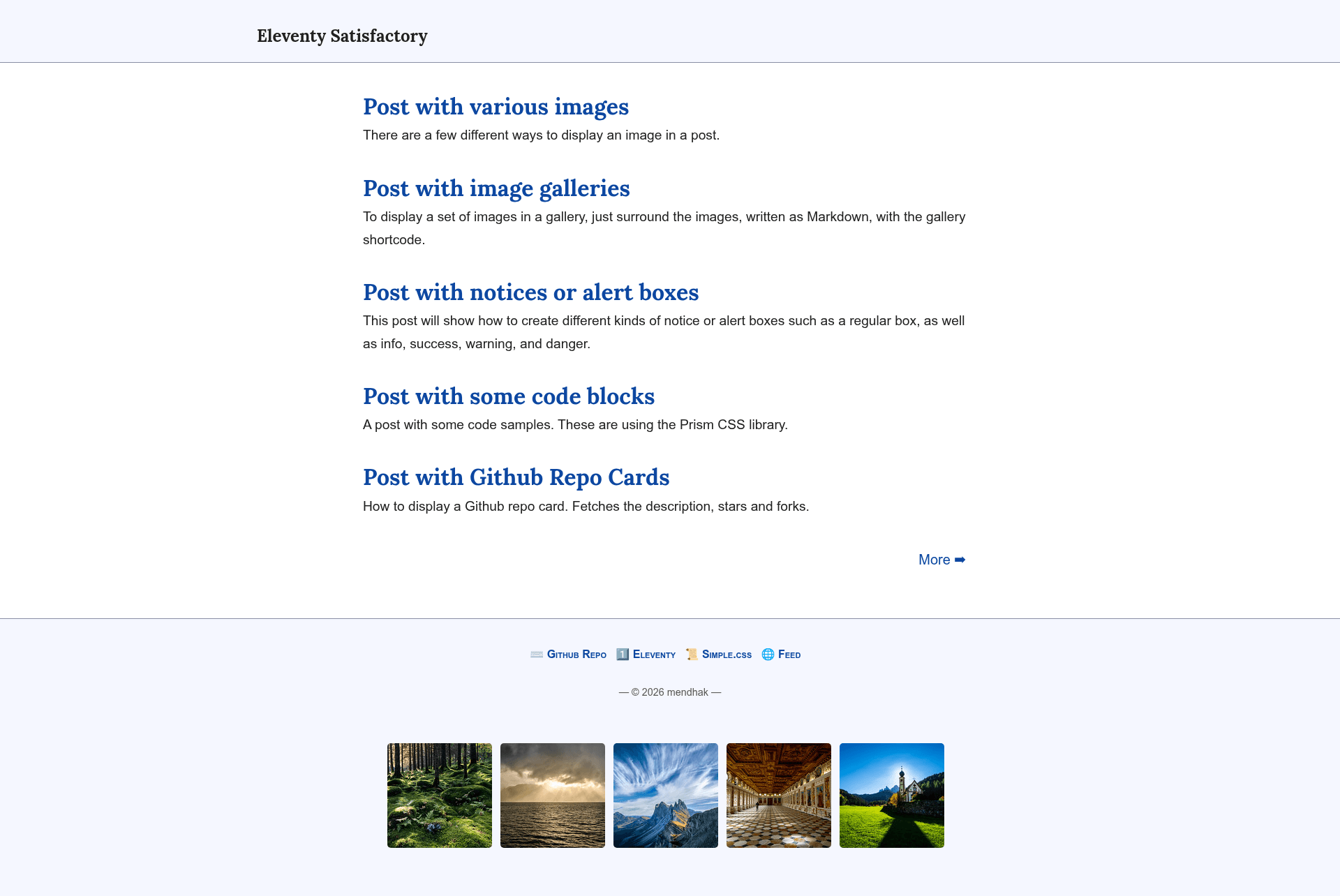
Content-first Eleventy blog template with lightbox images, galleries, gist embedding, and GitHub Pages publishing.
About this template
Eleventy Satisfactory is a content-first blog theme for Eleventy (11ty) that turns Markdown posts into a static site with lightbox images, GitHub Gist embedding, and automatic light/dark mode. It runs on Node.js and can be deployed to GitHub Pages via a bundled GitHub Action.
What is Eleventy Satisfactory?
Eleventy Satisfactory is an open-source Eleventy blog template created by developer mendhak for his own blog. It takes plain Markdown files from the posts folder and renders them into a complete static site, handling image paths, metadata, and styling automatically. The theme uses SimpleCSS for styling and Prism for syntax highlighting, and it runs on Eleventy with Node.js 20 as the supported runtime.
Key Features
- Lightbox images — Regular Markdown images are automatically given a lightbox effect, and a shortcode adds image galleries with captions.
- Automatic path adjustment — Links to
.mdsource files are converted to final post URLs, and image and link paths automatically match the blog's subdirectory prefix. - Inline CSS with automatic dark mode — The main stylesheet is inlined into each page and switches between light and dark based on the visitor's system preference.
- Metadata and SEO — Posts generate OpenGraph and JSON+LD metadata including a preview image, plus
robots.txtand a.well-knownfolder. - Code and embed support — Code blocks use Prism syntax highlighting; GitHub Gists embed as code blocks; a shortcode generates GitHub repository cards.
- Notice boxes — Info, warning, success, and danger callouts are available as shortcodes for emphasis.
- Draft posts — Posts in the
draftsfolder appear in local development (npm run startordocker compose up) but are excluded from production builds. - Extra-wide media controls — Images, videos, and code blocks can be set to extra-wide or full-width so they stand out from the text column.
Who is it for?
- Content-first bloggers who want a minimalist blog without tags, social buttons, newsletter forms, or analytics tracking.
- Eleventy developers who want a customizable starting point—they can edit
metadata.json, footer links, and the theme's Eleventy configuration directly. - GitHub Pages publishers who want a ready-made workflow: the included
staticsite.ymlsample Action builds the site and publishes it to GitHub Pages on push.
What can you do with Eleventy Satisfactory?
- Write and format posts: Use standard Markdown plus shortcodes for image galleries, gists, repo cards, videos, and notification panels.
- Run locally: Launch
docker compose upfor a containerized dev server, or with Node 20 runnpm installandnpm run startto serve athttp://localhost:8080/. - Publish automatically: Push to a GitHub repository configured as a public template or fork; the sample workflow builds the site and deploys it to GitHub Pages.
How does the theme work?
After generating a repository from the template, you set your site values in metadata.json, configure footer links, and place Markdown files in the posts folder. Running npm run build produces the static output, while the included GitHub Action automates building and deployment to GitHub Pages. The theme's author recommends using a diff tool like meld to merge future updates rather than copying the repo wholesale.