Template details
portfolio-inspiration
A curation of awesome portfolio ideas for developers and designers
About this template
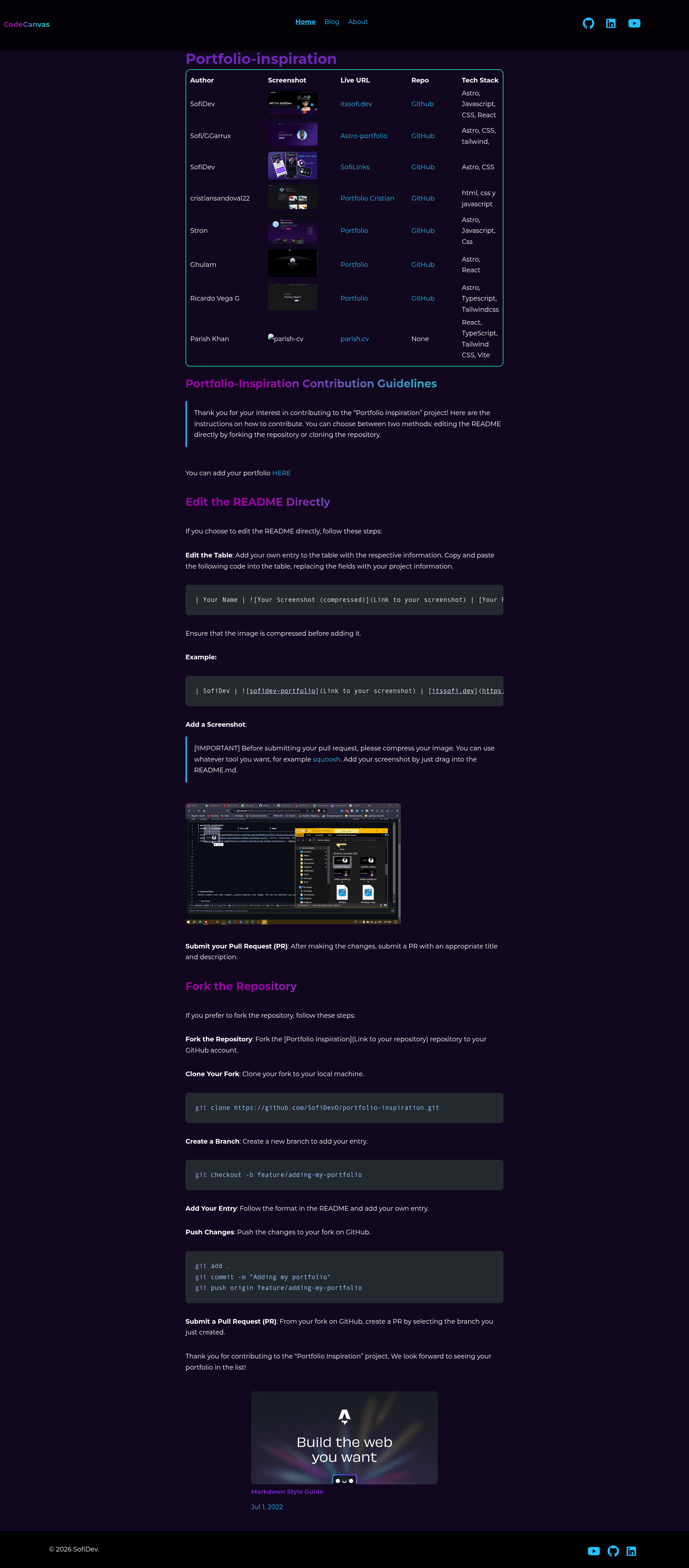
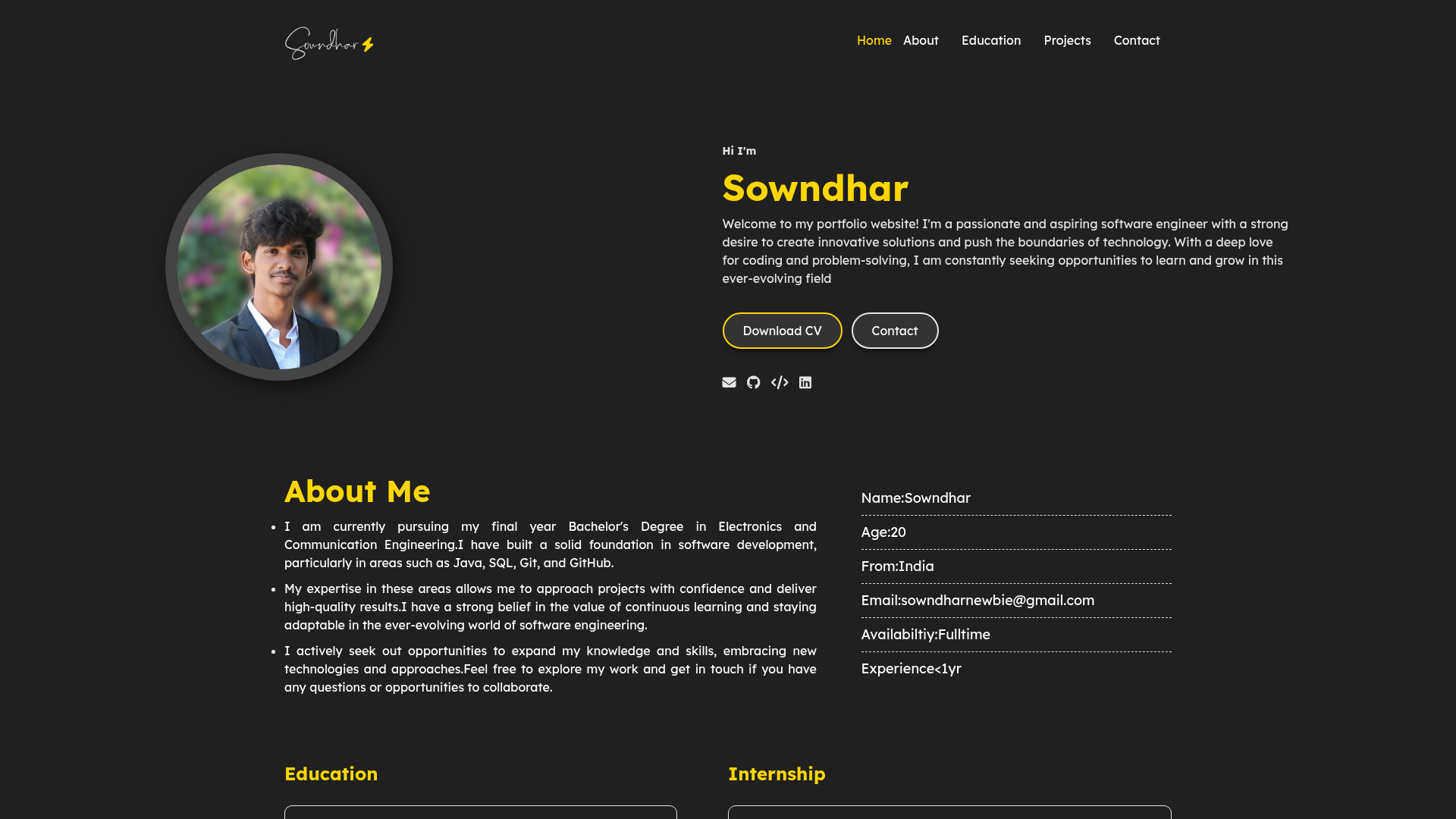
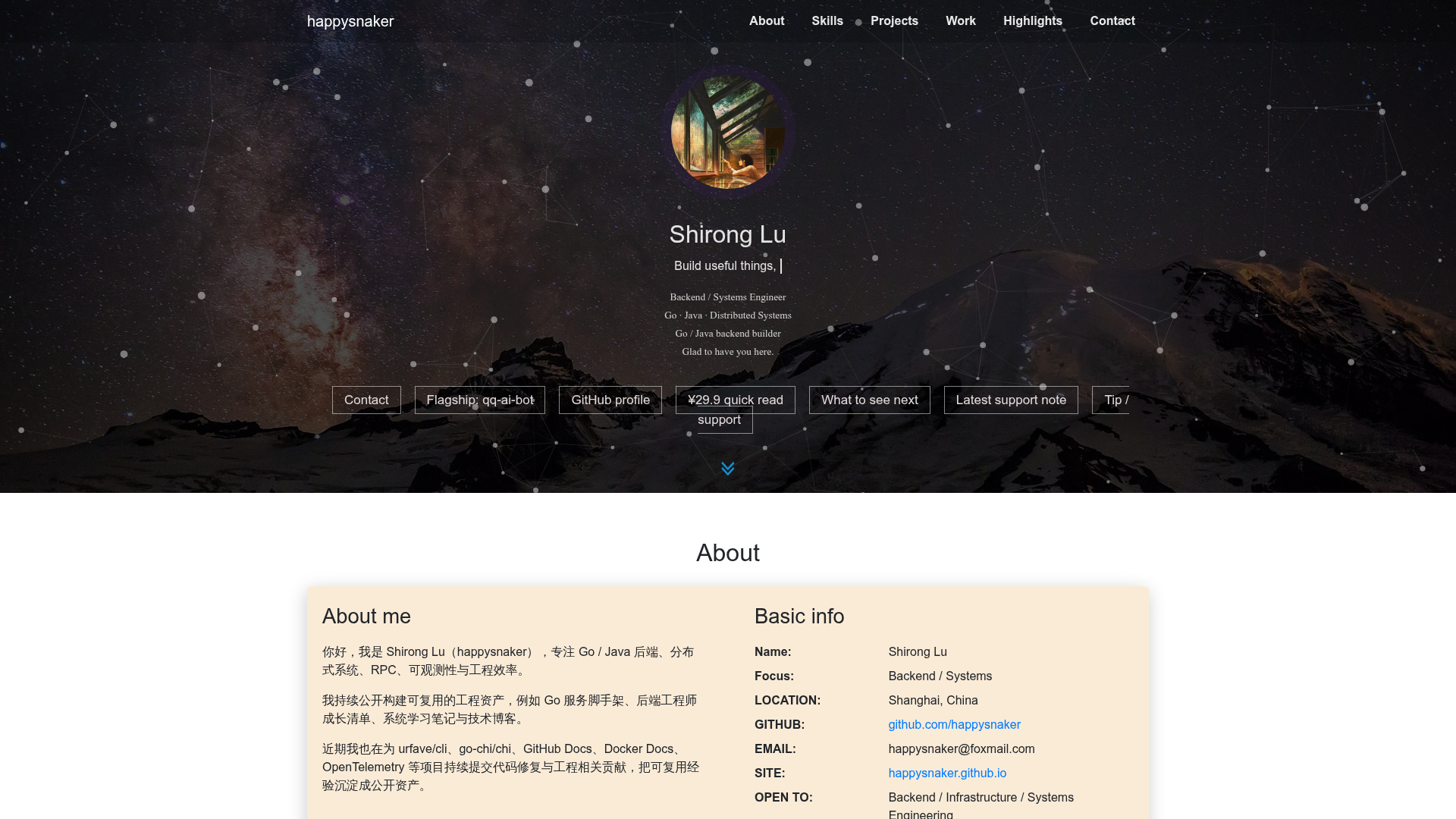
portfolio-inspiration is a community-curated GitHub directory that collects developer and designer portfolio websites, each with a live URL, source repository, screenshot, and tech stack, so visitors can browse real examples for design and code ideas.
What is portfolio-inspiration?
portfolio-inspiration is an open-source GitHub repository (maintained by SofiDev) that serves as a gallery of portfolio websites. It takes the form of a single README file containing a markdown table; each row lists the author, a screenshot, a live portfolio link, a GitHub repository link (when available), and the technologies used. The current table features eight portfolios. The repository also includes contribution instructions so developers can add their own portfolio to the list.
Key Features
- Curated table of portfolios — The README displays each entry in a row with author, screenshot, live URL, repo, and tech stack, making side-by-side comparison straightforward.
- Live links to real sites — Every portfolio row includes a URL to the deployed site, so you can click through and see the full page, not just a screenshot.
- Source code access — Most entries link to the portfolio's GitHub repository, allowing inspection of the actual code behind the design.
- Tech stack visibility — The table lists each site's technologies; Astro appears in six of the eight entries, with React, Tailwind CSS, TypeScript, HTML, and Vite also represented.
- Screenshot previews — Each entry includes a screenshot image that shows the portfolio's visual design at a glance.
- Simple contribution process — The README explains two ways to add an entry: edit the README directly via a fork or clone the repository and submit a pull request with a new branch.
- Image compression requirement — Contributors are asked to compress screenshots before submission, pointing to tools like Squoosh, to keep the README lightweight.
- Free and public — The repository is open on GitHub with no cost to browse or contribute.
Who is it for?
- Web developers looking for portfolio inspiration — They can browse the live sites and open the linked GitHub repos to study how each portfolio is built, structured, and deployed.
- Designers wanting layout and visual ideas — The screenshots and live sites provide examples of color schemes, typography, and section layouts used in developer portfolios.
- Career-focused individuals building a personal site — They can use the listed portfolios as reference points, selecting a tech stack they already know (like Astro or React) and adapting patterns to their own project.
What can you do with portfolio-inspiration?
- Explore real portfolio implementations: Visit the live URLs of each entry to see how developers present their projects, about pages, and contact sections in production.
- Study the code behind the designs: Open the GitHub repository links to examine framework usage, styling approaches, and deployment configurations for portfolios built with Astro, React, or plain HTML/CSS.
- Contribute your own portfolio: Follow the README instructions to add your portfolio entry — either by editing the README in a fork or by cloning, branching, and submitting a pull request.
How does portfolio-inspiration work?
The repository is essentially a markdown file, so there is no software to install. To contribute, you either edit the README directly (by forking the repo, adding a row to the table, and submitting a PR) or clone the repository, create a new branch, add your entry, push, and open a pull request. Screenshots must be compressed before being added, and the instructions recommend drag-and-drop into the README.
Pros and cons
- Pros: Free and open source; contains real portfolios with live links; includes source code for most entries; community-driven with a simple contribution flow.
- Cons: The list is small (eight portfolios at the time of writing), so tech stack coverage is limited and many popular frameworks are not yet represented; the "Parish Khan" entry has no repository link, so its code cannot be inspected.
Pricing
portfolio-inspiration is free. The repository is public on GitHub, and there are no paid tiers or subscription requirements for browsing or contributing.
FAQ
How do I add my portfolio to portfolio-inspiration?
You can either fork the repository and edit the README to add your row to the table, or clone the repository, create a branch, add your entry, push, and submit a pull request. The README gives step-by-step commands for the fork and clone workflows.
Do I need to compress my screenshot before contributing?
Yes. The contribution guidelines state that your screenshot must be compressed before submission and they recommend using a tool such as Squoosh. The README also shows images can be added by dragging them into the markdown editor.
Is portfolio-inspiration free to use?
Yes, the repository is open source and publicly accessible on GitHub. There is no charge to browse the list or to contribute your own portfolio.
What tech stacks are featured in the list?
The current entries show Astro as the most common framework (used in six of eight portfolios), with React, TypeScript, Tailwind CSS, HTML, CSS, and Vite also appearing. The table explicitly lists the technologies for each entry.
Are all portfolios linked to a source repository?
Most entries include a GitHub link, but not all. For example, the entry for Parish Khan (parish.cv) has no repository link, so its source code is not available through the list.