Template details
Resume
Responsive HTML/CSS/JS resume and portfolio template for GitHub Pages, personal sites, and developer landing pages.
About this template
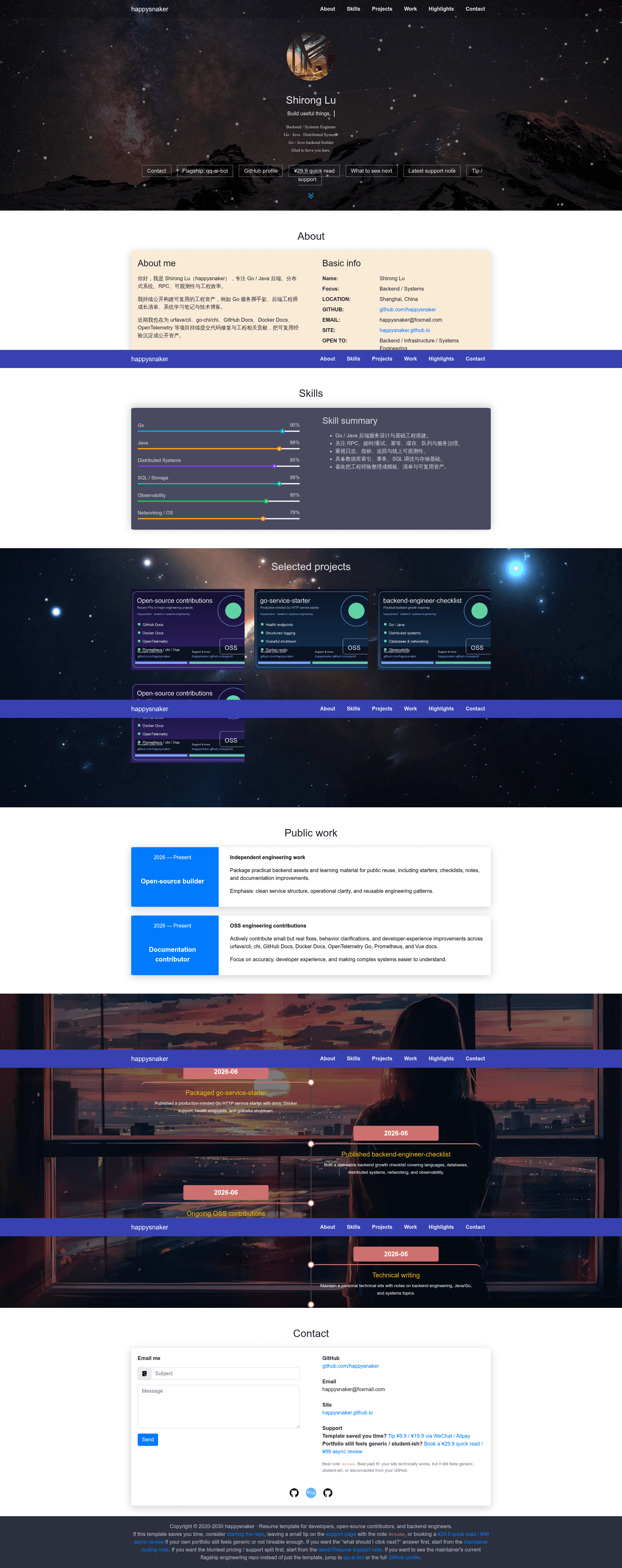
Resume is a clean, responsive resume and portfolio website template built with plain HTML, CSS, and JavaScript by maintainer happysnaker. It takes a single configuration file, config/config.js, as input and renders a static personal website with sections for profile info, skills, projects, timeline, and social links. Because it is a fully static site, it runs on GitHub Pages or any static hosting platform with no backend dependency.
What makes Resume stand out?
- Config-driven customization — All personal data lives in one file,
config/config.js, so you change your profile, welcome text, skills, portfolio items, timeline, and social links without touching markup. - Zero backend — Pure frontend stack (HTML, CSS, JavaScript) means you can deploy to GitHub Pages, Netlify, or any static host with no server setup.
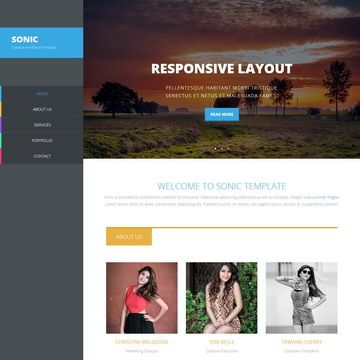
- Responsive layout — The template adapts to desktop, tablet, and mobile viewports out of the box.
- Clean project structure — Separate folders for CSS, JS, images, and SVG icons, plus a single
index.htmlentry point, make it easy to navigate and modify. - Fork-friendly — GitHub's "Use this template" button lets you generate your own copy in one click, and the repo is released under the MIT License.
- Practical starting point — Includes sections for a timeline, projects, skills, and social links, covering the typical needs of a developer landing page.
Who should use Resume?
- Job-seeking developers who need a clean resume site fast: fork the template, replace the content in
config/config.js, and deploy to GitHub Pages to publish in minutes. - Students and junior developers building a first portfolio: use the template as a base and pair it with a polished GitHub profile, since the maintainer emphasizes that the site and profile should tell the same story.
- Open-source maintainers who want a simple personal homepage: the static setup requires no server logic and can be hosted for free alongside their repositories.
What can you do with Resume?
- Publish a resume page: Replace the default config with your personal details, projects, and work timeline, then deploy the static folder to any hosting service.
- Create a developer landing page: Add your skills, GitHub link, and social profiles so visitors get a one-page summary of your work.
- Accompany a GitHub profile: Use the template to make your public presence consistent, then point the site from your profile readme or bio.
How does Resume work?
The quick start has three steps: clone (or fork) the repository, edit config/config.js with your own information, and open index.html locally or deploy the repo to a static hosting service. The template reads the config at runtime and renders the page content, so there is no build step or database.
FAQ
Is Resume free?
Yes. Resume is released under the MIT License, and the repository is public on GitHub, so you can use, modify, and deploy it for free. The maintainer separately offers optional paid review services for profile feedback, but the template itself is open source.
What do I need to customize?
The main file is config/config.js, where you set your profile information, welcome text, about section, skills, portfolio items, timeline, and social links. You can also replace images in the images folder and adjust styles in the CSS folder.
Can I deploy Resume on GitHub Pages?
Yes. The template is a fully static site, so you can push the repository to GitHub and enable Pages, or use any static hosting platform such as Netlify or Vercel.
Does Resume require a backend?
No. The project uses only HTML, CSS, and JavaScript with no server-side code, databases, or external build tools. Everything runs in the browser.
What is the project structure?
The repository contains index.html as the entry page, config/config.js for personal data, CSS and JS folders for layout and scripts, images for local assets, and svg for icons. A THIRD_PARTY_NOTICES.md file lists bundled third-party resources.