Template details
Primates Jekyll
Open-source Jekyll template for a knowledge-sharing website with Docker setup and an admin panel.
About this template
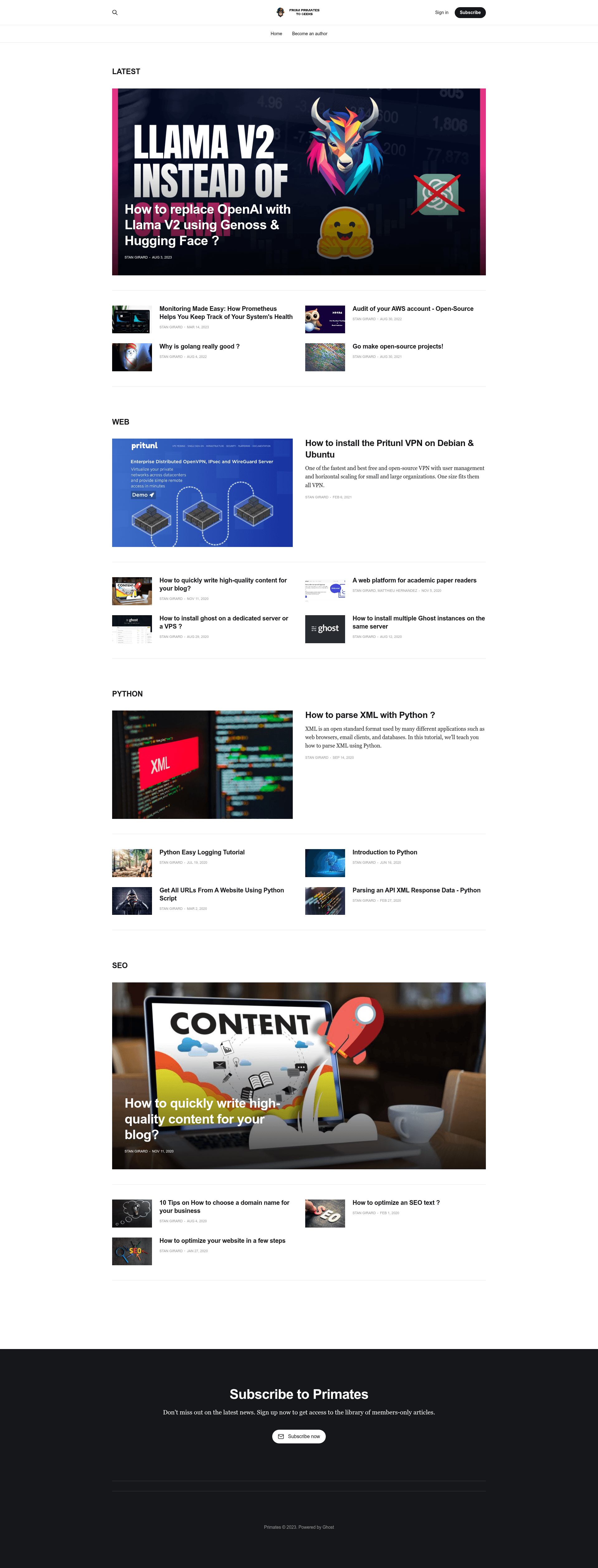
Primates is an open-source Jekyll website template for sharing knowledge, now discontinued and moved to Ghost.org, but still available for reference and local use. It provides a minimal Markdown-driven site with an admin panel for editing content in the browser and a Docker-based setup for local development.
What is Primates Jekyll?
Primates Jekyll is a Jekyll-based website template designed for sharing knowledge through guides, articles, and news. It takes Jekyll Markdown content and a _config.yml file as input and produces a static website that runs locally on port 4000. This is the old version of the Primates project, created by StanGirard, and it has been superseded by a new version built on Ghost.org. The template is open source, with the code available on GitHub.
Key Features
- Jekyll foundation — Uses the popular static site generator Jekyll, so all content is written in Markdown and compiled to static HTML.
- Docker workflow — The repo includes a Dockerfile, and the documentation shows how to build and run the site with docker build and docker run, mapping port 4000, so you don't need Ruby installed locally.
- Admin panel — A web-based admin interface is available at /admin/, letting you create and edit articles from the browser, simplifying publishing for editors.
- Simple configuration — The _config.yml controls site settings, and the docs note that changes to this file require a container restart to take effect.
- Container control — You manage the server with docker start and docker stop, making it easy to handle in a development environment.
- Open-source and free — The template is published as open source and can be modified for any purpose.
- Portable output — As a static site, the generated HTML can be hosted on any static web server without a backend.
Who should use Primates Jekyll?
Primates Jekyll is suited for individual developers and small teams who want a straightforward static website for publishing knowledge-based content. Jekyll developers will appreciate the Docker-based setup that gets a local server running quickly. Content editors can use the admin panel to author articles without learning Git or Markdown. Teams that outgrow the template can migrate to the newer Ghost.org version.
What can you do with Primates Jekyll?
- Launch a knowledge base: Set up a site for help guides, tutorials, and news using Jekyll's standard structure.
- Publish via web — Use the /admin/ panel to write and publish posts from any browser, without local commands.
- Customize the template — Because it's open source, you can edit the Jekyll layouts, add new pages, and integrate with Jekyll plugins.
How does Primates Jekyll work?
The workflow is Docker-centric: clone the repository, run docker build and docker run with the published commands, then access the site at http://localhost:4000/. When you change _config.yml, you must stop the container with docker stop primates and start it again with docker start primates. Articles are created via the admin panel, which is part of the running container.