Template details
Primer Spec
Jekyll theme for content-heavy pages like project specs, with sidebar TOC and GitHub Pages support.
About this template
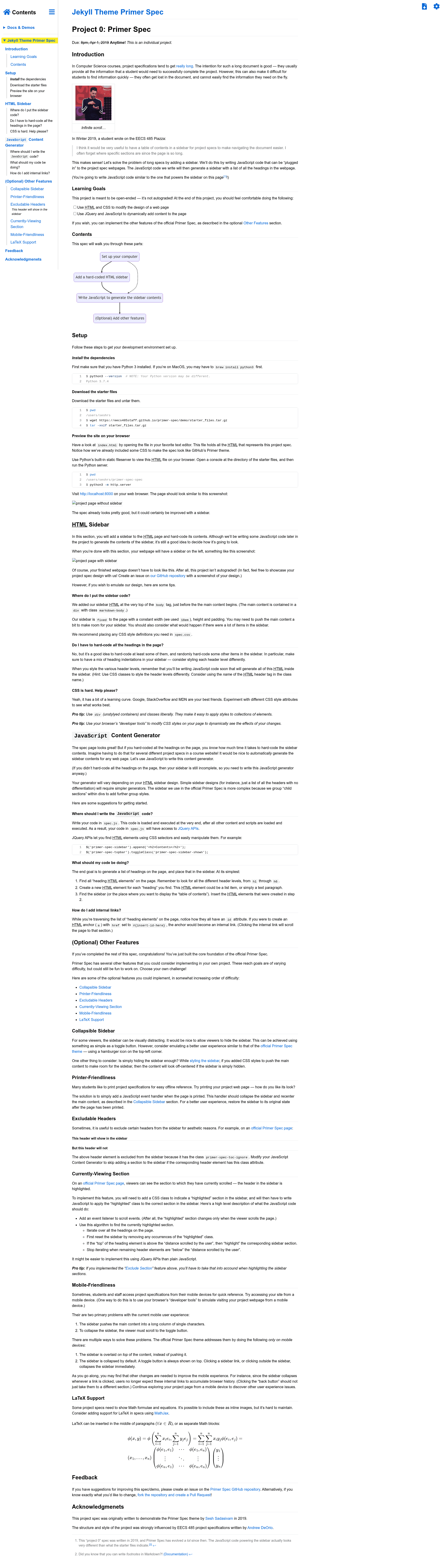
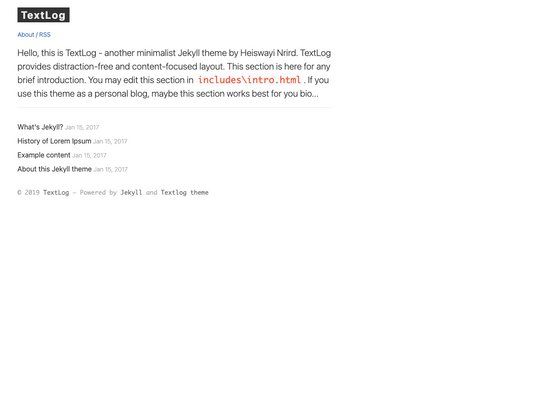
Primer Spec is a Jekyll theme designed for long informative web pages (like project specifications), generating a sidebar table of contents and aesthetic styling on GitHub Pages.
What is Primer Spec?
Primer Spec is a Jekyll theme that takes Markdown or HTML files and renders them as a fully styled website with a sidebar table of contents. It runs on Jekyll with GitHub Pages via a remote theme, requiring only a few lines of configuration. The theme is maintained by Sesh Sadasivam and the EECS 485 Staff at the University of Michigan, and it builds on the Primer theme from GitHub Pages.
Key Features
- Sidebar table of contents — Automatically generates a sidebar listing the headings of your page, with support for hiding specific sections from the sidebar.
- Callouts — Add visually distinct callout boxes for important information, such as warnings or tips, using simple Markdown.
- LaTeX math rendering — Optionally render math expressions written in LaTeX with a boolean flag in the page front matter.
- Enhanced code blocks — Highlight individual lines within code blocks, making it easier to point students to specific lines in a spec.
- Mermaid diagrams — Render Mermaid diagram syntax directly in Markdown, enabling flowcharts and sequence diagrams in documentation.
- Sitemap generation — Generate a sitemap for the site with a boolean flag and optional label string.
- GitHub Pages ready — Deploy by adding
remote_theme: eecs485staff/primer-specto your_config.ymlalong with a set of Jekyll plugins; the repository also supports nightly previews of the develop branch. - Proven in production — The theme powers project specifications for over a dozen courses at the University of Michigan (EECS 280, 281, 370, 485, etc.) and Tufts University.
Who is it for?
Primer Spec is built for anyone who publishes long, structured documents as web pages. The primary audience is university course staff who distribute project specifications and lab assignments, as shown by the user showcase of EECS courses. It also suits technical writers creating documentation sites on GitHub Pages, and open-source maintainers who want a polished, navigable site without hand-coding HTML and CSS.
What can you do with Primer Spec?
- Course staff: Publish project specs like EECS 280 Project 2: Computer Vision, giving students a sidebar navigation, callouts, and code highlight features out of the box.
- Technical writers: Create documentation pages that mix prose, LaTeX math, Mermaid diagrams, and highlighted code samples in a single Markdown file.
- GitHub Pages users: Convert a plain README into a themed site by adding the
layout: specfront matter and remote theme configuration, then deploying with GitHub Pages.
How does Primer Spec work?
To use Primer Spec, add your Markdown or HTML content to a Jekyll site and insert layout: spec at the top of each page. Create a _config.yml with remote_theme: eecs485staff/primer-spec plus the required Jekyll plugins (jekyll-remote-theme, jekyll-optional-front-matter, jekyll-readme-index, jekyll-relative-links, and jemoji). Then deploy the site to GitHub Pages; the repository also documents advanced usage such as previewing locally, hiding sidebar sections, and enabling LaTeX or Mermaid rendering.
FAQ
Is Primer Spec free?
Yes. Primer Spec is an open-source Jekyll theme hosted on GitHub under the eecs485staff organization. You can use it on GitHub Pages without paying anything, and the source is available for contribution.
Does Primer Spec work with GitHub Pages?
Yes. The theme is designed specifically for GitHub Pages via the remote_theme mechanism. You need to enable jekyll-remote-theme and a few other plugins, then push your site to a GitHub Pages-enabled branch.
Can I hide sections from the sidebar?
Yes. The advanced usage documentation describes how to hide specific sections from the sidebar table of contents using page-level configuration. This lets you keep some headings out of the navigation while still rendering them in the page.
Can I render LaTeX and Mermaid diagrams?
Yes. Primer Spec supports LaTeX math rendering with a boolean flag, and it can render Mermaid diagrams directly from Markdown code blocks. Both features are covered in the advanced usage guide.