Template details
Promo Dashboard
A React/Next.js dashboard component for visualizing and managing Tincre Promo API campaign data.
About this template
Promo Dashboard is a React dashboard component from Tincre that renders Tincre Promo campaign data inside a Next.js app and lets users manage, repeat, and inspect campaigns without leaving the page.
What is the Promo Dashboard?
Promo Dashboard is an open-source React and Next.js component published as @tincre/promo-dashboard on npm. It accepts a campaignsData array of CampaignData objects plus optional settings and callback props, and renders a campaign dashboard UI with a campaigns table, campaign detail view, stats highlights, profile settings, and a loading frame. It is designed to work with the companion @tincre/promo-chat chat widget and the promo-button component, and it connects to the Tincre Promo API through environment variables.
The variables PROMO_CLIENT_ID, PROMO_CLIENT_SECRET, and PROMO_APP_ID are required, while PROMO_API_KEY is optional; all values are available in the Tincre.dev Dashboard after logging in and creating at least one app. The repository is maintained by Tincre and released under the Mozilla Public License 2.0.
What makes the Promo Dashboard stand out?
- Campaign data rendering — Takes an array of
CampaignDataobjects with fields includingpid,email,adTitle,budget,description,target,adCopy,creativeUrls,adCallToAction,buttonText,isActive,currency, andstats. - Repeat campaign flow —
handleRepeatButtonClickcopies the key fields of a campaign into new campaign data so a user can open the Promo Button and launch a similar campaign. - Campaign type buttons — The default handler does nothing; passing
handleCampaignTypeButtonClicklets you intercept clicks, with theeventNameformed by lowercasing the type name and replacing spaces with hyphens, for example "Engagement campaign" becomes "engagement-campaign". - Profile settings — Accepts a
profileSettingsDataobject withuserName,fullName, andimage, and ahandleSubmitSaveButtonClickcallback for the Save button in the Profile component. - Dashboard options —
dashboardOptionscustomizes the support email local part and domain, collapses the table by default withisTableCollapsed, defines custom campaign types, and configures chat agent name, starting message, placeholder, and reCAPTCHA callback for the required PromoChat prop. - Loading state — Setting the
isLoadingprop totrueshows the dashboard frame while data loads; omitting it or settingfalserenders the full dashboard. - Tailwind styling hooks — Element IDs such as
#promo-dashboard-save-button,#promo-dashboard-line-chart, and#promo-dashboard-campaigns-tablecan be targeted with Tailwind@applyrules in your global CSS file.
Who should use the Promo Dashboard?
- Next.js developers building on Tincre Promo — They can install the package, set the environment variables, and drop the component into a page to get a campaign management UI instead of building one from scratch.
- Product teams using the Promo API — They can embed the dashboard so end users can view campaign stats, budgets, and statuses, open campaign details, and repeat previous campaigns.
- Tincre Promo users who want brand customization — They can override support email settings, campaign type icons and colors, and Tailwind color classes to match their product.
What can you do with the Promo Dashboard?
- Repeat an existing campaign: Pass
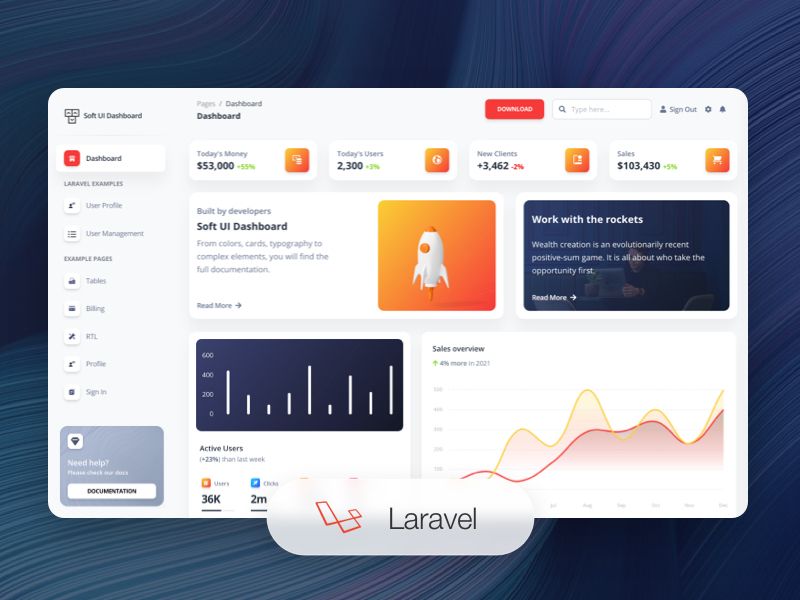
handleRepeatButtonClickso a user can clone a campaign's ad title, budget, description, target, ad copy, call to action, and button text with one interaction. - Visualize campaign data: The dashboard renders a table with ad title, campaign ID, budget, and status columns, plus a line chart and stats highlights for the selected campaign detail.
- Handle profile updates: Prefill
profileSettingsDataand usehandleSubmitSaveButtonClickto capture Save button clicks and manage settings outside the dashboard.
How does the Promo Dashboard work?
The README's setup flow covers installing @tincre/promo-dashboard and @tincre/promo-chat, importing the PromoDashboard frontend component, adding backend functionality, creating an environment file such as .env.local, adding the variables to your deployment, and deploying. The component receives data through props rather than fetching it directly, so callers supply campaignsData and optional campaignDetailData; backend documentation is marked as coming soon.
FAQ
Is the Promo Dashboard free to use?
The code is open-source under the Mozilla Public License 2.0, and the README states it is free to use for commercial or personal projects. You can reference the LICENSE file in the repository for full terms.
Does Promo Dashboard fetch data itself?
No. It is a presentational React component that receives campaignsData and optional campaignDetailData as props. The backend implementation that talks to the Tincre Promo API is documented in the Backend section, which is marked as coming soon.
What environment variables does it need?
PROMO_CLIENT_ID, PROMO_CLIENT_SECRET, and PROMO_APP_ID are required, and PROMO_API_KEY is optional. You can find these values in the Tincre.dev Dashboard after logging in and creating at least one app.
Do I have to pass PromoChat to use it?
Yes. The PromoChat component from @tincre/promo-chat is a required prop, passed in by the consuming app so that the dashboard library does not have to include that dependency itself.
Can I customize the dashboard styling?
Yes, styling support is limited to prominent-color elements. The dashboard exposes IDs such as #promo-dashboard-save-button and #promo-dashboard-line-chart that you can restyle with Tailwind @apply rules in your global CSS file.