Template details
Quint
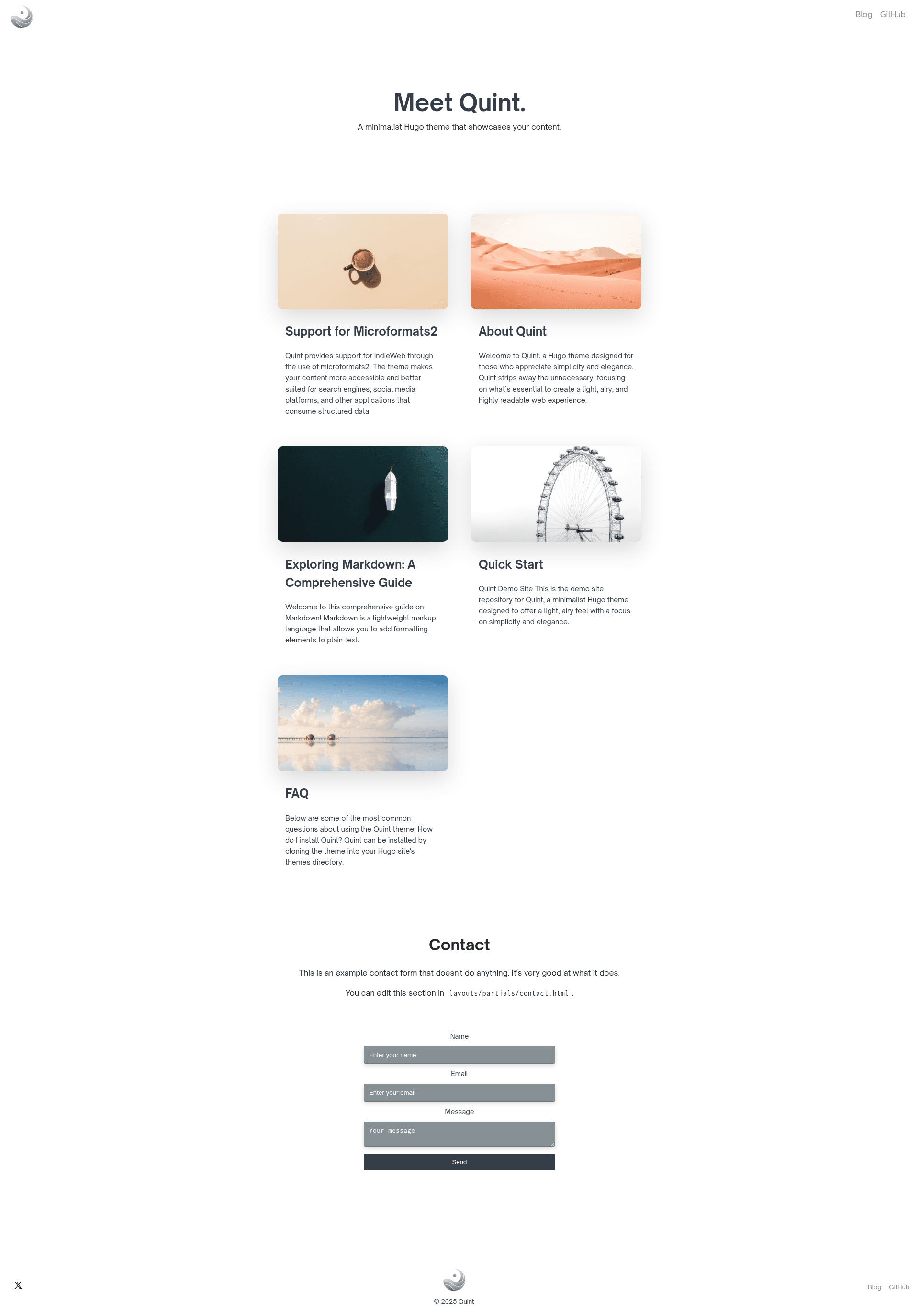
Minimalist Hugo theme with dark/light modes, image banners, and Lunr.js search.
About this template
Quint is a minimalist Hugo theme for static sites that puts readability first, with automatic dark/light modes, built-in image banners, and Lunr.js-powered site search. It was created by Victoria Drake and is released under the MIT License.
What is Quint?
Quint is a theme for the Hugo static site generator that turns Markdown content into a clean, content-focused static website. It includes a responsive layout, dark and light modes that follow the viewer's system settings, and a built-in search feature using Lunr.js. The theme is designed to be installed as a git submodule and configured through Hugo's standard configuration files (hugo.toml, hugo.yaml, or hugo.json). A live demo is available at https://quint-theme-demo.netlify.app/.
Key Features
- Minimalist layout — Focuses on readability with minimal distractions and a light, airy design.
- Automatic dark/light mode — Switches between themes based on the viewer's browser or device settings.
- Responsive design — Works on mobile and desktop screens.
- Included image banners — Ships with 10 minimalist banner images; pages without an image in front matter receive a random banner from themes/quint/static/images.
- Lunr.js site search — Client-side search functionality that runs on the static site without a backend or external service.
- Social icons — Configurable links to social media profiles in the footer.
- Customizable via CSS and layouts — Add custom CSS by listing files in the css parameter, and override any partial or layout by placing a file with the same name in the project directory.
Who is it for?
- Bloggers — Publish Markdown posts and get a clean, distraction-free reading experience with automatic banner images.
- Portfolio owners — Showcase work or creative projects on a minimal layout that keeps content central.
- Documentation maintainers — Use the built-in search and responsive design to create navigable static documentation.
What can you do with Quint?
- New site owners — Use the demo repository (quint-demo) as a starter template; it includes a one-click deploy button to Netlify.
- Theme customizers — Override layouts, add custom CSS, and control banner images via the numImages parameter.
- Static site developers — Add search to a site without a backend using the Lunr.js integration.
How does Quint work?
After installing Hugo, add Quint as a theme with the command git submodule add https://github.com/victoriadrake/hugo-theme-quint.git themes/quint. Then set theme = "quint" in the site configuration and run hugo server to preview locally. Quint uses Hugo's template system with partials that can be overridden, and it pulls random banner images from its static directory when a page doesn't specify one.
Pricing
Quint is free and open source under the MIT License. There are no paid tiers, premium features, or usage limits.
FAQ
Is Quint free?
Yes, Quint is released under the MIT License, so you can use it for personal and commercial projects free of charge.
What are the system requirements?
You need Hugo installed on your machine. The theme works with Hugo's standard configuration files (hugo.toml, hugo.yaml, or hugo.json).
Does Quint support dark mode?
Yes, it includes automatic dark and light modes that respond to the viewer's browser or device settings.
Can I use my own banner images?
Yes. You can set an image in a page's front matter, replace the images in themes/quint/static/images, or adjust the numImages parameter to change how many random banners are selected.
Does Quint have search?
Yes, Quint comes with built-in static site search powered by Lunr.js. It works entirely client-side.