Template details
AWS Aurora PostgreSQL Movies Demo
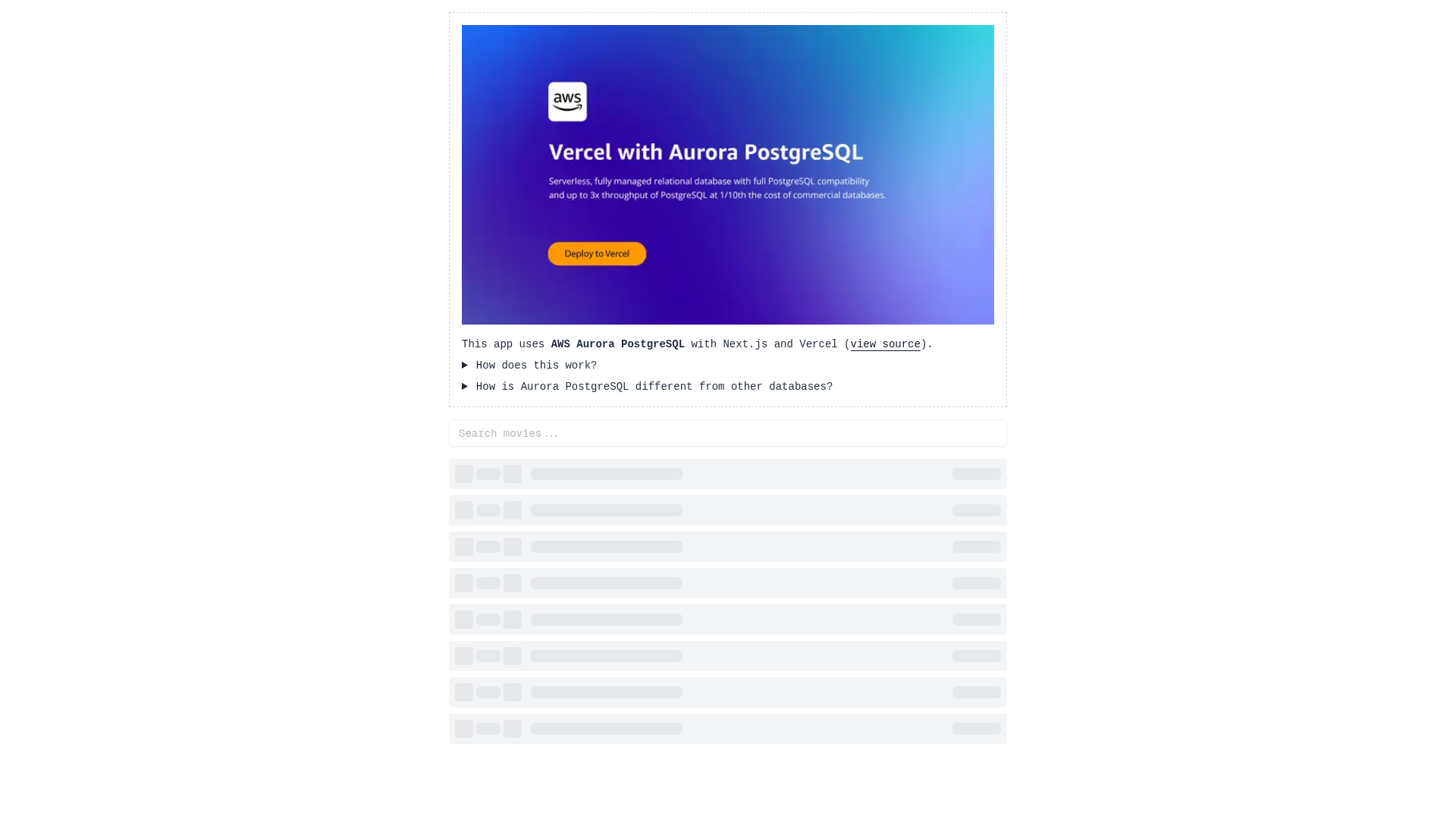
Next.js demo that fetches movies from AWS Aurora PostgreSQL using secure OIDC and RDS IAM authentication.
About this template
AWS Aurora PostgreSQL Movies Demo is a Next.js boilerplate from Vercel that demonstrates fetching movie records from an Amazon Aurora PostgreSQL database using secure OIDC Federation and RDS IAM authentication instead of hardcoded access tokens.
What is AWS Aurora PostgreSQL Movies Demo?
The demo is a reference application that pairs a Next.js front end with an Amazon Aurora PostgreSQL database and renders a list of movies on screen. It serves as a working example of how a Vercel-deployed application can authenticate to Aurora PostgreSQL through Vercel's OIDC Federation and AWS RDS IAM, eliminating the need to store database credentials in the repository. The project is hosted on GitHub under the Vercel organization and can be launched with a single click through the Vercel Deploy workflow.
Key Features
- OIDC Federation and RDS IAM authentication — Connects to Aurora PostgreSQL without hardcoded access tokens by exchanging Vercel-issued OIDC tokens for AWS IAM database credentials.
- One-click deployment — The Deploy button clones the repository, creates a new Vercel project, configures the AWS integration, and provisions a fresh Aurora PostgreSQL database.
- Local development workflow — Supports pulling environment variables with
vercel env pull, installing dependencies with pnpm, and running database migrations and seed scripts before starting the dev server. - Database migrations and seed data — Includes
pnpm run db:migrateto create tables andpnpm run db:seedto populate the database with movie data. - Next.js framework — Built on Next.js, allowing the demo to render the movie list and be extended with additional pages or API functionality.
- Vercel Marketplace integration — The AWS integration is available through the Vercel Marketplace, and an Aurora PostgreSQL instance is a prerequisite for local setup.
Who is it for?
- Developers learning secure cloud authentication — They can study how Vercel OIDC Federation and RDS IAM replace traditional database passwords in a real application.
- Next.js developers building data-driven applications — They can clone the repository and use the migration and seed scripts as a pattern for connecting their own apps to Aurora PostgreSQL.
- Platform engineers evaluating Vercel and AWS — They can test the one-click provisioning flow that creates both a Vercel project and an Aurora database in one step.
What can you do with it?
- Full-stack developers: Use the demo as a starter and replace the movie data with their own PostgreSQL tables, keeping the same secure connection pattern.
- Cloud architects: Validate a reference architecture where serverless applications access Aurora PostgreSQL without embedding secrets in code.
- DevOps engineers: Automate database provisioning by replicating the Deploy button's process through the Vercel AWS integration.
How does it work?
- Click the Deploy button in the README to clone the repository and create a new Vercel project.
- The AWS integration provisions a new Aurora PostgreSQL database and links it to the project.
- Locally, pull the environment variables with
vercel env pull, install dependencies with pnpm, rundb:migrateanddb:seed, then start the development server withpnpm run dev.
FAQ
Does this demo require hardcoded database credentials?
No. It uses Vercel's OIDC Federation and AWS RDS IAM authentication, so the application obtains temporary database credentials automatically instead of storing a password or token in the source code.
How do I run the demo locally?
After deploying, clone the generated repository, run vercel env pull to fetch environment variables, install dependencies with pnpm, execute pnpm run db:migrate and pnpm run db:seed, and finally start the development server with pnpm run dev.
What database does the demo use?
Amazon Aurora PostgreSQL. A running Aurora PostgreSQL instance is required, and it can be provisioned through the Vercel Marketplace AWS integration as part of the deployment flow.