Template details
Ratzilla Vercel Template
Rust and WebAssembly starter for running Ratzilla terminal-style TUIs in the browser with Trunk, preconfigured to deploy on Vercel.
About this template
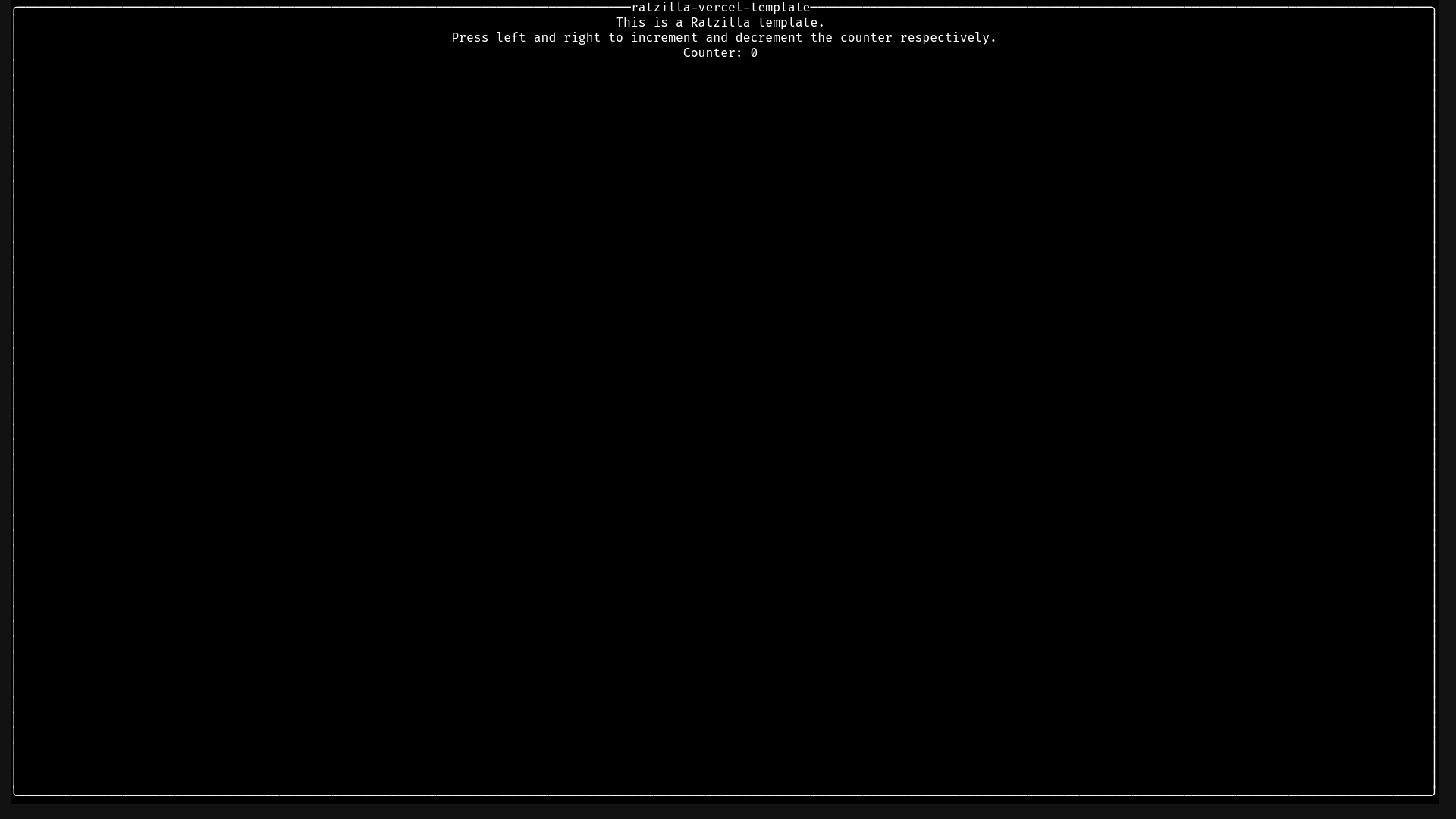
Ratzilla Vercel Template is a Rust and WebAssembly starter that renders a Ratzilla terminal user interface inside a browser tab, is served locally with Trunk, and ships with configuration for deployment on Vercel.
What is the Ratzilla Vercel Template?
Ratzilla Vercel Template is a project scaffold generated from the Ratzilla Simple Template and preconfigured to be deployed on Vercel. It takes Rust source code that draws a terminal-style interface as input, compiles it to the wasm32-unknown-unknown target, and produces a browser-served web app — an index.html entry point plus Trunk-built WebAssembly assets — so a TUI runs in the browser instead of a terminal emulator. The repository is published by the GitHub user jet under the MIT license and is built on orhun's Ratzilla library, the Rust crate for building terminal UIs that compile to WebAssembly.
What makes the Ratzilla Vercel Template stand out?
- Ratzilla framework — the app is written in Rust against Ratzilla, which renders TUI-style widgets into browser DOM/canvas rather than a native terminal.
- Trunk build and dev server —
trunk servecompiles the crate and hosts the result athttp://localhost:8080. - WebAssembly target — the template expects the
wasm32-unknown-unknownRust toolchain target, added withrustup target add. - Release toggle in Trunk.toml — switching
releasetotrueinTrunk.tomlproduces optimized production builds. - One-click Vercel deployment — a Deploy with Vercel button points at the clone URL for
jetpham/ratzilla-vercel-template. - Vercel Speed Insights hook — an optional script block queued on
window.siloads/_vercel/speed-insights/script.js. - Vercel Web Analytics hook — an optional script block queued on
window.valoads/_vercel/insights/script.js. - MIT license — the project is released under the MIT license with a bundled LICENSE file.
Who should use the Ratzilla Vercel Template?
- Rust developers who want to build a terminal-style interface and publish it as a web page without rewriting the UI in JavaScript.
- Teams already on Vercel who want a Rust and WebAssembly app deployed there with the observability scripts already documented.
- Demo and workshop authors who need a quick browser target for a Ratzilla TUI to show to an audience.
Use cases
- Browser dashboards: render a Ratzilla terminal layout — panels, lists, status rows — and share it as a URL instead of asking viewers to install a terminal client.
- Rust WebAssembly prototypes: start from a working Trunk plus wasm32-unknown-unknown pipeline rather than wiring the toolchain manually.
- Analytics on a Rust web app: drop the Speed Insights and Web Analytics snippets into the body of
index.htmlto measure real-user performance and traffic.
How does the template work?
- Install Trunk with
cargo install --locked trunk. - Add the compilation target with
rustup target add wasm32-unknown-unknown. - Run
trunk serveand openhttp://localhost:8080in a browser. - Set
releasetotrueinTrunk.tomlwhen you need a release build.
Pricing
The Ratzilla Vercel Template is free and open source under the MIT license; there are no paid tiers, and hosting costs depend on the Vercel plan you deploy it to.
FAQ
Is the Ratzilla Vercel Template free?
Yes. The project is licensed under MIT, with the copyright held by jet and the license text included in the repository's LICENSE file, so you can use, modify, and redistribute it.
How do I run it locally?
Install Trunk with cargo install --locked trunk, add the wasm32-unknown-unknown target with rustup target add, then run trunk serve and visit http://localhost:8080. The dev server is provided by Trunk, not by the template itself.
How do I enable Vercel analytics and speed insights?
Add the documented script snippets to the body of index.html: Speed Insights defers /_vercel/speed-insights/script.js and Web Analytics defers /_vercel/insights/script.js. Both features are off until you insert those tags manually.
How do I create a production build?
Set release to true in the Trunk.toml file. The template ships with release builds disabled, so the default trunk serve run is a development build.
Can I deploy it without Vercel?
The template only ships Vercel deployment wiring — a clone-and-deploy button plus the /_vercel/ script paths. Serving the Trunk output elsewhere is possible, but the analytics endpoints assume Vercel's hosting.