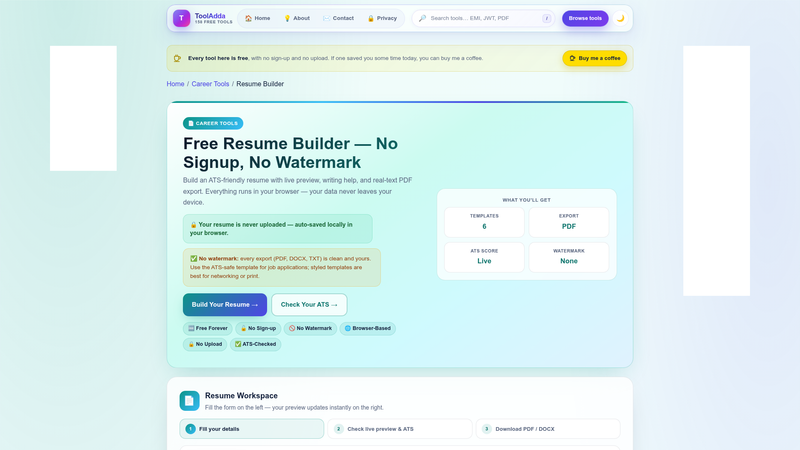
Resume Builder is a free, browser-based Document Tools utility from ToolAdda.online that turns your work history into an ATS-friendly resume with a live preview and export to real-text PDF, DOCX, or TXT.
What is Resume Builder?
Resume Builder is a no-signup online resume and CV maker published by ToolAdda.online at tooladda.online/resume-builder.html. You type or import your resume content in the browser, watch the preview update as you edit, and export the finished document as a real-text PDF, DOCX, or TXT file — text-based formats that applicant tracking systems can actually read. It can also import an existing resume from a PDF or Word file so you edit instead of retyping, and it needs no installation, working on desktop, tablet, and mobile browsers. Documentation lives in a GitHub repository at github.com/tooladda-online/resume-builder, and the tool is filed under ToolAdda's Document Tools category.
What makes Resume Builder stand out?
- No signup, no watermark — the page states the builder is 100% free with no account required and no watermark applied to the output.
- Real-text exports in three formats — PDF, DOCX, and TXT output rather than an image-only PDF, which is what makes the result readable by ATS parsers.
- Live preview while editing — resume content and layout update in the browser as you write, before you download anything.
- Writing help — built-in guidance for phrasing resume content, listed alongside the preview as a core capability.
- Import from PDF or Word — load an existing resume, then edit it in the builder instead of rewriting it from scratch.
- Privacy-oriented processing — the page states that processing stays on your device wherever possible, so resume data is not deliberately shipped to a server.
- Runs anywhere — no install, desktop, tablet, and mobile browser support.
- One of many ToolAdda utilities — sits alongside the site's calculators, text tools, image editors, PDF utilities, developer tools, and browser games.
Who should use Resume Builder?
- Applicants to ATS-driven job portals: produce a text-parseable PDF or DOCX that screening software can extract instead of a designed image file.
- Job seekers with an existing resume: import a PDF or Word version and refine it without retyping every line.
- Students and first-time applicants: use the writing help and live preview to assemble a first resume without a paid template subscription.
- Mobile and tablet users: edit and export a resume from a phone or tablet browser with no desktop software.
What can you do with Resume Builder?
- ATS applicants: build a single-column, machine-readable resume and download it as real-text PDF, DOCX, or TXT for job-board uploads.
- Returning job seekers: import an old PDF or Word resume, update dates and bullets, and re-export a clean copy.
- One-page applicants: the tool's listed search keywords include resume builder india and one page resume, so short single-page resumes are explicitly targeted.
- Writers who need phrasing help: draft bullet points with the built-in writing assistance and see the result in the live preview before exporting.
How does Resume Builder work?
Open the live tool in any browser, then enter your details directly or import an existing PDF or Word resume. The preview panel reflects your edits as you type, and when the layout reads correctly you export the document as PDF, DOCX, or TXT. Nothing is installed and no account is created.
Pricing
Free. The page describes Resume Builder as 100% free with no paywalls, no ads cluttering the experience, and no watermark on exported files, and no account or subscription is required to use it.
Pros and cons
- Free with no account, no watermark, and no paywall, per the tool's own page.
- Exports real-text PDF, DOCX, and TXT, plus imports from PDF or Word.
- Works in a desktop, tablet, or mobile browser with nothing to install.
- Processing stays on your device "whenever possible," which is a hedged statement rather than a guarantee that every step is fully offline.
- It is a browser page, so you need a working internet connection to load the tool.
Alternatives
- Canva, which leans toward drag-and-drop template design rather than ATS-focused text export.
- Novoresume, a resume-specific builder with free and paid tiers.
- Zety, an online resume builder with guided content suggestions.
FAQ
Is Resume Builder free?
Yes. Resume Builder is free to use on ToolAdda with no account required, and the page states there are no paywalls, no ad clutter, and no watermark added to your exported resume file.
Do I need to install software to build a resume with it?
No. Resume Builder runs inside your browser on desktop, tablet, and mobile, so you open the page and start typing immediately. There is nothing to download and no signup step before editing or exporting.
What formats can Resume Builder export?
The tool exports real-text PDF, DOCX, and TXT files. Real-text output matters because applicant tracking systems parse extractable text, whereas screenshots or image-only PDFs often fail to yield readable resume content to those systems.
Can I import an existing resume instead of starting from scratch?
Yes. Resume Builder supports importing an existing resume from a PDF or Word file, which loads your content into the editor so you can revise it with the live preview and writing help instead of retyping everything from a blank form.
Does my resume data leave my device?
The page states that processing stays on your device whenever possible, so resume content is not deliberately sent to a server for routine editing. Because the wording is qualified, treat it as a strong privacy default rather than an absolute offline guarantee.