Template details
ResumeToJob
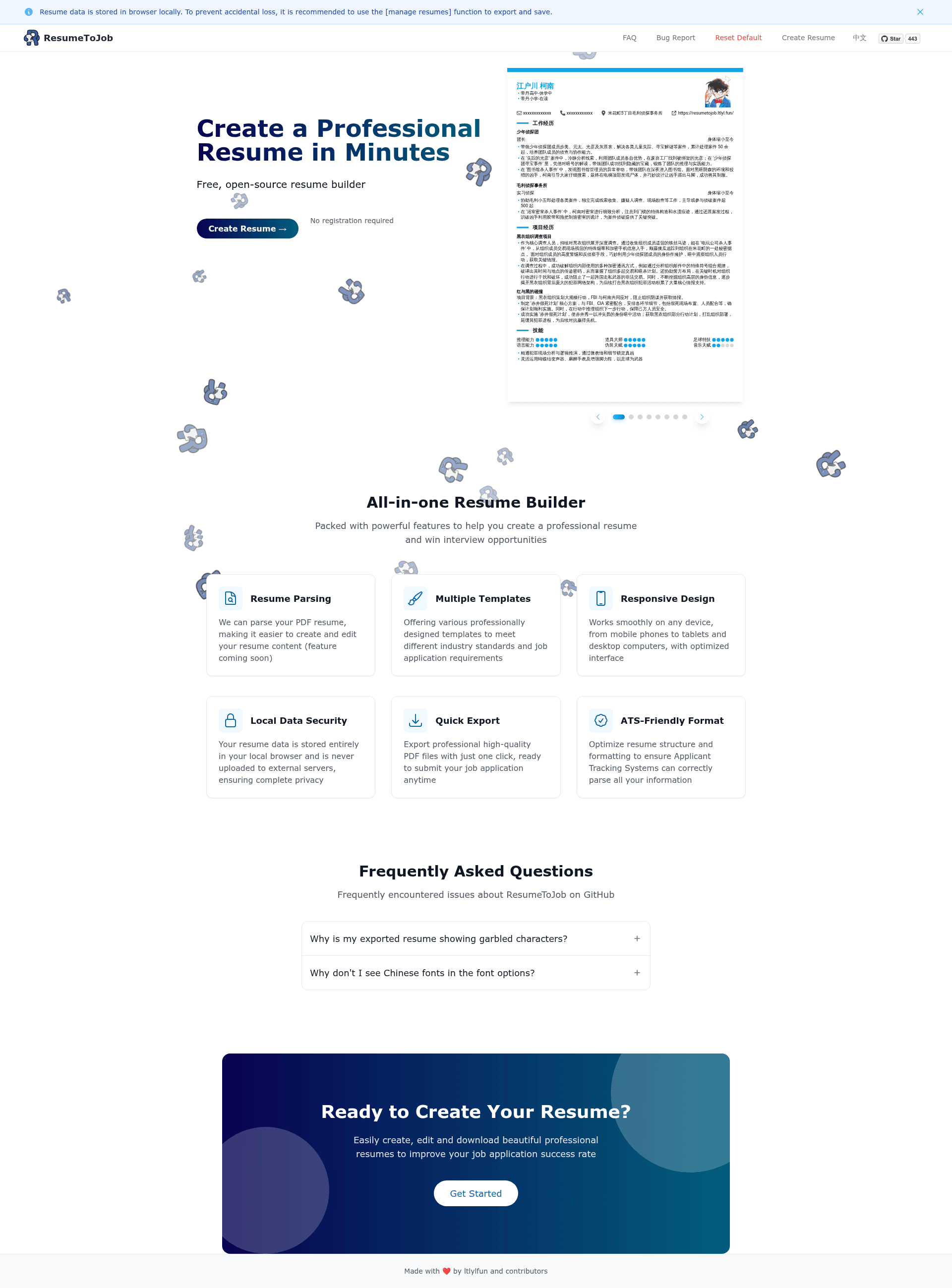
Free open-source online resume builder with Markdown support, PDF export, and browser-local data storage.
About this template
ResumeToJob is a free, open-source online resume builder built on Next.js that lets job seekers create, edit, and export professional resumes entirely in the browser.
What is ResumeToJob?
ResumeToJob is a free, open-source web application for creating resumes. It takes your resume content — entered section by section with Markdown formatting — and produces a formatted on-screen preview plus a downloadable PDF. The app runs at resumetojob.ltlyl.fun and is developed by GitHub user ltlylfun and contributors as a fork of the open-resume project.
What makes ResumeToJob stand out?
- Local-first privacy — All resume data is stored in browser local storage rather than on a server, and the manage-resumes feature lets you export and back up your data.
- Markdown editing — Resume sections support Markdown, so you can add headings, lists, bold text, and links without a separate editor.
- Multiple resume management — You can create and maintain several resumes in the same app, each with its own content and template selection.
- Multiple templates — A selection of resume layout templates changes the visual design while keeping your written content unchanged.
- PDF export — Finished resumes can be exported as PDF documents directly from the browser.
- Real-time editing — The preview updates as you type, so formatting issues are visible immediately.
- Open source under AGPL-3.0 — The full source is public on GitHub under the AGPL-3.0 license, and the README credits open-resume as the upstream project.
- Local deployment option — A deployment tutorial is included for running the site locally if the hosted site is unreachable.
Who is ResumeToJob for?
- Job seekers — Quickly build a clean resume from scratch and export a PDF to send to employers.
- Career switchers — Maintain multiple versions of a resume targeting different industries or roles.
- Privacy-conscious users — Keep resume data in the browser without uploading it to a third-party server.
- Developers — Deploy their own instance using the provided tutorial, or fork the project to customize templates and features.
What can you do with ResumeToJob?
- Create a new resume — Pick a template, fill in sections like work history and education, and see the formatted result update in real time.
- Export a PDF — Turn the finished resume into a PDF file that can be emailed or printed.
- Back up resumes — Use the manage-resumes export feature to save a copy of your data, since everything lives in browser local storage.
How does ResumeToJob work?
Visit the hosted site at resumetojob.ltlyl.fun, choose a template, edit resume sections with Markdown, and export the result as a PDF. Because data is stored locally in the browser, the README recommends using the manage-resumes export function to prevent accidental loss.
Pricing
ResumeToJob is free and open source. The hosted website is free to use, and the code is available under the AGPL-3.0 license. There are no paid tiers or locked features mentioned in the README.
Alternatives
- open-resume — the open-source resume builder that ResumeToJob is forked from, with a similar local-first approach.
FAQ
Is ResumeToJob free?
Yes. The hosted website at resumetojob.ltlyl.fun is free to use, and the project is open source under the AGPL-3.0 license. The README mentions no paid plans or premium features.
Where is my resume data stored?
All resume data is stored in browser local storage on your device. The README warns that nothing is sent to a server and recommends exporting your resumes through the manage-resumes function to avoid losing data if the browser cache is cleared.
Can I run ResumeToJob on my own machine?
Yes. The repository includes a deployment tutorial (DEPLOYMENT_TUTORIAL.md) for setting up the site locally, aimed at users who cannot access the hosted site.
Which technologies does ResumeToJob use?
The repository metadata lists Next.js, React, Tailwind CSS, Markdown, and PDF among its topics. It is a web application that runs in the browser and does not require a separate backend for resume storage.