Template details
Shipkit Bones
Free Next.js 16 SaaS starter kit with NextAuth, Shadcn/UI, and one-click Vercel deployment.
About this template
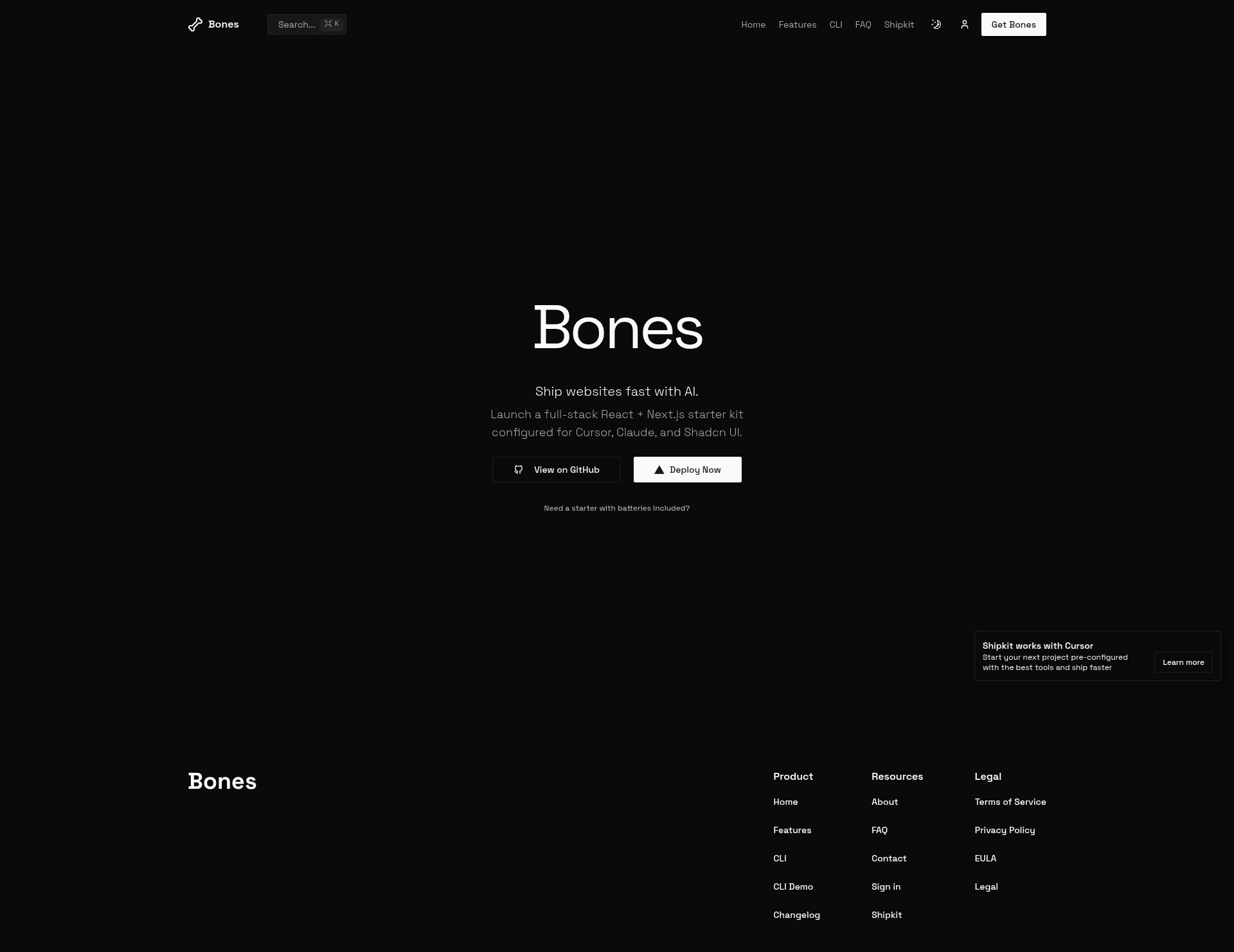
Shipkit Bones is a free, source-available starter kit for React and Next.js apps that you can deploy to Vercel with one click. It gives you a working Next.js 16 application with React 19, the App Router, and a pre-configured Shadcn/UI component library, plus a setup wizard that walks you through the remaining configuration after deployment.
What is Shipkit Bones?
Shipkit Bones (also called just "Bones") is a starter kit created by Shipkit.io for building React and Next.js sites fast. It comes ready with Next.js 16 and React 19, authentication via NextAuth and Better Auth, Shadcn/UI, and Tailwind CSS. The template's core function is to skip project scaffolding: you click a deploy button, connect to Vercel, and then the setup wizard helps you add database connections, auth providers, payment processing, and content management. The output is a fully configured codebase you can customize and ship.
Key Features
- Next.js 16 + React 19 — Uses the modern App Router foundation with React 19 under the hood.
- Authentication providers — Discord, GitHub, and Google are pre-wired through NextAuth (Auth.js) and Better Auth.
- Shadcn/UI components — Production-ready component library that is fully owned in your repo, so every component can be edited directly.
- One-click Vercel deploy — The template includes a 'Deploy with Vercel' button that clones the repository and starts the setup flow.
- Setup wizard — After deployment, guides you through database connection, authentication providers, payments, content management, and optional services.
- Edge-optimized performance — Defaults are configured for edge rendering on Vercel.
- Development tooling — Pre-configured with Tailwind CSS, Drizzle ORM, Resend for email, Payload CMS, and Builder.io.
Who is it for?
- SaaS founders who want to launch a minimal viable product quickly, using the built-in auth and UI to avoid repetitive setup.
- Next.js developers who want a current React 19 App Router project with Shadcn/UI already installed instead of configuring Tailwind from scratch.
- Agencies and freelancers who need a clean base for client projects and can reuse the multi-provider auth setup.
What can you do with Shipkit Bones?
- Indie hackers: deploy the starter in under a minute, run the setup wizard, and go live with a landing page and authentication.
- Product teams: prototype an internal dashboard or tool using the included Shadcn/UI components and edge-optimized defaults.
- Content-driven sites: connect Payload CMS or Builder.io for visual editing and manage content without touching the frontend.
How does Shipkit Bones work?
The workflow is described on the project page: first you click the Deploy with Vercel button, which clones the repository into your Vercel account. Then the setup wizard collects configuration for database, authentication providers, payments, and content management. Once that completes, you can edit the code locally with npm run dev and start building your UI.
Pros and cons
- Pros: free and source-available under the FSL-1.1-MIT license; no environment variables are required to start; built on current Next.js 16 and React 19.
- Cons: the free Bones template does not include the full stack — database, payments, CMS, AI, and 100+ premium components are part of the paid Shipkit framework built on top of it.
Pricing
Bones itself is free to use under the FSL-1.1-MIT license, which permits internal use, education, research, and professional services. The full Shipkit framework is a separate paid product that adds the missing production features. The page does not list dollar amounts for Shipkit.
Alternatives
A simpler baseline is create-next-app, the official Next.js scaffolding tool, which gives you a bare project without authentication or UI components. Shipkit Bones is a more filled-out starting point.
FAQ
Is Shipkit Bones free?
Yes, Shipkit Bones is free to use under the FSL-1.1-MIT license. The license is source-available and converts to a standard MIT license after two years. Commercial use like internal tools and professional services is allowed.
What authentication providers are included?
The template includes Discord, GitHub, and Google as authentication providers, configured through both NextAuth (Auth.js) and Better Auth. You don't need to implement OAuth flows yourself.
Does Shipkit Bones include a database?
Shipkit Bones includes Drizzle ORM as part of its development tooling, so database access is set up. However, the full production stack of database services, payments, CMS, and AI features is part of the paid Shipkit framework.
Do I need environment variables to start?
No, the page states that no environment variables are needed to start. The setup wizard guides you through configuration after you deploy to Vercel.
What is the license of Shipkit Bones?
The license is FSL-1.1-MIT, a source-available license that permits internal use, education, research, and professional services. It converts to MIT after two years.