Template details
Shopify PWA Starter for Gridsome
A headless Shopify PWA starter built on Gridsome and TailwindCSS, optimized for perfect Google Lighthouse scores.
About this template
Shopify PWA Starter for Gridsome is a headless ecommerce boilerplate that connects the Gridsome static site generator to a Shopify store via the Storefront API and outputs an optimized PWA storefront aiming for perfect Google Lighthouse scores.
What is the Shopify PWA Starter for Gridsome?
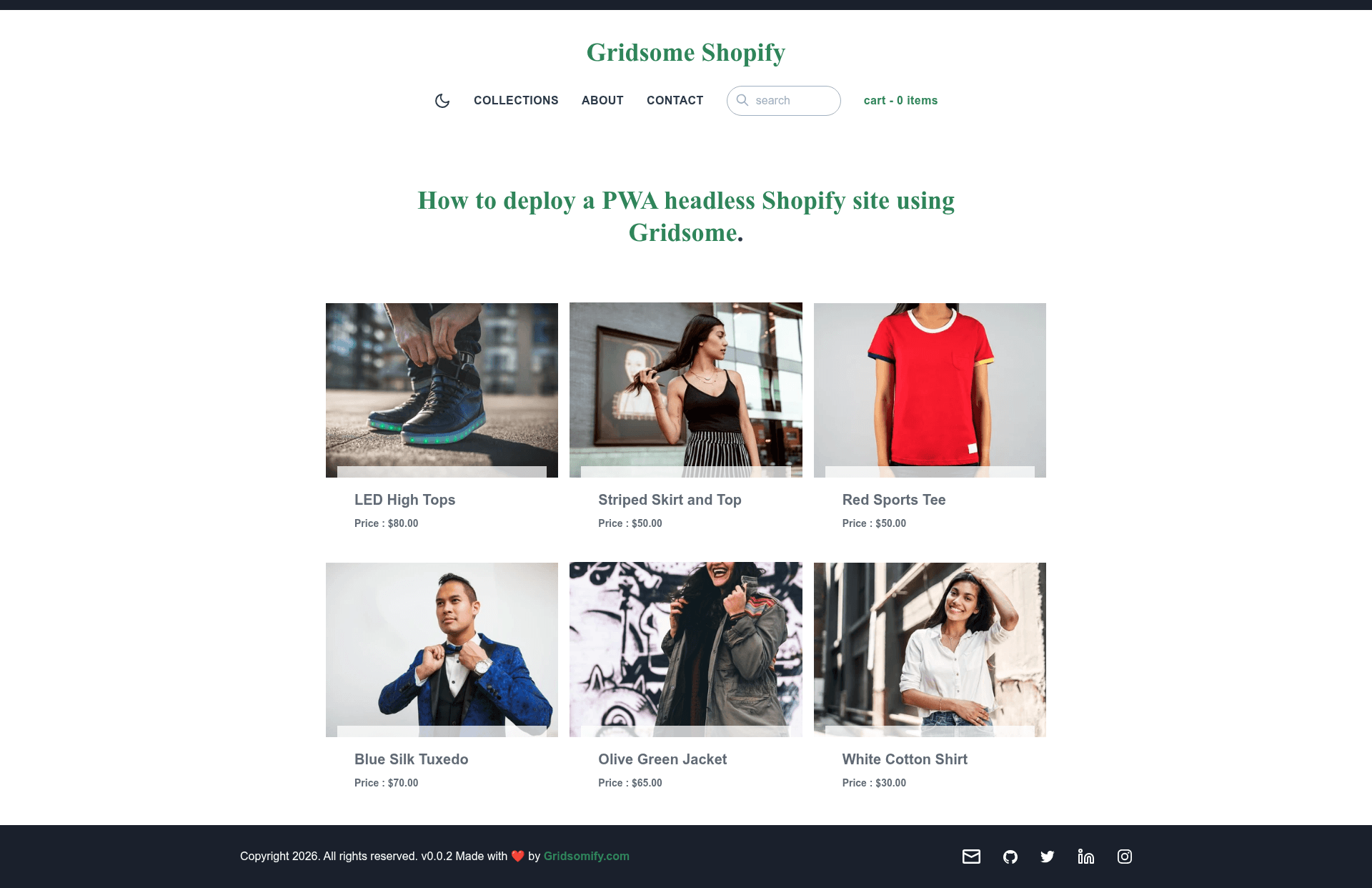
This starter is a project template for building server-rendered static ecommerce sites with Gridsome and Shopify. It takes your Shopify store name and Storefront API token as configuration and generates a static PWA with product pages, search, and collection browsing. Built by jsappme, the starter is demonstrated live at gridsome-shopify.netlify.com and hosted on GitHub.
The stack includes Gridsome (a Vue.js static site generator), the gridsome-source-shopify plugin for pulling product data from Shopify, Apollo client for querying Storefront API, and TailwindCSS for styling. The README claims the starter is optimized to reach 4 x 100 scores on Google Lighthouse.
Key Features
- 4 x 100 Lighthouse scores - Preconfigured to hit perfect scores on performance, accessibility, best practices, and SEO.
- Full SSR static site - All pages are statically generated at build time for fast loading and SEO.
- Progressive Web App - Ships with an "Add to Home Screen" button and PWA capabilities.
- Headless Shopify integration - Uses the gridsome-source-shopify plugin and Storefront API to fetch products, collections, and search data.
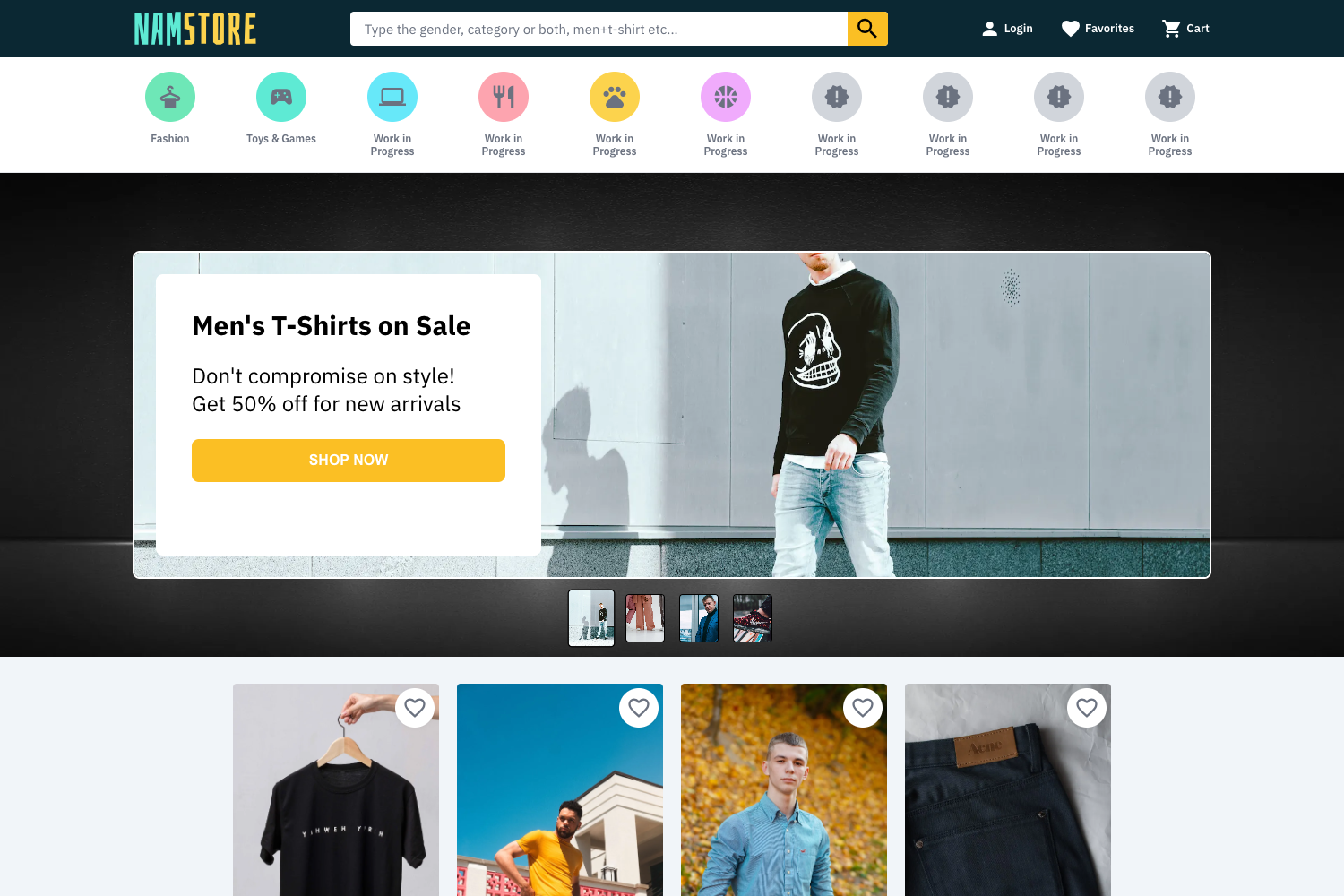
- Home page with Featured Products - Displays featured products from your Shopify catalog.
- Product Search and Product Page - Includes both a product search function and dedicated product detail pages.
- Collection Search and All Collections Page - Lets customers browse and search all collections.
- TailwindCSS with PurgeCSS - Styling uses TailwindCSS and PurgeCSS strips unused styles to keep the CSS bundle small.
- SEO and Sitemap - Built-in SEO handling plus automatic sitemap generation.
Who is it for?
- Shopify merchants who want to move to a headless storefront without building it from scratch - they can connect their store credentials and get a static, fast PWA.
- Vue.js developers looking for a working example of Gridsome with a Shopify backend - they can clone the repo and customize the components, pages, and TailwindCSS styles.
- Agencies delivering ecommerce sites for clients - they can use this starter as a base and brand it per project.
What can you do with it?
- Launch a headless storefront: Connect a Shopify store with a private app that has Storefront API access, add the store name and token to env variables, and generate a static storefront with searchable products and collections.
- Benchmark performance: Use the project's prebuilt configuration to measure and reproduce a 4 x 100 Google Lighthouse result on your own deployment.
- Learn the Gridsome + Shopify integration: Explore how the
gridsome-source-shopifyplugin, Apollo client, and TailwindCSS are wired together at thegridsome.config.jslevel.
How does it work?
The README walks through a typical setup: install the Gridsome CLI, create a new project with gridsome create my-gridsome-site jsappme/gridsome-shopify-starter, create a private app in Shopify for Storefront API, set the GRIDSOME_SHOPIFY_STOREFRONT and GRIDSOME_SHOPIFY_STOREFRONT_TOKEN environment variables, and run gridsome develop to start a local server. The project can also be configured directly in gridsome.config.js.
FAQ
Is the Shopify PWA Starter for Gridsome free?
Yes. It is published as an open-source boilerplate on GitHub, so you can use and modify it without paying a license fee.
Do I need a Shopify store to use this starter?
Yes. The project requires access to the Shopify Storefront API, which means you must create a private app in your Shopify admin and copy the store name and API token into your environment variables.
What environment variables are required?
You need to set GRIDSOME_SHOPIFY_STOREFRONT to your Shopify shop name (for example, my-store.myshopify.com) and GRIDSOME_SHOPIFY_STOREFRONT_TOKEN to your Storefront API access token. The README notes that these variables are prefixed with GRIDSOME_ so they are available to Apollo client-side.
Can I run this starter without Shopify collections?
The README recommends adding some collections in Shopify to best showcase the starter, but the store will still work with products alone.