Template details
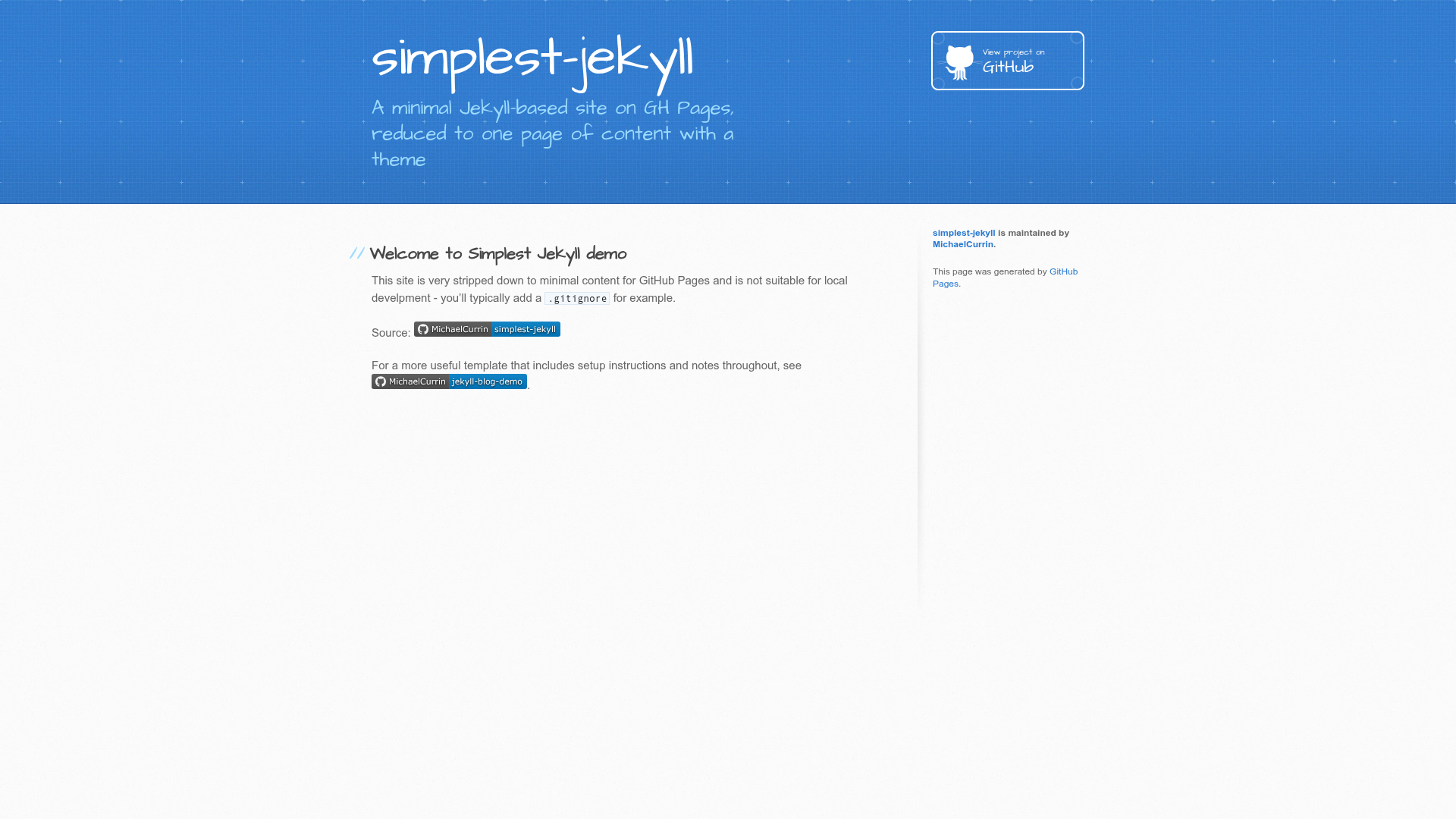
Simplest Jekyll
A minimal Jekyll-based site on GH Pages, reduced to one page of content with a theme
About this template
Simplest Jekyll is a minimal single-page Jekyll template that deploys to GitHub Pages, reduced to one content page (index.md) and a Jekyll theme so you can publish a live site in minutes.
What is Simplest Jekyll?
Simplest Jekyll is a template and live demo project by MichaelCurrin that demonstrates the smallest possible Jekyll site on GitHub Pages. It consists of a single content page (index.md), a _config.yml file that sets the theme and enables the Jekyll Sitemap plugin, and an optional Gemfile for local development. The template runs on Jekyll 3.9 with Ruby 2.6 or newer and is designed to be built automatically by GitHub Pages without any additional configuration.
Key Features
- Single-page structure — The template contains exactly one content page, index.md, which becomes the homepage; if you leave out index.md, README.md is used instead.
- Theme-based styling — Layout and styling come from a Jekyll theme set in _config.yml, so no custom CSS or layout files are needed.
- GitHub Pages ready — Serve the site from the master branch at the / path; GitHub Pages builds it with its own gem and infers values like baseurl, title, and description automatically.
- Optional Gemfile for local development — Use Bundler to install Jekyll and the theme gem locally; the Gemfile is ignored by GitHub Pages and can be deleted if you never run the site locally.
- Configurable via _config.yml — The config file selects the theme, enables the Jekyll Sitemap plugin, and can use the remote_theme field to reference any Jekyll theme beyond the roughly 10 supported by GitHub Pages.
- Front matter and Liquid support — index.md includes front matter so Liquid templating is applied; remove the front matter to disable theming, or rename the file to index.html for plain HTML.
- One-click repository setup — The "Use this template" button on GitHub creates a new repo with the same name or a custom one, and the live site is reachable at your-username.github.io/repo-name once Pages is enabled.
- MIT license — Released under the MIT license, so you can use and modify the template freely.
Who is it for?
- Jekyll beginners — Learn the absolute minimum needed to get a Jekyll site live on GitHub Pages without dealing with layouts, includes, or multiple pages.
- Developers who need a quick single-page placeholder — Publish a simple project page, landing page, or placeholder in a few minutes by replacing the content in index.md.
- Developers exploring GitHub Pages behavior — See exactly how GitHub Pages's Jekyll builder handles config, theme selection, and content files, and how to switch themes via config or the settings UI.
What can you do with Simplest Jekyll?
- Publish a live site quickly — Click "Use this template," enable GitHub Pages in settings, choose the master branch and the / path, then wait a few minutes for the deployment to finish.
- Experiment with GitHub Pages themes — Edit the theme field in _config.yml or use the visual theme picker in the GitHub Pages section of repository settings; use remote_theme to test any Jekyll theme hosted on GitHub.
- Run the site locally — Install Ruby and Bundler, run bundle install to install Jekyll and the theme, then start a local dev server to preview the single page before pushing changes.
- Extend into a larger site — Add more pages at the root, move shared header, head, or navbar markup into _includes or _layouts, or start from the author's jekyll-blog-demo for a multi-page blog with posts and gems.
How does Simplest Jekyll work?
After you create a repository from the template, GitHub Pages builds the site using its built-in Jekyll gem. The builder reads _config.yml for the theme and plugin settings, processes index.md (applying Liquid if front matter is present), and outputs static HTML at /index.html. The environment tab in your repository shows when the deployment is complete, though the clean URL may take a few extra minutes to become available.
Pricing
Simplest Jekyll is free to use, released under the MIT license. No payment is required, and you can modify and redistribute it.
Alternatives
- jekyll-blog-demo — A fuller multi-page Jekyll blog template with posts, gems, layouts, and a Makefile, from the same author.
- jekyll-gh-actions-quickstart — Uses Jekyll 4, a theme, GitHub Actions, and GitHub Pages for a more modern build pipeline.
- jekyll-themed-site-quickstart — A minimal Jekyll site with a theme but no Gemfile, for those who want to skip local dependency management.
- gh-pages-no-jekyll — A template for a Markdown-based docs site hosted on GitHub Pages without Jekyll processing.
FAQ
Is Simplest Jekyll free to use?
Yes, Simplest Jekyll is released under the MIT license, so you can freely use, modify, and distribute it for personal or commercial projects. No payment is required, and you only need to retain the license notice.
Does Simplest Jekyll require a Gemfile?
No. The Gemfile is optional and only helps you install Jekyll and the theme locally with Bundler. GitHub Pages ignores the Gemfile because it supplies its own gem set. You can delete the Gemfile if you don't plan to run the site locally.
Can I change the theme?
Yes. Edit the theme field in _config.yml to use one of the roughly 10 themes supported by GitHub Pages, or use the remote_theme field to reference any Jekyll theme from GitHub. You can also preview themes visually in the GitHub Pages section of your repository settings.
How many pages does the template include?
Exactly one content page: index.md, which serves as the homepage. If you delete index.md, GitHub Pages uses README.md as the homepage instead. You can add more pages at the root of the repository.
How long does the site take to go live?
After enabling GitHub Pages, the path /simplest-jekyll/index.html is available immediately, but the cleaner URL /simplest-jekyll/ may take a few minutes to resolve while GitHub Pages finishes deploying.