Template details
simpleStore
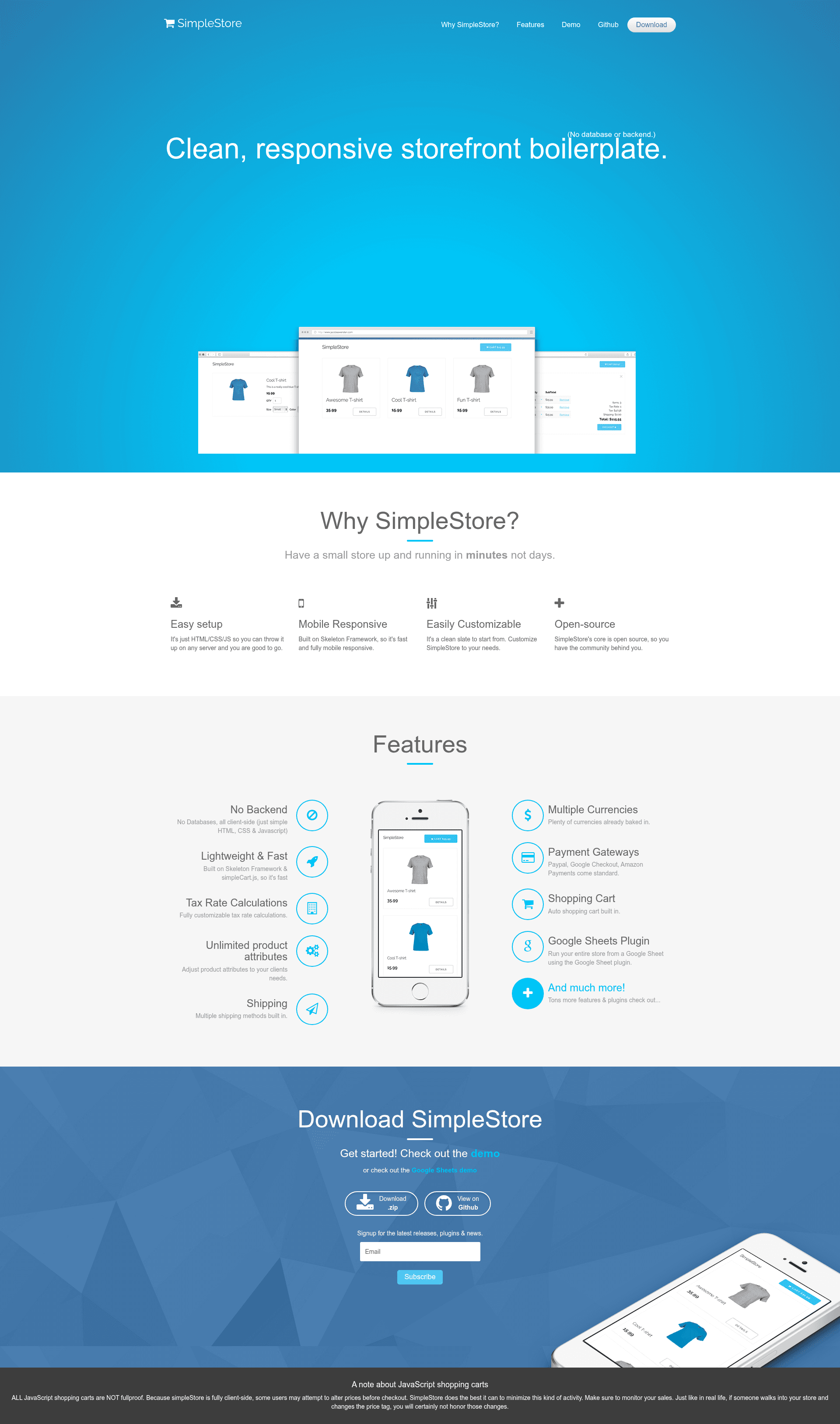
A clean, responsive storefront boilerplate with no database or backend
About this template
simpleStore is a clean, responsive storefront boilerplate that runs entirely client-side with no database, built on simpleCart.js and the Skeleton CSS framework.
What is simpleStore?
simpleStore is a lightweight ecommerce starter template for creating a storefront using plain HTML, CSS, and JavaScript. It reads product data from a products.json file and renders a functional shopping cart, checkout flow, and product detail views; no backend or database is required. simpleStore is maintained by Chris Diana and published on GitHub, where the repository currently has 505 stars.
Key Features
- No database or backend — All product data lives in a
products.jsonfile; cart state persists only in the browser session. - Lightweight and fast — The template is built on the Skeleton CSS framework for a minimal grid and typography base, plus simpleCart.js for cart logic.
- Tax, shipping, and currency support — Configure tax rates, shipping options, and multiple currencies directly in
js/config.js. - Unlimited product attributes — simpleCart.js lets you define custom product options without schema limits.
- Payment gateways — Out of the box support for PayPal, Google Checkout, and Amazon Payments, selected in
js/config.js. - Google Sheets plugin — A plugin lets you manage products from a Google Sheet instead of editing the JSON file.
- Static hosting friendly — Runs on any web server that can serve static pages; no PHP, Node.js, or database service needed.
- HTML version branch — A separate repository branch uses plain HTML shelf items with the
simpleCart_shelfItemclass instead of a JSON file.
Who is it for?
simpleStore is aimed at developers and small business owners who want a functional storefront without standing up a backend. Front-end developers can use it as a starting point to build custom ecommerce sites with minimal effort. Small merchants can put it on shared or static hosting and start selling immediately. Freelancers can clone it and modify the config and product files to spin up client stores quickly.
What can you do with simpleStore?
- Small businesses: launch a simple online store with product listings, cart, and checkout using only static files.
- Prototypers: quickly mock up an ecommerce experience with a demo product catalog and cart behavior before investing in a full backend.
- Google Sheets users: maintain your inventory in a spreadsheet and let the plugin feed product data into the storefront.
How does simpleStore work?
simpleStore runs as static files. You configure payment options and store settings in js/config.js, list products in products.json, and upload everything to any static web server. The included simpleCart.js powers add-to-cart actions, calculates tax and shipping, and hands the customer off to your chosen payment gateway.
FAQ
Is simpleStore free?
simpleStore is an open-source project on GitHub with an active contribution guide, so the template itself is free to download, use, and modify.
Does simpleStore use a database?
No. Everything runs client-side: products are loaded from a JSON file or an HTML shelf item, and the cart is managed entirely in the browser. No backend or database is needed.
Which payment gateways are supported?
The checkout configuration in js/config.js supports PayPal, Google Checkout, and Amazon Payments.
Is a client-side cart secure?
The documentation warns that all JavaScript shopping carts are not foolproof. Because the checkout is client-side, a user could attempt to alter prices before paying, so you should monitor your sales closely.