Template details
SIUX Studio Next.js Boilerplate
Boilerplate integration of SIUX Studio brand styling with Next.js.
About this template
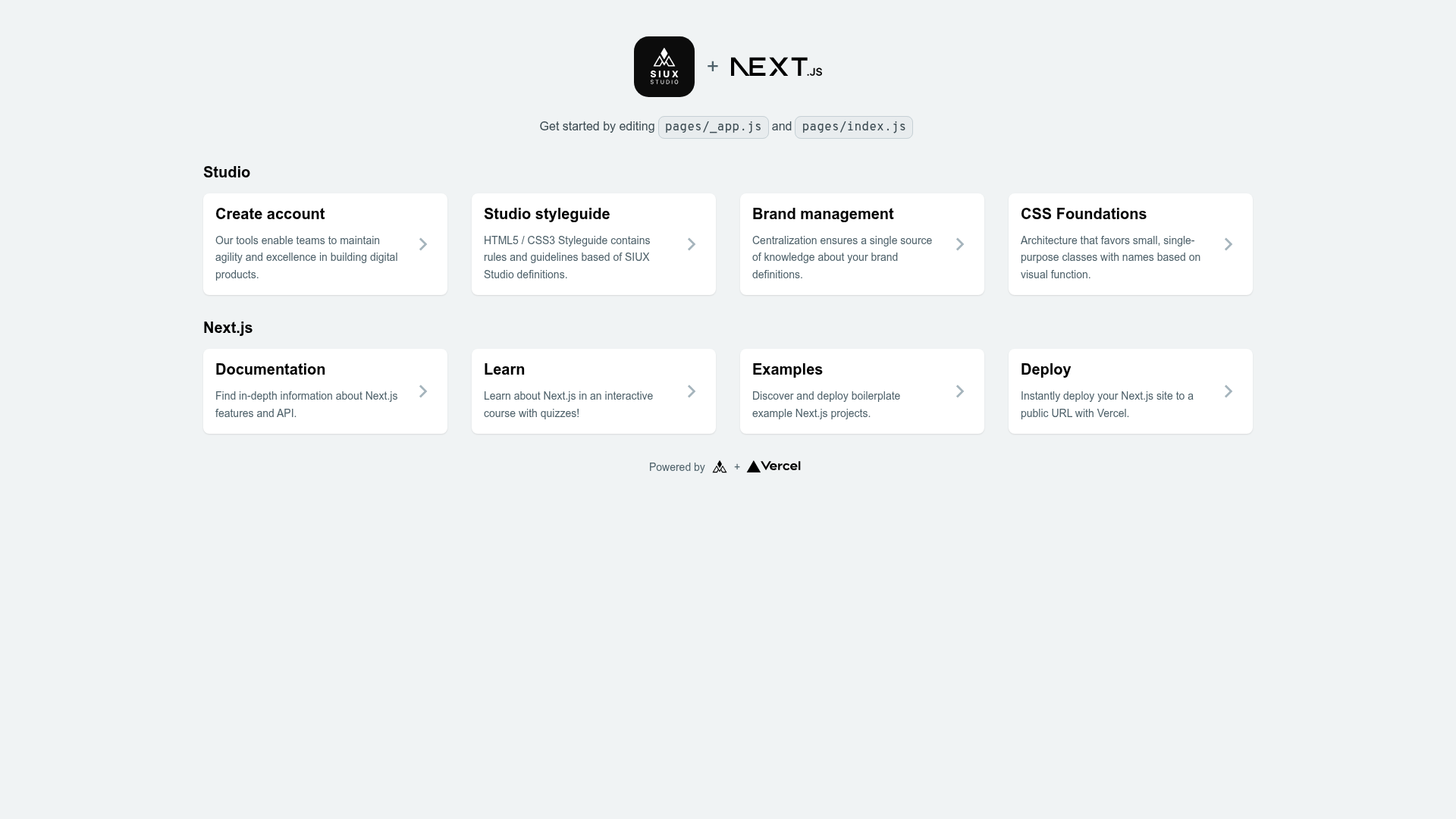
SIUX Studio Next.js Integration is a boilerplate template that connects the SIUX Studio brand asset system to a Next.js application, giving developers a pre-configured starting point for building and deploying a branded site on Vercel.
What is SIUX Studio Next.js Integration?
SIUX Studio Next.js Integration is a starter repository from siuxco on GitHub that combines the SIUX Studio brand styling service with the Next.js React framework. It takes brand assets placed in the public/siux/ directory as input and outputs a live Next.js page that serves those styles. The template runs on Next.js and delegates deployment to the Vercel platform with a one-click button on the README.
The repository is minimal by design: a single page application with one main source file, src/page.js, and a public folder where brand files are dropped. It is intended to be cloned or forked, customized, and pushed to Vercel immediately.
Key Features
- One-click Vercel deployment — The README includes a Deploy button that clones the repository into Vercel and provisions a new project directly from the GitHub URL, so no manual Vercel setup is needed.
- Live preview — A hosted demo is available at https://siux-studio-next.vercel.app/ to see the boilerplate in action before using it.
- Local development server — Running
npm run devstarts a Next.js dev server athttp://localhost:3000with hot reloading, so changes tosrc/page.jsappear instantly in the browser. - Brand asset folder — Replacing the files inside
public/siux/with your own SIUX Studio brand assets is the documented integration step, making asset swapping explicit. - Single-page structure — The example page lives in
src/page.js, which auto-updates on save, keeping the template easy to understand and modify. - SIUX Studio + Next.js pairing — The template is purpose-built for teams using SIUX Studio's brand system, avoiding the need to manually wire those assets into a Next.js project.
Who should use SIUX Studio Next.js Integration?
Front-end developers who work with SIUX Studio and need a Next.js starting point will benefit from this template, as it removes the setup overhead for connecting brand assets. Small teams or agencies that purchase or subscribe to SIUX Studio brand kits can use the boilerplate to spin up a marketing page quickly. Anyone who wants to deploy a minimal Next.js site to Vercel with a single click can treat this as a convenient scaffold, even before adding their own content.
What can you do with SIUX Studio Next.js Integration?
- Designers using SIUX Studio: place the brand assets you exported in
public/siux/and the template will serve them on the Next.js page, giving you a living preview of your brand. - Next.js developers: use the boilerplate as a base for a new project, editing
src/page.jsto build out sections while keeping the brand integration intact. - Agencies deploying client sites: take advantage of the Vercel Deploy button to stand up a branded landing page in minutes without writing environment configuration.
How does SIUX Studio Next.js Integration work?
After deploying via the Vercel button or cloning locally, the file layout is fixed: public/siux/ holds brand assets, and src/page.js renders the page. Running npm run dev serves the page at localhost:3000; editing src/page.js triggers automatic updates. For production, connecting the GitHub repository to Vercel deploys the app with zero extra configuration, since Next.js is the platform's native framework.
FAQ
How do I integrate my brand styles?
Replace the contents of public/siux/ with the brand asset files you get from SIUX Studio. The template is configured to load those files at runtime, so the browser picks them up the next time the page is served.
Can I deploy SIUX Studio Next.js Integration to Vercel?
Yes. The README ships with a Deploy button that links directly to Vercel's project creation flow, pre-filled with the repository URL. You can also push the repo to GitHub and import it into Vercel manually.
Is there a development server with hot reload?
Yes, npm run dev starts the Next.js development server on port 3000, and changes to the main page file are reflected immediately through Next.js's built-in fast refresh.
What do I edit to change the page content?
The page is defined in src/page.js. All visible layout and content changes live there; the brand assets in the public folder do not affect component structure.