Template details
Snap2HTML
Generates app-like interactive HTML files that display and search a folder structure.
About this template
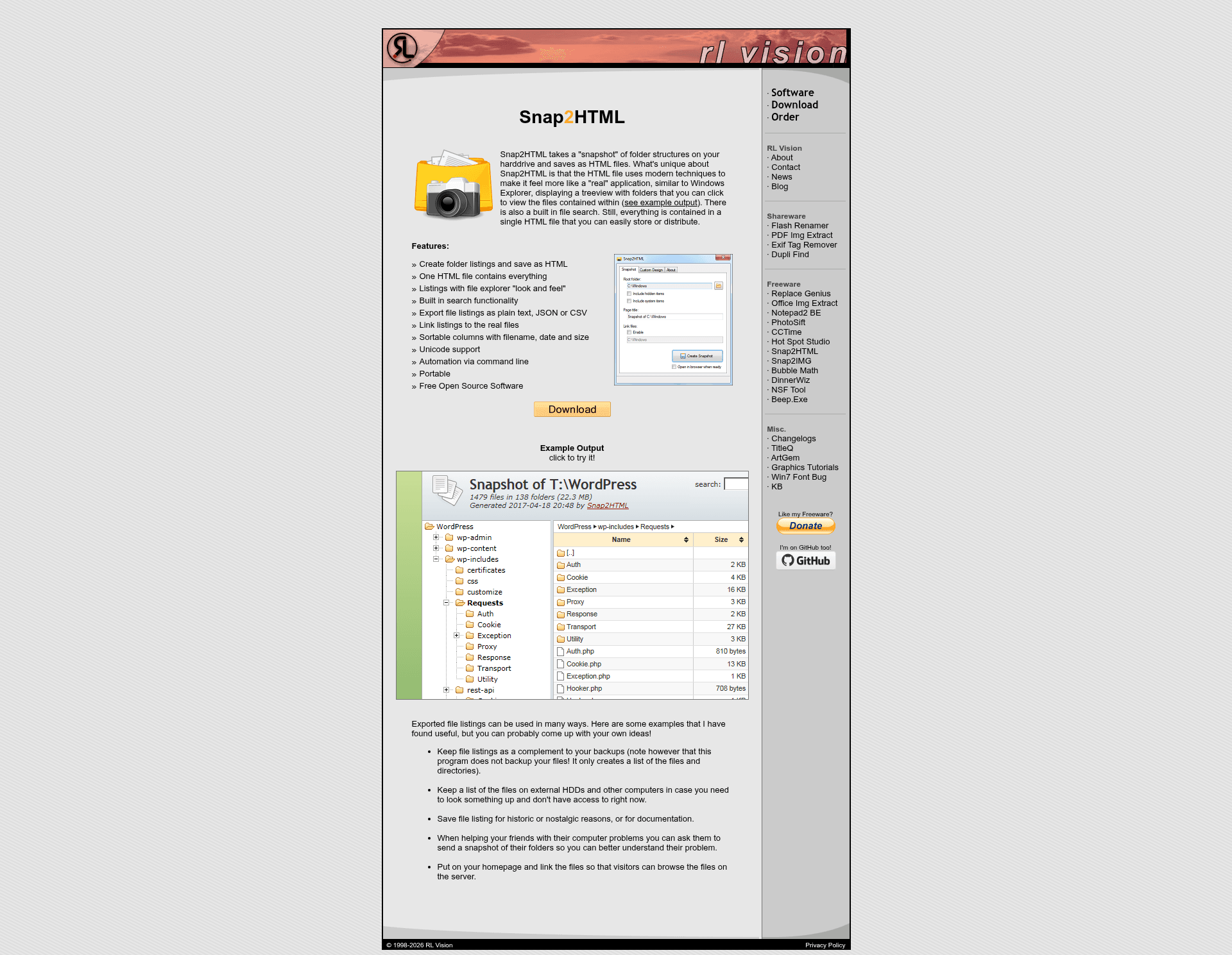
Snap2HTML is a Windows WinForms application that generates a single, self-contained HTML file that acts as an interactive directory listing of a chosen folder structure.
What is Snap2HTML?
Snap2HTML is a utility that takes a snapshot of a local folder structure and saves it as one HTML file. It takes a directory path as input and produces an HTML file containing a navigable treeview of folders and files, with a built-in search box and export options. The generator itself is a WinForms application from rlvision.com, and the generated HTML relies on modern browser techniques to feel like a real app. The project repository has collected 685 stars, reflecting its popularity for this niche task.
Key Features
- Single-file output — Everything is contained in one HTML file, easy to store or distribute.
- Treeview navigation — The HTML displays folders in a collapsible tree that you can navigate to view files.
- File search — A built-in search function finds files within the listing.
- Export options — Data can be exported as plain text, CSV, or JSON.
- WinForms generator — The listing is generated by a native Windows application.
Who is it for?
- IT administrators who need to document or share server or disk folder structures without exposing actual files.
- Archivists cataloging offline media collections, such as hard drives or optical discs, into a browsable index.
- Content distributors who want to share a searchable file list with recipients before offering the files themselves.
What can you do with it?
- Create offline catalogs of external drives or network shares so you can find files without having them connected.
- Share folder layouts with colleagues or clients as a single HTML file that opens in any browser.
- Generate JSON or CSV exports for further processing or importing into other tools.
How does Snap2HTML work?
Run the WinForms application, select the folder you want to snapshot, and it produces the HTML listing file. The resulting HTML is static and self-contained, so no server or internet connection is required to browse it.
FAQ
Does Snap2HTML copy the actual files?
No. It only records the folder and file names and structure into an HTML file. The actual file contents are not copied or embedded.
What export formats are available?
Besides the HTML view, you can export the listing data as plain text, CSV, or JSON.
Can I search within the generated HTML?
Yes, the HTML file includes a built-in file search feature.
Is the generated HTML file portable?
Yes, it is a single self-contained file that can be stored or sent to others, and it opens in any modern browser.