Template details
Snxtw
Next.js (App Router) + Tailwind CSS + Typescript Starter Template
About this template
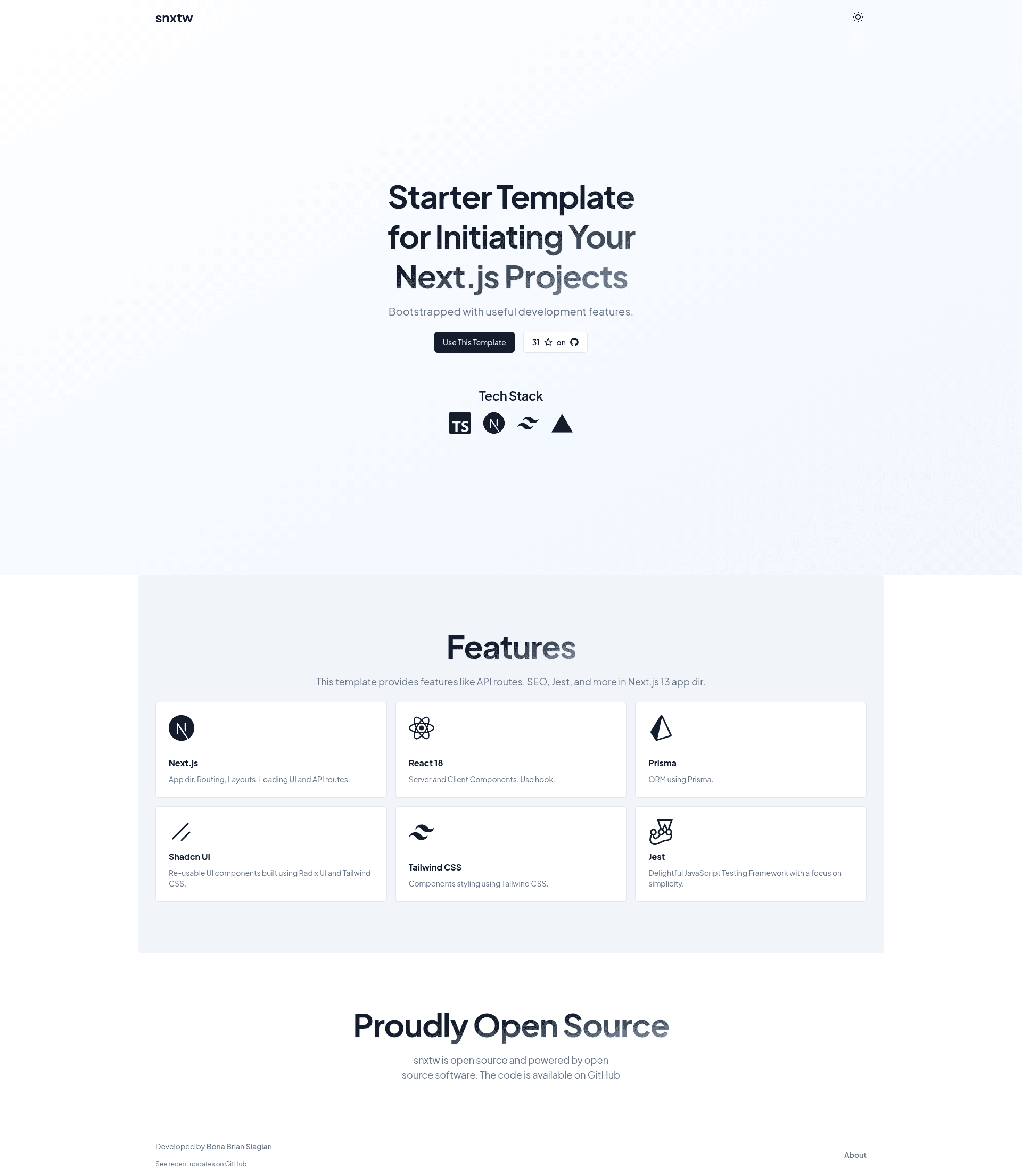
Snxtw is a GitHub starter template that combines Next.js App Router, Tailwind CSS, and TypeScript into a pre-configured boilerplate for quickly launching web projects.
What is Snxtw?
Snxtw is a Next.js starter boilerplate that gives developers a runnable project with App Router structure, Tailwind CSS styling, and TypeScript typing out of the box. It is maintained by bonabrian on GitHub and is intended to be used either by clicking "Use this template", running npx create-next-app -e https://github.com/bonabrian/snxtw, or using npx degit bonabrian/snxtw. The template outputs a local development server on port 3000 with pre-configured linting, formatting, and git-hook tools. The repository also includes one-click deployment buttons for Vercel, Netlify, and Railway.
Key Features
- Next.js App Router — The project uses the
src/appdirectory, following Next.js 13+ conventions for routes, layouts, and server components. - Tailwind CSS — Styling is built on Tailwind utility classes, configured for the project.
- TypeScript — All source code is written in TypeScript, enabling static type checking across the codebase.
- Pre-built Components — The template ships with a library of React components (the README lists this as a feature but does not enumerate them).
- SEO Metadata — Next.js metadata API is pre-configured to manage page titles and descriptions.
- ESLint — ESLint is set up to find and fix code problems as part of the workflow.
- Prettier — Prettier is configured to format code consistently.
- Husky & Lint Staged — Git hooks run Lint Staged on staged files before commits, helping catch issues early.
- Conventional Commit Lint — Commit messages are validated against the conventional commits spec.
- Deployment Buttons — The README includes one-click deploy links for Vercel, Netlify, and Railway.
- Additional Tooling — The repository's GitHub topics list Jest, Vercel OG, and Zod, indicating testing and metadata/OG image support.
Who is it for?
- Frontend developers who want to skip the initial configuration of Next.js and start building app features immediately.
- Development teams that need coding standards enforced via ESLint, Prettier, and Conventional Commit Lint from the start.
- Solo makers and founders deploying to serverless platforms who appreciate the one-click Vercel, Netlify, or Railway buttons.
What can you do with Snxtw?
- Scaffold a new Next.js app — Use the
create-next-appexample command ordegitto clone the template into a fresh project directory and start coding. - Deploy to a host — Click the deployment button for Vercel, Netlify, or Railway to push the starter directly to a live URL.
- Set up a consistent development workflow — Use the built-in Husky, Lint Staged, and Conventional Commit Lint setup to keep commits and code formatting clean across a team.
How does Snxtw work?
The template follows a three-step startup process described in the README. First, clone the repository through the "Use this template" button, npx create-next-app -e https://github.com/bonabrian/snxtw, or npx degit bonabrian/snxtw. Second, install dependencies with yarn install (yarn is recommended so Husky hooks function correctly). Third, run yarn dev to launch the development server at http://localhost:3000, then edit src/app/page.tsx to customize the home page.
Pros and cons
- Pros: Pre-configured ESLint, Prettier, Husky, Lint Staged, and Conventional Commit Lint save setup time; one-click deployment to Vercel, Netlify, and Railway; modern stack of Next.js, Tailwind, and TypeScript.
- Cons: Using the "Use this template" button adds an attribution link to the author's repository, which they request you leave intact.
FAQ
Is Snxtw free?
Snxtw is a public GitHub repository, so cloning and using it costs nothing. The only condition is leaving the attribution link intact when you use the "Use this template" button.
What is inside the pre-built components?
The README mentions "Pre-built Components" but does not enumerate them. The repository's GitHub topics also list Jest, Vercel OG, and Zod, which suggests the template includes testing and Open Graph image utilities, but the README does not describe those.
How do I deploy Snxtw?
The README includes "Deploy with Vercel", "Deploy to Netlify", and "Deploy on Railway" buttons. Clicking one will clone the repository into the respective platform and start a build with the default Next.js configuration.
Can I use npm instead of yarn?
The README encourages yarn because Husky hooks work properly with it, but other package managers may also work if you adjust the setup. No specific npm instructions are provided.