Template details
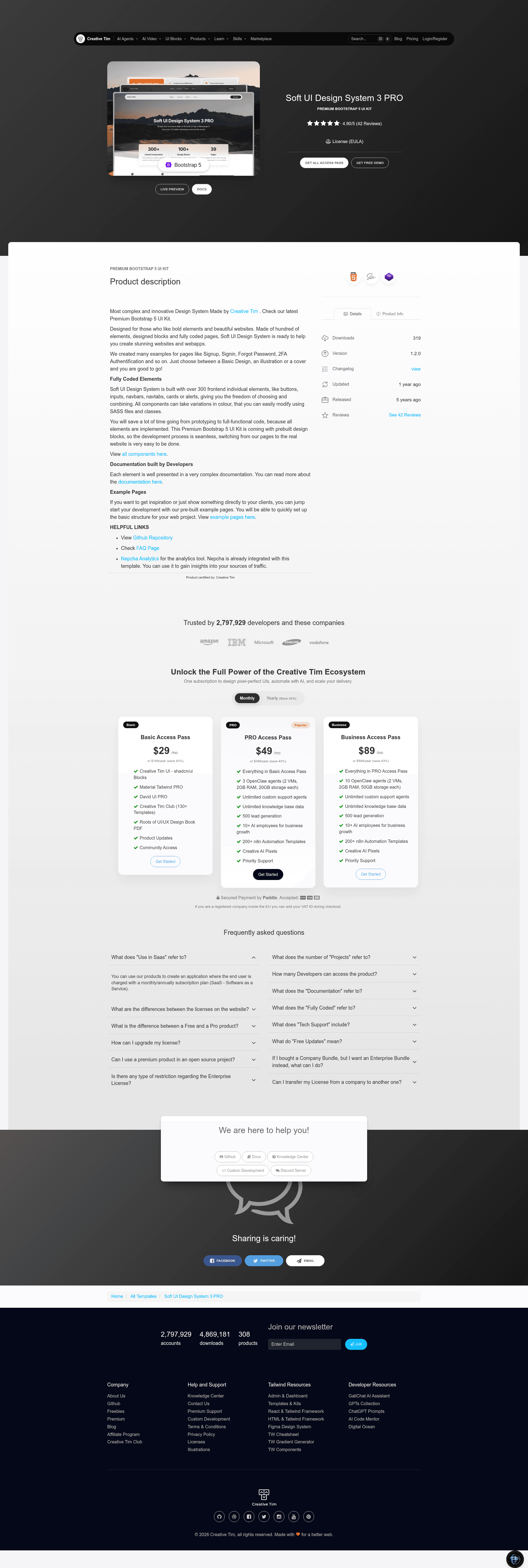
Soft UI Design System PRO
Premium Bootstrap 5 UI kit with 300+ components, prebuilt pages, and SASS customization by Creative Tim.
About this template
Soft UI Design System Pro is a premium Bootstrap 5 UI kit by Creative Tim that bundles over 300 frontend components and prebuilt page templates for building soft-styled websites.
What is Soft UI Design System Pro?
Soft UI Design System Pro is a Bootstrap 5 UI kit developed by Creative Tim. It packages more than 300 individual elements — buttons, inputs, navbars, navtabs, cards, and alerts — that you can combine into full pages. The kit runs on standard HTML with vanilla JavaScript (no jQuery) and includes SASS files for modifying component colors and styles. It ships with a set of prebuilt pages, including sign-in, sign-up, about us, pricing, and automotive pages, plus a separate sections folder for hero sections and page headers.
Key Features
- 300+ components — The kit includes buttons, inputs, navbars, navtabs, cards, and alerts, all with color and style variations you can adjust through SASS.
- Bootstrap 5 and no jQuery — Built on Bootstrap 5 and vanilla JavaScript, so it works without a jQuery dependency.
- Prebuilt page templates — Includes working sign-in, sign-up (illustration style), about us, pricing, and automotive pages ready for content replacement.
- SASS theming — Component styling lives in assets/scss, with a main soft-design-system-pro.scss file that you can recompile with Gulp.
- Integrated open-source plugins — Uses noUISlider, Popper.js, Flatpickr, Choices JS, Glide, CountUp, Prism, Rellax, Smooth Scroll, Tilt, and Typed for sliders, date pickers, carousels, animations, and syntax highlighting.
- Nepcha Analytics integration — Analytics tool is pre-integrated so you can track traffic sources out of the box.
- Complete project structure — The download includes assets for CSS, fonts, images, JS, and SCSS, plus docs, pages, sections, a gulpfile.js, and package.json for local builds.
- Browser support — Officially supports the last two versions of Chrome, Firefox, Edge, Safari, and Opera.
Who is it for?
- Web developers — Use the prebuilt components and pages to move from prototyping to functional code quickly, skipping repetitive frontend work.
- Agencies and freelancers — Customize the SASS theming to match client brand colors and deliver multi-page sites with a consistent soft UI look.
- Startups and product teams — Build marketing pages such as pricing, about us, and sign-up flows without needing a dedicated frontend designer.
What can you do with Soft UI Design System Pro?
- Launch a marketing site — Assemble navbar, hero sections, cards, alerts, and footer components into a polished landing page.
- Set up authentication pages — Use the included sign-in and sign-up illustrations to add login and registration flows.
- Create company pages — Base an about us or automotive company site on the prebuilt pages, changing images and text as needed.
- Prototype a dashboard or portal — Combine cards, navbars, and inputs to mock up product interfaces before backend integration.
Pricing
Soft UI Design System Pro is a paid product from Creative Tim; you purchase a license on the product page, which includes access to the full download and documentation.
FAQ
Does Soft UI Design System Pro work without jQuery?
Yes. The kit is built with vanilla JavaScript only — none of the bundled styles or components require jQuery, matching the repository's no-jquery tag.
Is Soft UI Design System Pro free?
No, it's a premium product sold by Creative Tim. You buy a license from the Creative Tim website, and the quick-start instructions direct buyers to the product page for purchase.
What pages are included in Soft UI Design System Pro?
The demo shows sign-in, sign-up, about us, pricing, and automotive pages, as well as sections for hero sections and page headers. The download includes a pages directory and a sections directory with these templates.
Which Bootstrap version does it use?
It's built on Bootstrap 5, as stated in the product description and repository metadata.
Can I change the colors of components?
Yes. The kit includes SASS files under assets/scss where you can modify color variables and component styles, then recompile using the included Gulp workflow.