Template details
Spica Admin
Free Bootstrap admin template with SASS, jQuery, HTML5, and CSS for responsive dashboards.
About this template
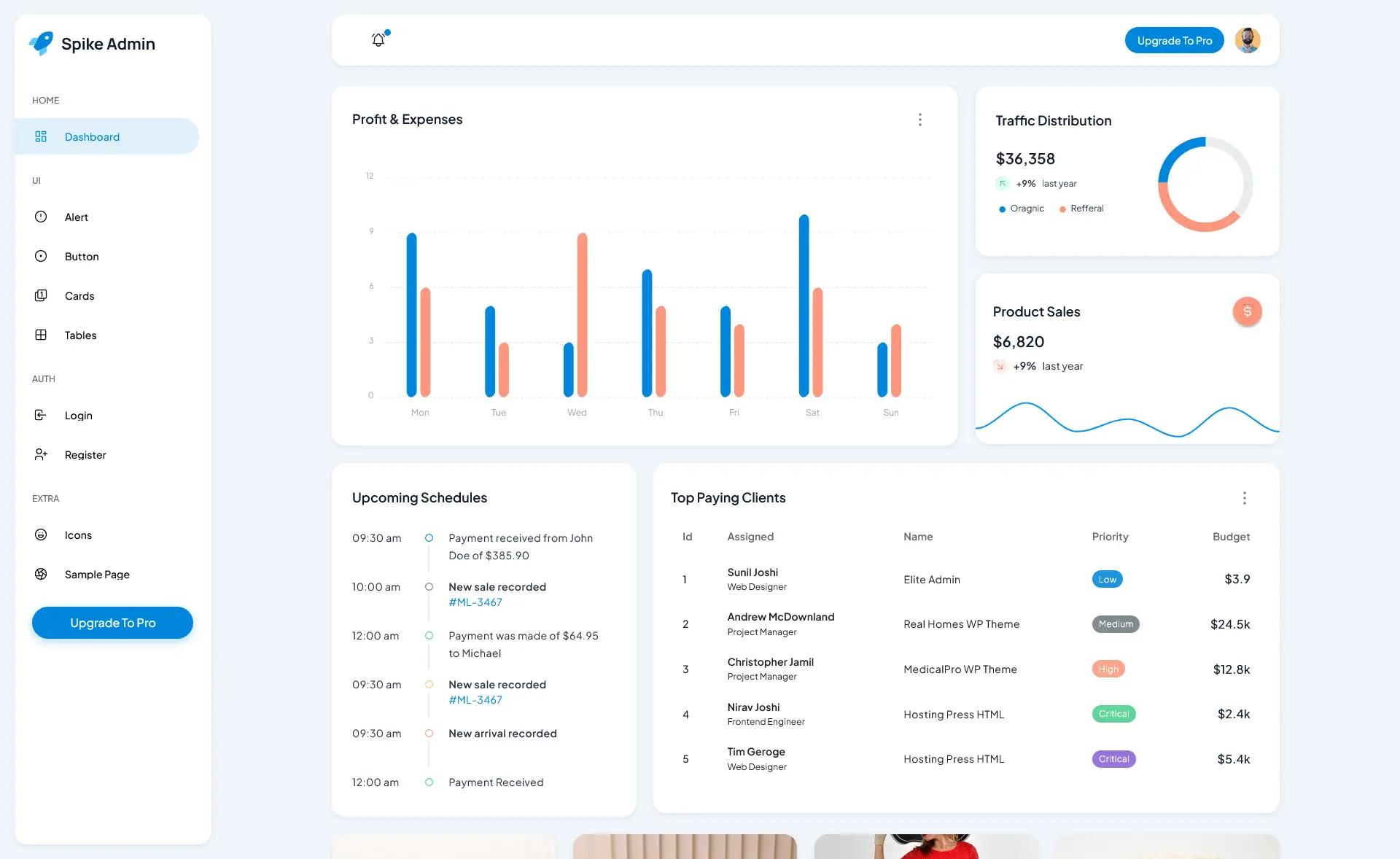
Spica Admin is a free Bootstrap admin template from BootstrapDash that provides a responsive dashboard interface built with SASS, jQuery, HTML5, and CSS. This GitHub-hosted project is designed as a starting point for admin panels, back-office tools, and dashboard-style websites.
What is Spica Admin?
Spica Admin is a free, open-source admin dashboard template developed by BootstrapDash, known for its Bootstrap-based themes. The template is built on the Bootstrap framework with SASS as the CSS preprocessor, jQuery for interactive elements, and standard HTML5/CSS for structure and styling. It takes typical dashboard UI components — cards, tables, forms, charts, and navigation — and packages them into a fully responsive layout that you can open and edit directly. The project is distributed as a static HTML site, so you can clone or download the repository and run the included template/index.html in any modern browser without a server. It currently has 40 stars on GitHub.
Key Features
- Bootstrap framework — Built on Bootstrap, giving you the responsive grid, utility classes, and standard components familiar to most web developers.
- SASS styling — The stylesheets are written in SASS, so global colors, spacing, and theme variables can be overridden from centralized files.
- jQuery interactions — Includes jQuery-based scripts and plugins for common admin behaviors such as collapsible sidebars, dropdowns, and other UI toggles.
- Responsive layout — The template is highly responsive, with pages that adapt cleanly across desktop, tablet, and mobile viewport widths.
- Prebuilt dashboard elements — Ships with a wide array of ready-to-use sections including charts, tables, forms, and navigation components for faster assembly.
- Documentation — Comes with documentation covering the npm build process and template customization steps for those who want to modify the SASS source.
- Clean code for beginners — The HTML is structured and cleanly written, which makes it approachable for developers who are just learning Bootstrap and SASS.
- Direct-preview workflow — You can view the live demo at the BootstrapDash preview URL and immediately test the template by opening index.html locally.
Who is it for?
- Front-end developers — who need a free starting point for a client admin panel and want to customize the look via SASS variables and Bootstrap classes.
- Startups and small businesses — looking for a professional dashboard interface without spending money on a premium admin template.
- Students learning web development — who can use the project to study how Bootstrap, jQuery, and SASS work together in a real, deployable template.
- Freelancers building multiple admin sites — who can fork the repository and reuse the dashboard components across different projects.
What can you do with Spica Admin?
- Build a custom admin panel: Assemble user management screens, analytics dashboards, and settings pages by editing the provided HTML components.
- Rapid prototype a back-end interface: Use the prebuilt tables, forms, and navigation to mock up a SaaS or internal tool in a single day.
- Learn a classic front-end stack: Explore how a non-framework project combines Bootstrap, SASS, and jQuery, and practice compiling SASS with the npm scripts.
How does Spica Admin work?
Download or clone the repository, then open template/index.html in a browser to see the demo. For customization, run npm install in the project root to install the required dependencies, then follow the documentation to compile SASS changes. Since the template is purely static, you can edit the HTML directly without any build step for minor tweaks.