Template details
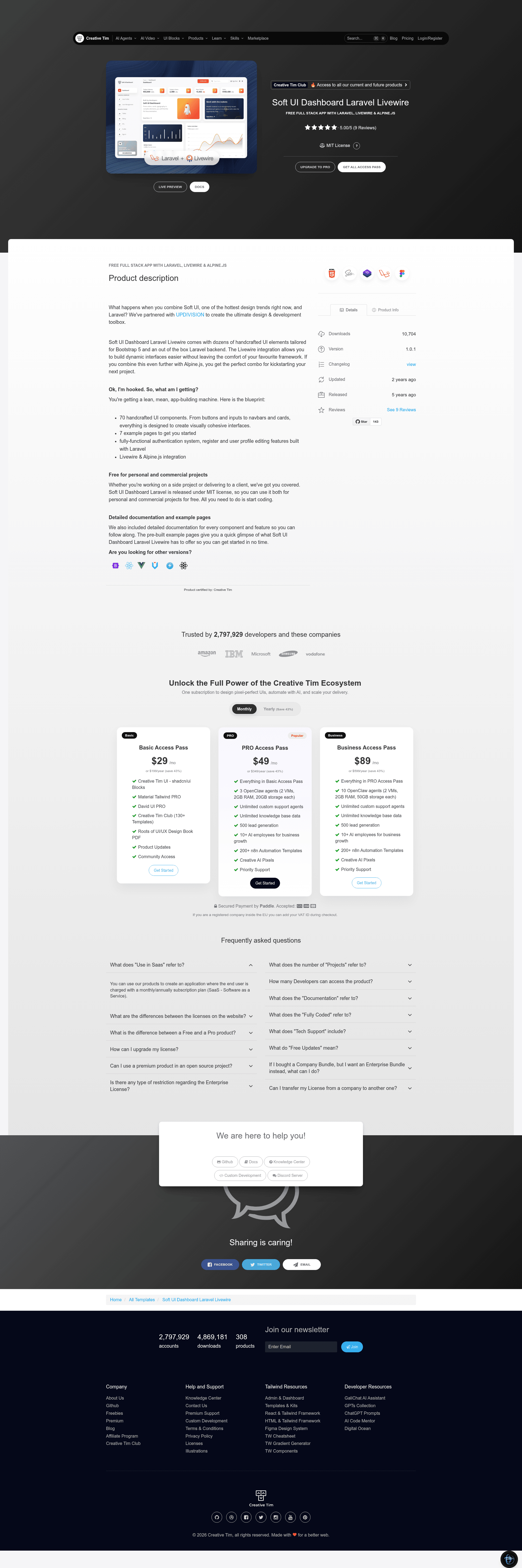
Soft UI Dashboard Laravel Livewire
Free Laravel admin dashboard with Livewire & Alpine.js, 70 Bootstrap 5 components, and 7 example pages.
About this template
Soft UI Dashboard Laravel Livewire is a free, open-source admin dashboard boilerplate that combines the Soft UI Bootstrap 5 design system with a Laravel backend, Livewire components, and Alpine.js for dynamic interactions. It was built by Creative Tim in partnership with UPDIVISION, and the frontend is based on Soft UI Dashboard v1.0.0.
What is Soft UI Dashboard Laravel Livewire?
The template is a full-stack starter kit for building admin panels and internal tools. It takes a fresh Laravel installation and adds a pre-built UI with authentication, user profile management, billing, tables, and dashboard pages. Everything runs on Laravel and Livewire, so you write PHP instead of JavaScript for most backend interactions. The project is hosted on GitHub with 143 stars and is licensed under MIT.
Key Features
- 70 handcrafted UI components — Buttons, inputs, navbars, cards, and more, all tailored for Bootstrap 5 and the Soft UI design language.
- 7 example pages — Dashboard, billing, tables, user profile, login, register, forgot password, and reset password pages are included and wired to routes.
- Livewire & Alpine.js integration — Livewire handles server-side interactions like login and profile saves; Alpine.js manages client-side state without leaving Blade templates.
- Built-in authentication — Register, login, logout, forgot password, and reset password flows are implemented in App\Http\Livewire\Auth classes, with a reset link valid for 12 hours.
- Editable user profile — Logged-in users can change their name, email, phone number, location, and description from the /user-profile page.
- Database seeding — Running php artisan migrate --seed creates the roles and users tables and inserts a default admin user with credentials admin@softui.com / secret.
- Free for commercial use — The MIT license allows personal and client projects at no cost; a PRO version with additional features is available from Creative Tim.
Who is it for?
- Laravel developers who need a ready-made admin skin with auth so they can focus on business logic instead of UI scaffolding.
- Freelancers and agencies that build dashboards for clients and want a clean, customizable Bootstrap 5 base with a permissive license.
- Startup founders who want to launch an MVP quickly with login, registration, and a profile page already working.
- Developers learning Livewire who want to study a real codebase where auth and CRUD are handled with PHP classes in app/Http/Livewire.
What can you do with Soft UI Dashboard Laravel Livewire?
- SaaS builders: Replace the example pages with your own views and use the authentication system as the front door to your application.
- Client project delivery: Restyle the 70 components and 7 pages to match a client's brand, then deploy under the MIT license without royalty fees.
- Rapid prototyping: After running the five installation commands, you have a logged-in dashboard on the first page load, with routes already declared in routes/web.php.
How does the template work?
Installation is a standard Laravel workflow: unzip the archive, copy the folder, run composer install, copy .env.example to .env, update database settings, run php artisan key:generate, then php artisan migrate --seed, and finally php artisan storage:link. Once started, visit the site, click "Sign Up", or log in with the seeded credentials. Livewire components in app/Http/Livewire/Auth handle authentication events, and the routes in routes/web.php point to the correct components.
Pricing
Soft UI Dashboard Laravel Livewire is free under the MIT license for both personal and commercial projects. Creative Tim also sells Soft UI Dashboard PRO Laravel Livewire with more components and pages for users who need additional features.
FAQ
Is Soft UI Dashboard Laravel Livewire free?
Yes, it is free to use for personal and commercial projects. The code is released under the MIT license, so there is no cost to download, modify, or redistribute it.
What are the default login credentials?
After running the migrations and seeders, you can log in with the email admin@softui.com and the password secret. Alternatively, you can register a new account from the sign-up page.
Which Laravel version is required?
The documentation references Laravel 10.x and requires Composer to install dependencies. The project also expects an Apache/PHP/MySQL local environment.
How do I reset a forgotten password?
Click the "here" link below the login form or visit /forgot-password, enter your email, and the app will send a reset link. The link is valid for 12 hours and takes you to a page where you set a new password.
Does it work with the latest browsers?
Creative Tim officially supports the last two versions of Chrome, Firefox, Edge, Safari, and Opera.