Template details
Strata Hexo Theme
Hexo port of the HTML5UP Strata theme with Disqus, Facebook comments, Google Analytics, and cover images.
About this template
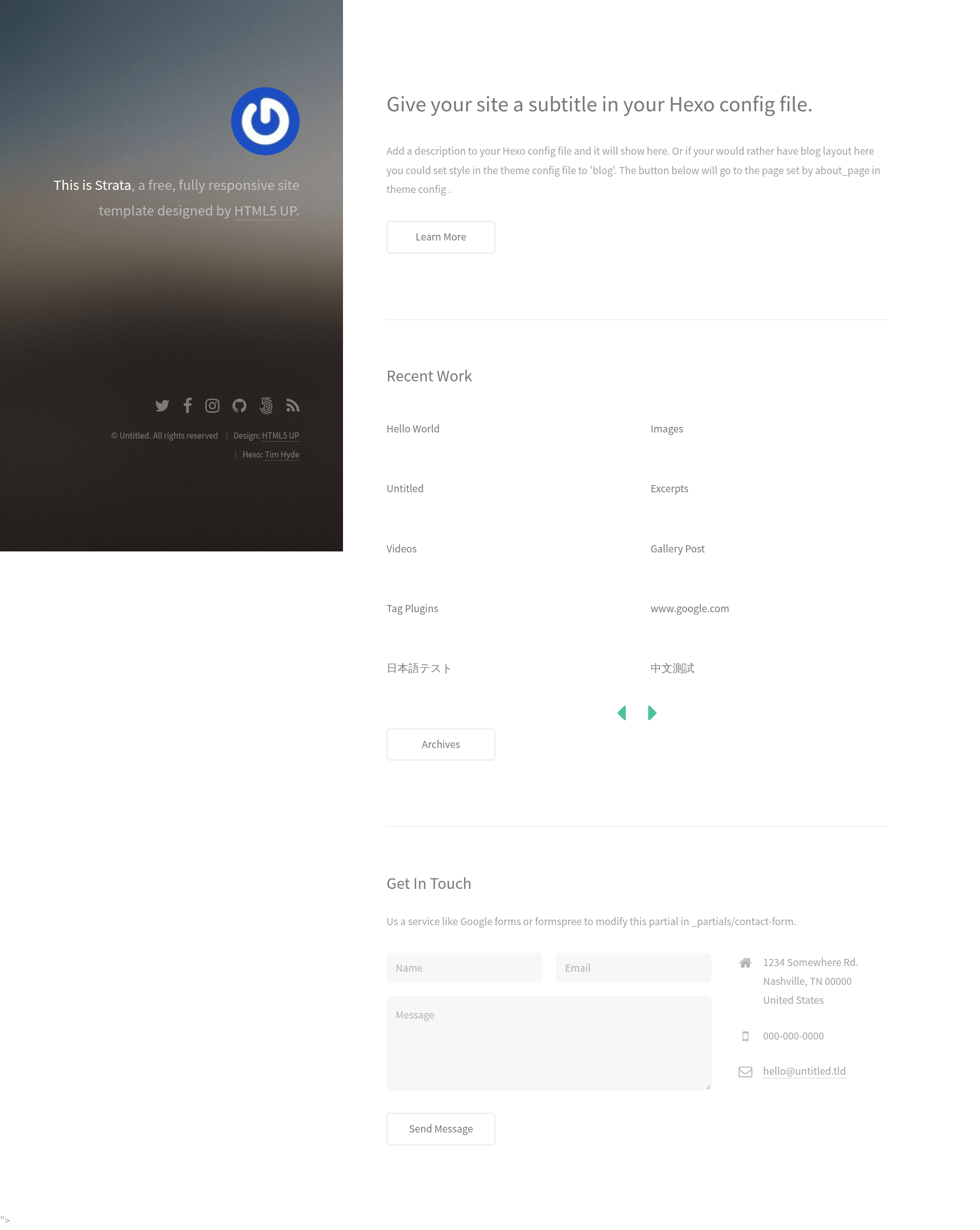
Strata Hexo Theme is a free open-source Hexo theme that ports the HTML5UP Strata template into a single-column blog and portfolio layout with per-post cover images, social links, and pagination.
What is Strata Hexo Theme?
Strata Hexo Theme is a Hexo implementation of the free HTML5UP Strata template, adapted for the Hexo static site generator by Tim Hyde. It takes Hexo posts and pages written in Markdown with front matter and renders a responsive, single-column site with an optional sidebar avatar, social links, cover images, and comment support. The theme requires the hexo-renderer-scss package for its SCSS-based styling and is configured through YAML files at both the site and theme level.
Key Features
- Disqus and Facebook comments — Both comment providers are supported; configuring both the Disqus shortname and Facebook app ID will render two comment sections per post, so you typically choose one.
- Google Analytics — Add your Tracking ID in the theme
_config.ymlto enable analytics on all pages. - Cover images for posts and pages — Use
cover_indexandcover_detailin post front matter to set thumbnails for the homepage and detail pages, with configurable default fallback images. - Tags and categories — Native Hexo taxonomy support displays tag and category listings.
- Responsive images — Images scale to the viewport width as part of the responsive layout.
- Gravatar — Set an email address in the theme config to display your Gravatar avatar in the sidebar.
- Social media links — Configure up to ten link targets (Twitter, Facebook, Instagram, Dribbble, GitHub, Google+, Behance, 500px, email, RSS) in the footer.
- Pagination — Hexo’s built-in pagination is enabled from the theme’s layout.
Who is it for?
Strata Hexo Theme is for Hexo bloggers and portfolio owners who want a minimal, single-column design without a heavy front-end framework. Developers who need both Disqus and Facebook comment integrations in one theme will find the dual-provider configuration useful. It also suits personal sites that want a clean sidebar with Gravatar, social links, and optional post dates.
What can you do with Strata Hexo Theme?
- Bloggers: manage per-post cover images through
cover_indexandcover_detailfront matter fields to control how each post appears on the index and detail pages. - Portfolio owners: use the Strata layout to present projects with images and a short text block, configured through the same front matter system.
- Site administrators: enable Google Analytics, pick a comment provider, and choose whether to show dates for posts and pages — all from the theme config file.
How does Strata Hexo Theme work?
To install the theme, clone the repository into your Hexo themes/strata directory, set theme: strata in your blog’s main _config.yml, and install hexo-renderer-scss via npm. The theme reads global settings from its own _config.yml, and per-page settings from each post’s front matter.
FAQ
Does Strata Hexo Theme support Disqus comments?
Yes. Set your Disqus shortname in the theme _config.yml under the comments.disqus_shortname key. If you also set a Facebook app ID, the theme will render both comment providers on each post, so pick one to avoid duplicate comment areas.
How do I set a default cover image?
The theme configuration includes default_cover_index and default_cover_detail fields. The value you provide there is used whenever a post does not declare its own cover_index or cover_detail in front matter.
Is Strata Hexo Theme free?
Yes. It is an open-source adaptation of HTML5UP’s free Strata template, and the repository is publicly available on GitHub. No pricing or license fee is mentioned in the documentation.
Can I hide dates on posts?
By default the theme does not show dates. Set show_dates: true in the theme _config.yml to display them, or leave it unset to keep dates hidden.