Template details
TableDnD
jQuery plug-in to drag and drop rows in HTML tables
About this template
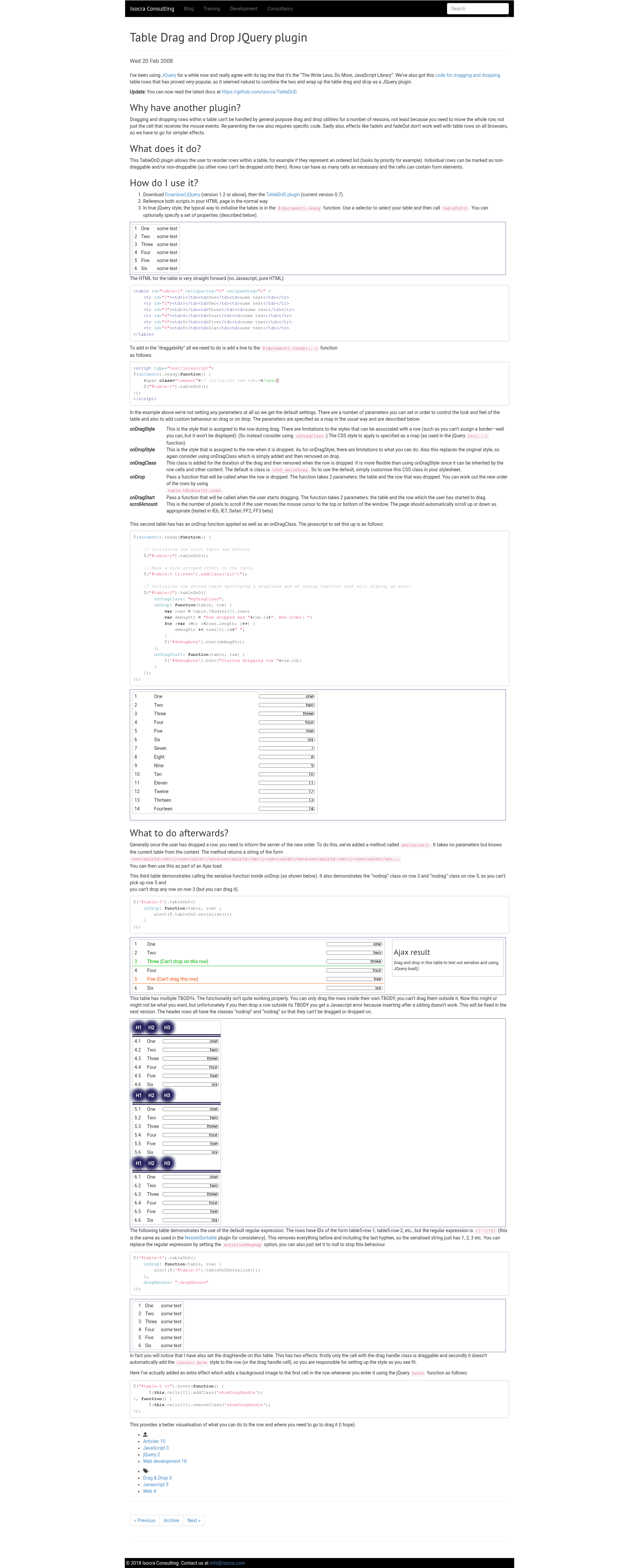
TableDnD is a jQuery plug-in that adds drag-and-drop row reordering to HTML tables with a single function call.
What is TableDnD?
TableDnD is a client-side JavaScript library that lets you drag table rows to reorder them. It takes an HTML table selected via jQuery and makes every row draggable; no server-side code is required. The plug-in runs entirely in the browser, depends on jQuery, and is maintained by isocra on GitHub.
Key Features
- Simple initialization — Call
.tableDnD()on a table element inside$(document).ready()to enable dragging, with no extra markup needed. - Plain HTML support — Works on any table, including those without
theadortbodyelements, though those are supported too. - Multiple installation paths — Install with
npm install --save tablednd,yarn add tablednd, via Bower from the GitHub repo, or load the script directly from CDNJS. - Customizable parameters — Pass a settings map to control the look and feel of dragging and to attach custom behaviour for drag and drop events.
- Full documentation — The project site at isocra.github.io/TableDnD covers all parameter options.
- Live playground — An embedded jsFiddle demo lets you experiment with the plug-in and the documentation side by side.
Who should use TableDnD?
TableDnD is for front-end developers who work with jQuery and need row reordering in existing HTML tables without rewriting them. It is a good fit for developers maintaining older codebases where the data is rendered as plain server-side HTML, and for teams building admin panels, ranking lists, or any table that users must sort manually.
What can you do with TableDnD?
- Front-end developers: Add drag-and-drop row reordering to a table by calling
$("#table-1").tableDnD()in the document ready handler. - Project maintainers: Integrate the plug-in into a build using npm or yarn, or drop it into a page via CDNJS with a single script tag after jQuery.
- Prototype builders: Open the provided jsFiddle, tweak the settings, and preview the drag behaviour before wiring it into a real application.
How does TableDnD work?
To use TableDnD, include jQuery first, then add the TableDnD script. After the page loads, select the table and call tableDnD() on it. The plug-in attaches drag handlers to the rows; when a user drags a row over another row, the rows swap positions, and the new order is reflected in the DOM.
FAQ
Does TableDnD require jQuery?
Yes, TableDnD is a jQuery plug-in, so you must include jQuery before the TableDnD script on the page. The getting-started example loads both scripts and then initializes the table inside the document ready function.
How do I install TableDnD?
You can install TableDnD with npm install --save tablednd, yarn add tablednd, or bower install https://github.com/isocra/TableDnD.git. Alternatively, load the minified file from CDNJS with a script tag, as shown in the installation section of the documentation.
Can I customize the drag and drop behaviour?
Yes, the tableDnD() call accepts a settings map. You can control the look and feel and register custom handlers that fire on drag or on drop, allowing you to run your own logic when rows are reordered.
Does TableDnD work with complex tables?
TableDnD works with plain tables and also with tables that include thead and tbody elements; the documentation states that these are supported. The initialization approach is the same regardless of the table structure.