Template details
Webjeda Slides
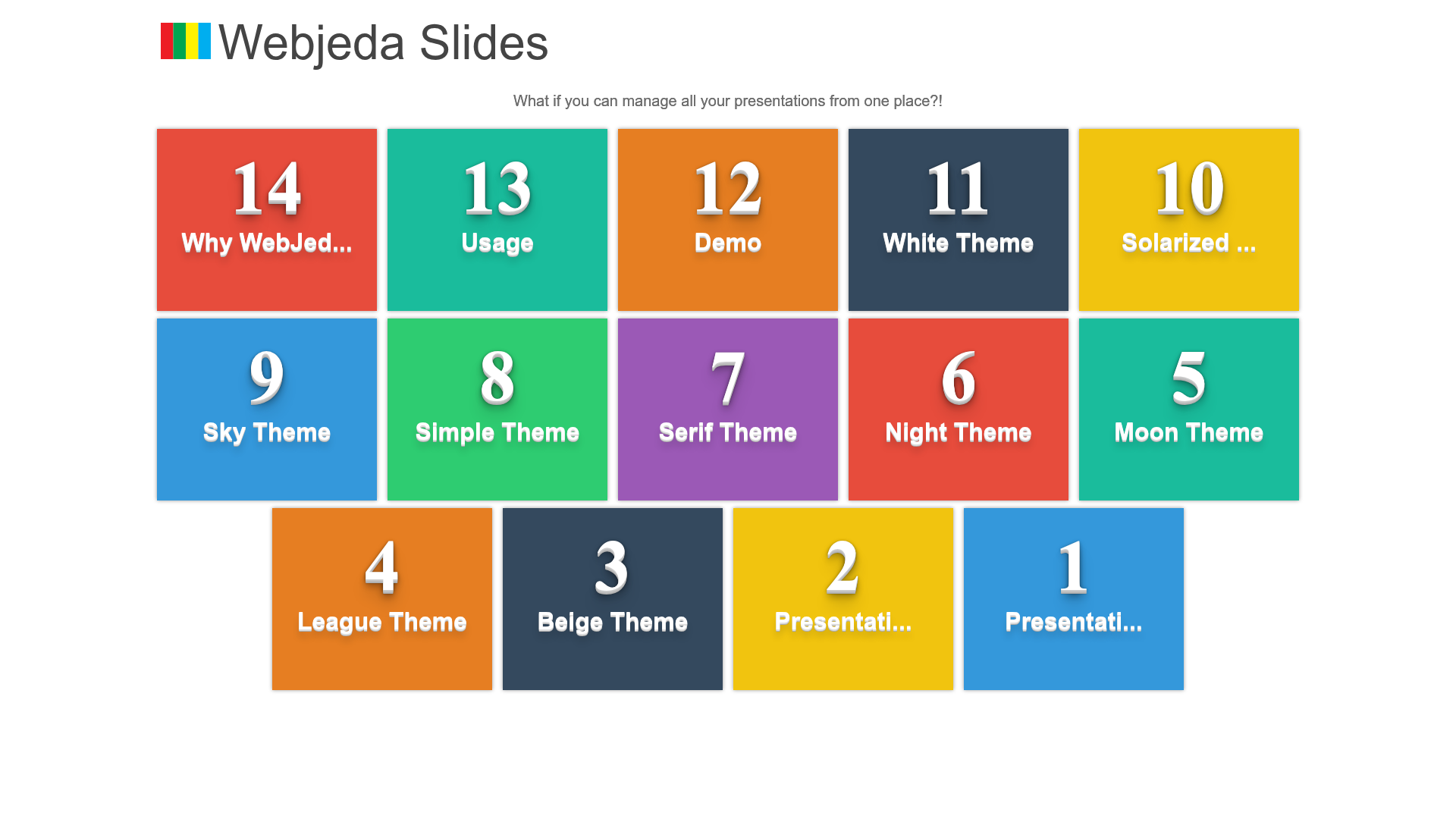
A Jekyll theme for creating presentation slides, deployable to GitHub Pages.
About this template
Webjeda Slides is a Jekyll theme for building presentation slides, distributed through GitHub and deployable to GitHub Pages with two settings changes.
What is Webjeda Slides?
Webjeda Slides is a Jekyll theme created by Webjeda for presenting content in slide format. It takes content written in Markdown or HTML with YAML front matter and renders it as a static slideshow website. The theme is hosted on GitHub and can be installed on GitHub Pages, which serves Jekyll sites for free. Its repository metadata describes it as "A presentstion theme" (with a typo) and lists it under the topics "jekyll-theme" and "jekyll-themes." The project has 60 stars, indicating community interest.
Key Features
- GitHub Pages ready — Fork the repository and set the Pages source to the master branch to deploy; GitHub serves the site automatically.
- Jekyll-based — Built on the Jekyll static site generator, so it accepts Markdown/HTML content with YAML front matter.
- Live demo — A working example is hosted at webjeda.com/slides, showing the theme's output.
- Listed on Jekyll Themes — Featured on jekyll-themes.com, a directory of Jekyll themes.
- Community traction — The GitHub repository has 60 stars, indicating some adoption.
How does Webjeda Slides work?
The installation is straightforward: fork the repository, then go to the GitHub repository settings and set the GitHub Pages source to the master branch. Once that is done, the new site is ready. This workflow makes the theme accessible to anyone with a GitHub account, requiring no local setup. A live demo is available at webjeda.com/slides to preview the output.
Who is Webjeda Slides for?
Webjeda Slides is suited for developers and technical users who want a quick way to create an online presentation without building from scratch. Because deploying to GitHub Pages is free, it appeals to students, academics, and open-source contributors who want to share talk slides as a public webpage. Non-programmers can also use it by forking and editing Markdown files, as GitHub's web interface allows direct file edits.
Use cases
- Speakers and educators: publish conference talk or lecture slides as a hosted webpage that anyone can link to.
- Open-source maintainers: present project overviews or roadmaps to contributors via a static site.
- Students: create and share class presentation slides using a git-based workflow.