Template details
The Simple Arabic Theme
A Jekyll theme for Arabic-language blogging with a built-in post creation UI and GitHub Pages deployment.
About this template
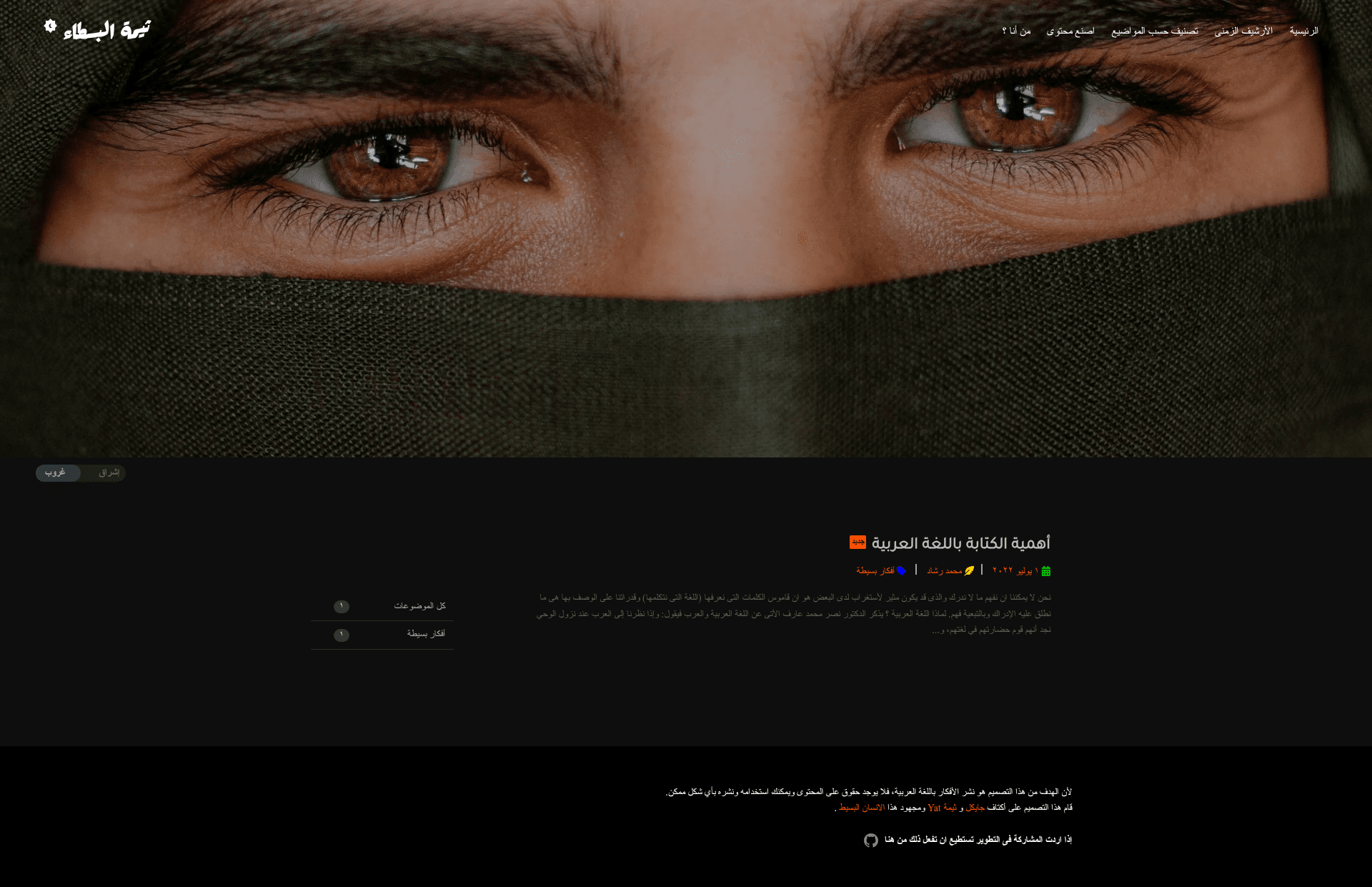
The Simple Arabic Theme is an open-source Jekyll theme for publishing Arabic-language blogs on GitHub Pages, built around a browser-based post creation interface.
What is The Simple Arabic Theme?
It is a GitHub-hosted Jekyll blog theme created by MohamedAliRashad. It takes an empty GitHub Pages repository and turns it into an Arabic-language blog, with the theme's main branch pulled in as an upstream remote. The repository ships with an English README and a separate Arabic README, a demo GIF, and a YouTube walkthrough. It is tagged with the topics arabic, blog-theme, and jekyll-theme.
Key Features
- Arabic post creation UI — The theme adds an "اصنع محتوى" (Make Content) tab on the local server where you compose posts and download them straight into the
_postsfolder using the "تفريغ" (Dump) button. - GitHub Pages integration — The README gives a 7-step deployment path: create a
{username}.github.iorepo, clone it, add the theme asupstream, thengit pullandgit merge --allow-unrelated-histories. - Live reload server —
bundle exec jekyll serve --livereloadstarts a local server that refreshes automatically as you edit. - Customizable site config —
_config.ymllets you setbaseurl(an empty string or/blog), theurl, and the favicon path, which defaults to/assets/images/moon.svg. - Dual-language docs — The project provides a full English README plus an Arabic translation at
README.AR.md. - Content-first workflow — Posts are created in the browser, saved to
_posts, then committed with standardgit add,git commit, andgit push, or synced from VS Code.
Who is it for?
- Arabic-speaking bloggers — Anyone who wants a no-fuss Jekyll blog to publish personal articles in Arabic without building a theme from scratch.
- Learners and researchers — People who find they understand concepts better when reading and writing in their mother tongue; the creator describes the project as an attempt to encourage learning through Arabic content.
- Jekyll users on GitHub Pages — Developers comfortable with Git who want a ready-made theme they can merge into their own Pages repository and customize through
_config.yml.
What can you do with The Simple Arabic Theme?
- Publish an Arabic blog — Set up a personal site on GitHub Pages and write posts through the built-in Arabic editor.
- Create and download posts offline — Use the local livereload server to draft content, then export each post as a Markdown file into
_postsfor version-controlled publishing. - Learn from a working Jekyll setup — Study the repository structure and merge workflow to understand how a Jekyll theme is distributed and maintained.
How does it work?
The setup is technical but documented: create a {username}.github.io repository with no extra files, clone it locally, add the theme repository as a remote named upstream, pull its main branch, and merge it with --allow-unrelated-histories. After editing _config.yml to set your URL, baseurl, and favicon, you push and start creating content through the in-browser post generator. Posts are saved as Markdown in _posts and published with a standard git push.
FAQ
Is The Simple Arabic Theme free?
Yes. The theme is an open-source GitHub repository with no mention of paid plans, licensing, or premium features.
What does The Simple Arabic Theme do?
It gives you a complete Jekyll theme for Arabic-language blogging, including a browser-based content creation page and GitHub Pages deployment instructions.
How do I install it?
Follow the README: create a {username}.github.io repo, clone it, add the theme as upstream, pull and merge, then update _config.yml with your URL and favicon.
Does it require a local Jekyll environment?
Yes, to create posts you run bundle exec jekyll serve --livereload locally, which requires Ruby and Bundler; publishing only needs a git push to GitHub Pages.
Can I customize the theme?
Yes. _config.yml exposes baseurl, url, and the favicon path, and since you merge the theme code into your own repo, you can edit any template file.