Template details
Theme Fluidity
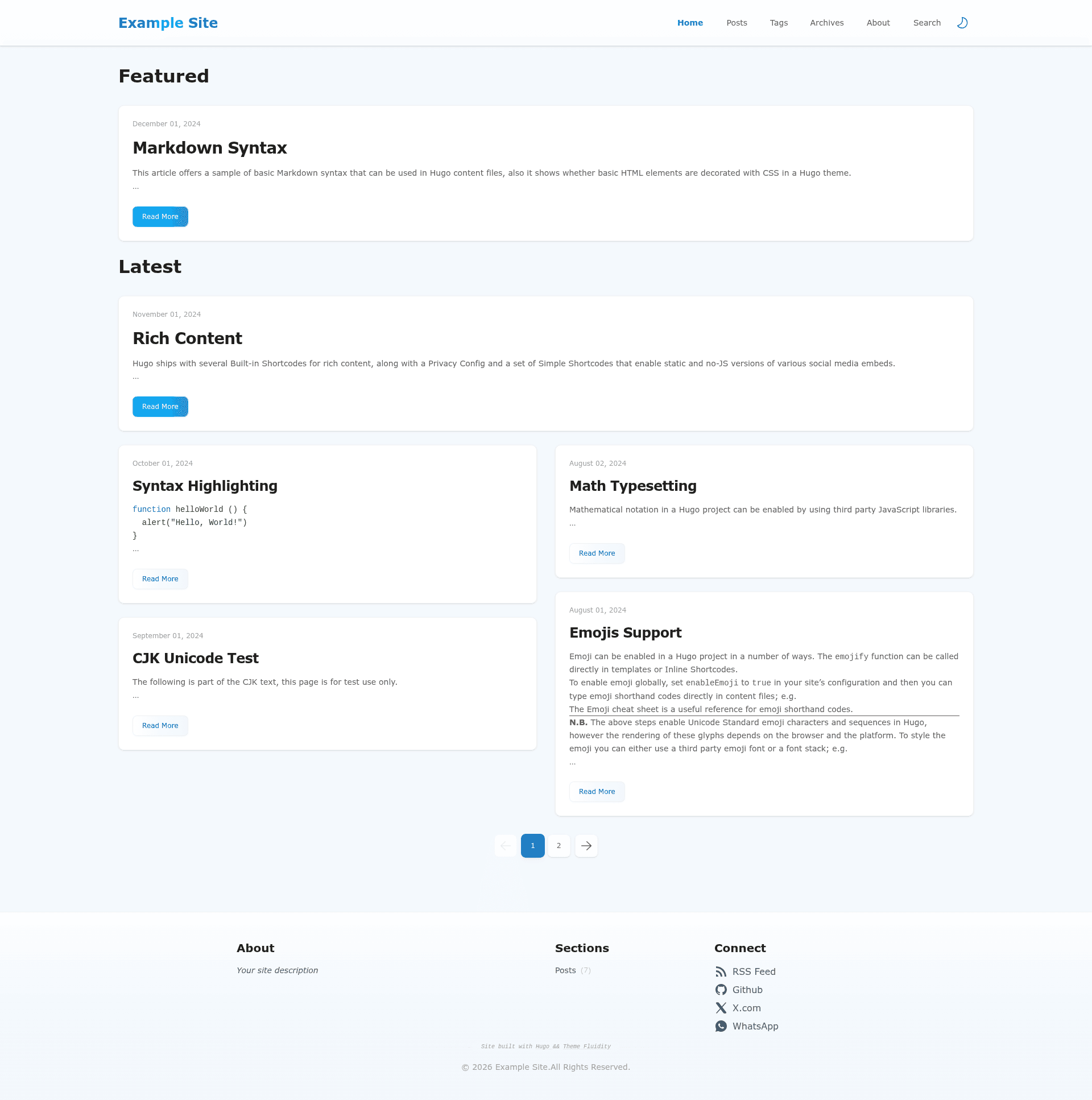
A fluid and responsive Hugo theme with Fluent Design and Tailwind CSS, featuring search, dark mode, and archives.
About this template
Theme Fluidity is a Hugo theme built for blogs that combines Fluent Design visual language with Tailwind CSS to produce a responsive, searchable site with dark mode and archive pages.
What is Theme Fluidity?
Theme Fluidity is an open-source, MIT-licensed Hugo theme created by GitHub user wayjam. It takes Markdown content files from a Hugo site and renders them as a static blog with a fluid, responsive layout. The theme requires Hugo 0.128.0 or newer and supports installation either through Hugo Modules or as a Git submodule. It is listed on the Hugo Themes directory with a demo available at wayjam.github.io/hugo-theme-fluidity.
Key Features
- Fluent Design + Tailwind CSS — The theme's interface mixes Microsoft Fluent Design principles with Tailwind CSS (v4), giving a modern, clean look.
- Search Support — Two search providers are built in: Google Custom Search and PageFind. PageFind requires installing the pagefind npm package and running
npx pagefindbefore each build. - Code Highlight — Code blocks are highlighted out of the box, so technical posts display syntax colors without extra configuration.
- Dark Mode — A class-based dark mode toggles themes; the
.darkclass on the html element switches between light and dark palettes. - Responsive Layout — The fluid grid and typography adapt to mobile, tablet, and desktop viewport sizes.
- Archive Page — A dedicated archive layout is included; users create a page at
content/archives/_index.mdto enable it. - Third-party Comments — Via
params.comment.thirdParty, any comment system can be injected, with JavaScript that syncs dark/light mode using a MutationObserver on the document class list.
Who is it for?
- Hugo bloggers who want a visually distinctive theme influenced by Fluent Design and need search, archives, and code highlighting without building a site from scratch.
- Front-end developers comfortable with Tailwind CSS who want to customize a Hugo theme; the source uses modern npm-based asset handling (
hugo mod npm pack). - Sites requiring third-party comment integration — the theme provides a documented pattern for embedding a comment widget and syncing its theme with the site's dark mode.
What can you do with Theme Fluidity?
- Personal blogs: publish Markdown posts with category/tag organization, an archive page, and dark mode for readers.
- Technical documentation sites: leverage code highlighting and PageFind-based search to make API references or tutorials discoverable.
- Custom comment setups: integrate any comment backend (e.g. a self-hosted instance) by following the third-party injection example, including dark-mode synchronization.
How does Theme Fluidity work?
After installing via git submodule add or a Hugo Module import, set theme: hugo-theme-fluidity in hugo.yaml. Run hugo mod npm pack && npm update to fetch npm dependencies. For PageFind search, install pagefind (npm i pagefind) and execute npx pagefind before each production build. The example site configuration is provided in exampleSite/hugo.yaml, and the development server can be started with the run_example.sh script.
FAQ
Is Theme Fluidity free?
Yes, Theme Fluidity is released under the MIT License, so it is free to use, modify, and redistribute, including in commercial projects.
What Hugo version do I need?
Theme Fluidity requires Hugo 0.128.0 or newer, as indicated by the ^0.128.0 version badge on the repository.
How do I enable search?
Add params.search.provider: google or params.search.provider: pagefind to your site config. For PageFind, you must also create a pagefind.yml config file, install the pagefind npm package, and run npx pagefind before every build.
Can I integrate a custom comment system?
Yes, set params.comment.thirdParty to an HTML snippet containing your comment widget's script and markup. The theme includes a JavaScript example (desensitized) that initializes the widget and syncs dark mode via a MutationObserver on the document.documentElement class attribute.
Does the theme support dark mode?
Yes, dark mode is built in. The theme toggles a .dark class on the document root, and all colors are defined to switch between light and dark themes. Third-party comments can also be synchronized to follow the current mode.