Template details
TrackIt
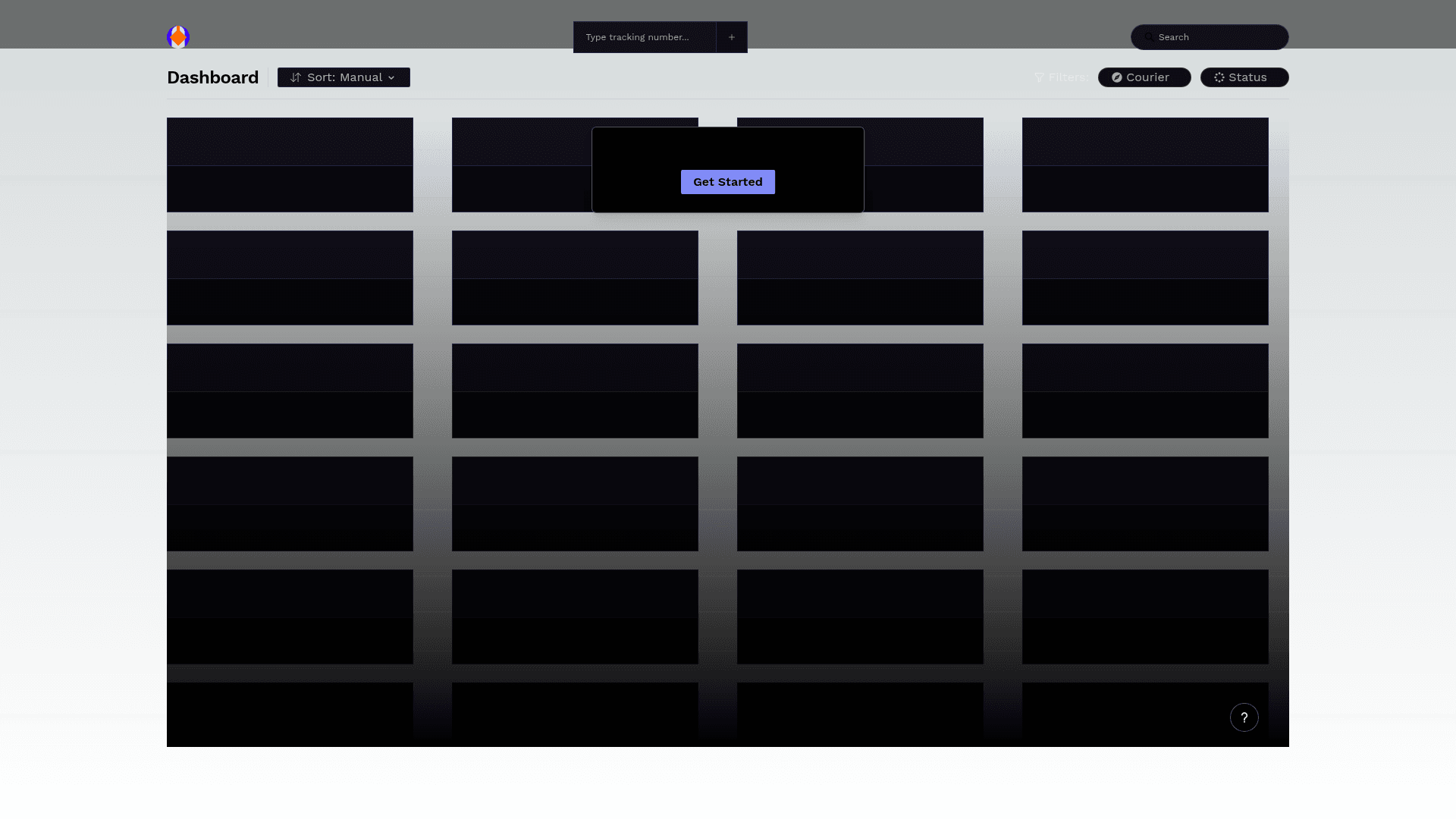
TrackIt is a web-based application that simplifies shipment tracking by providing a unified platform to monitor package status across multiple couriers.
About this template
TrackIt is an open-source shipment tracking dashboard that aggregates package statuses from multiple US couriers into a single web interface.
What is TrackIt?
TrackIt is a web-based application that simplifies shipment tracking by bringing UPS, USPS, FedEx, and OnTrac package data into one unified platform. Users input or manage tracking numbers and see current status, location, and date details in a centralized dashboard. The project runs on a Node.js v18+ and npm v7+ development environment, with a live production site at shipmentracker.com. It is built on the Next.js framework with Tailwind CSS styling, based on the repository's tags and metadata.
Key Features
TrackIt bundles shipment-management utilities into one accessible dashboard.
- Centralized Tracking Dashboard — A single view consolidates all tracked shipments and their current statuses.
- Multi-Courier Support — Tracks packages from UPS, USPS, FedEx, OnTrac, and more.
- Detailed Tracking History — Each shipment shows status, location, and date information for full journey visibility.
- Easy Management — Add, delete, and update shipments directly from the interface.
- Search and Filter — Narrow down large shipment lists quickly with built-in search and filtering.
- Undo Accidental Deletions — Recover deleted shipments without re-entering tracking numbers.
- Keyboard Shortcuts and Courier Links — Power-user shortcuts and direct links to courier websites speed up workflow.
- Responsive Mobile UI — The interface is designed for mobile use, enabling tracking on the go.
Who should use TrackIt?
TrackIt fits anyone who wants a single place to monitor packages from multiple carriers.
- Online shoppers — Keep all order tracking numbers in one place instead of switching between carrier sites.
- Small e-commerce businesses — Monitor outbound and inbound parcels from multiple carriers on a single dashboard.
- Logistics and operations staff — Search and filter shipments to locate specific packages and share statuses quickly.
- Open-source developers — Self-host the application or contribute features, since the code is on GitHub.
What can you do with TrackIt?
TrackIt turns a tracking number into an organized shipment record with status, location, and date, and lets you manage the list as it grows.
- Track parcels across couriers: Add a tracking number and see the package's current status, location, and last update date.
- Organize shipment lists: Search and filter to isolate a specific shipment among many.
- Recover mistakes: If you delete a shipment accidentally, use the undo feature to restore it.
- Access carrier details quickly: Click through to the courier's website from the shipment record for more information.
How does TrackIt work?
The application is set up by cloning the GitHub repository, installing dependencies with npm install, and running the development server with npm run dev. It includes unit tests via npm run test and Cypress end-to-end tests, available both with the Cypress GUI (npm run cypress) and headless (npm run cypress:headless). A live production deployment is available at shipmentracker.com, with a separate user guide linked from the site.
FAQ
Is TrackIt free?
TrackIt is an open-source project; the repository is public on GitHub and no paid tiers are mentioned on the page. The live production website is freely accessible for users to track their shipments.
Which couriers does TrackIt support?
The feature list names UPS, USPS, FedEx, and OnTrac, and says "and more." The exact complete list of couriers is not spelled out in the repository description.
Does TrackIt work on mobile?
Yes. The interface is described as responsive and includes mobile support, so you can track packages from a phone or tablet.
Can I run TrackIt locally?
Yes. The repository provides setup instructions requiring Node.js v18+ and npm v7+. You can clone the repo, install dependencies, and run npm run dev to start the local development server.
What testing does TrackIt include?
TrackIt ships with unit tests (npm run test) and Cypress end-to-end tests. The Cypress tests can be run in a GUI (npm run cypress) or headless (npm run cypress:headless) mode.