Template details
flowbite-react-admin-dashboard
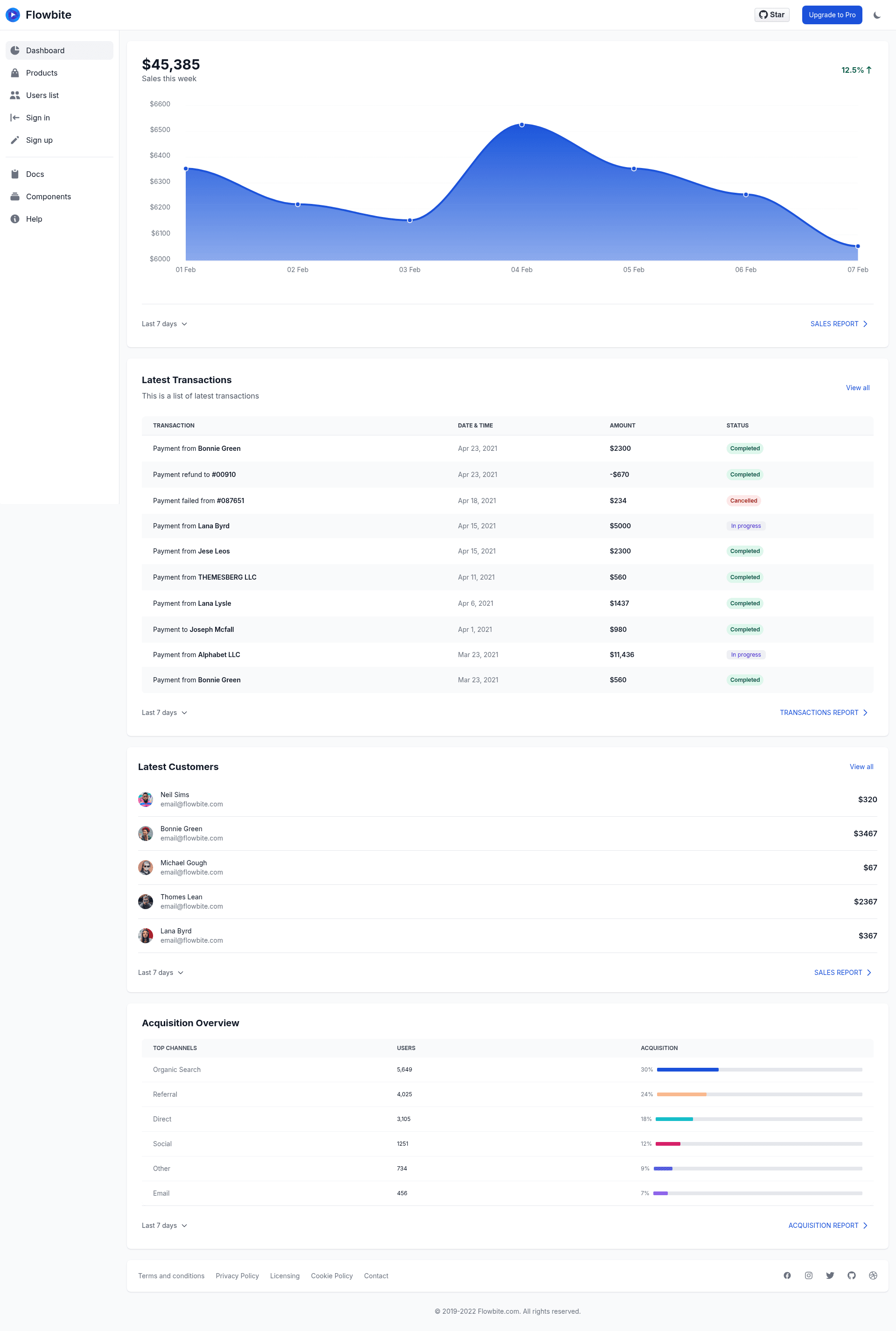
Free and open-source admin dashboard built with React, Tailwind CSS, and Flowbite featuring 21 example pages.
About this template
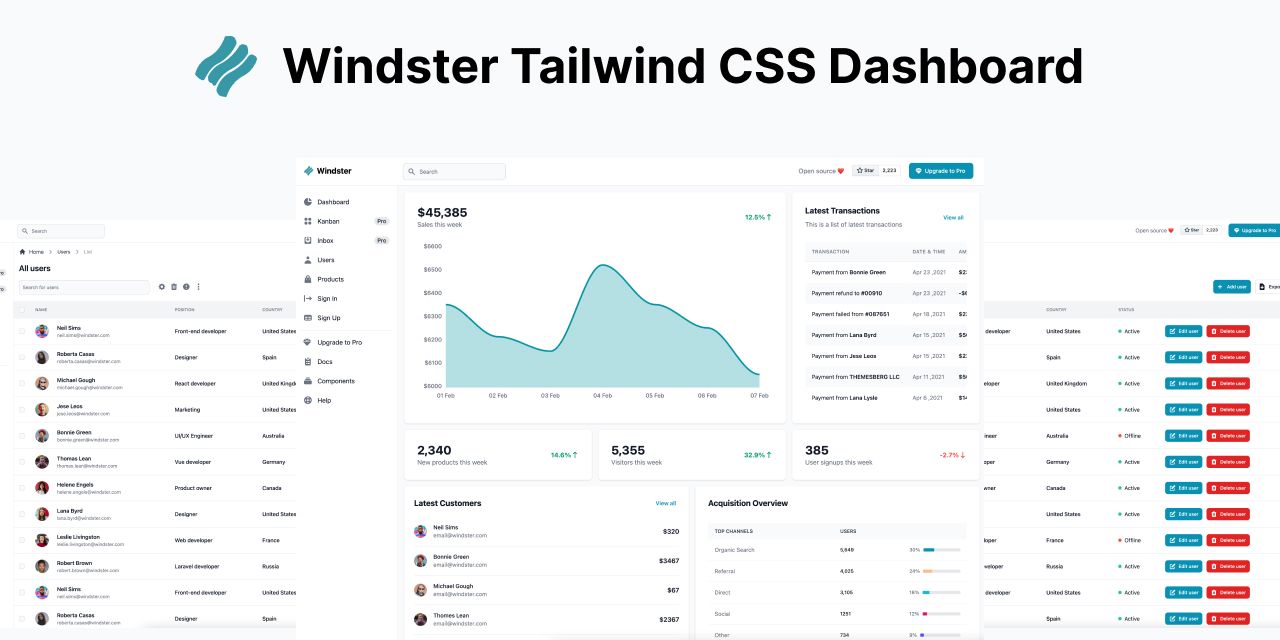
Flowbite-react-admin-dashboard is a free and open-source admin dashboard template built with React, Tailwind CSS, and Flowbite that provides a practical starting point for building back-office interfaces. It ships with 21 example pages including a dashboard with charts, a kanban board, a mailing system, and more.
What is flowbite-react-admin-dashboard?
It is a ready-made admin dashboard interface built with React, Tailwind CSS, and the Flowbite component library, packaged as a Vite + TypeScript project. The repository, maintained by Themesberg, gives you a set of reusable page layouts and components that you can either copy into an existing React application or deploy as a complete dashboard. Input is your project's configuration and content; output is a functional single-page admin application with routing, charts, tables, and interactive widgets.
Key Features
The template stands out for its breadth of pre-built pages and its dependency on the Flowbite ecosystem. Concrete features visible in the README include:
- 21 example pages — including a dashboard, kanban board, mailing system, and charts, all implemented as
.tsxfiles undersrc/pages. - React + TypeScript — all code is written in TypeScript (
.tsx), which provides type safety when you copy the pages into your own project. - Tailwind CSS and Flowbite — styling relies on Tailwind utility classes and the Flowbite React components, so you get a consistent design system without hand-writing CSS.
- Vite build tool — the project uses Vite for development and production builds (
yarn devandyarn build), emittingdistwith anindex.html,app.js, andapp.css. - Charts and graphs — the Dashboard page integrates
react-apexcharts, and a map widget usessvgmap. - Kanban boards — the Kanban page uses
react-sortablejsto provide drag-and-drop lists. - Icons — most icons across pages come from
react-icons. - SPA deployment ready — because it uses
react-router, deployment instructions include adding a rewrite rule (e.g., avercel.jsonwith a route sending all requests to/) for static hosts.
Who is it for?
This template is aimed at developers who need an admin panel quickly and prefer to work in the React ecosystem. It fits frontend developers who want to copy a polished page (like the dashboard or mail inbox) directly into an existing Node.js project, and teams that want a full scaffold to extend with their own business logic. It also suits developers who value a consistent design system provided by Tailwind and Flowbite, rather than starting with a blank page.
What can you do with it?
- Frontend developers: copy any of the
.tsxfiles fromsrc/pagesinto your own project, add the optional dependencies (react-icons,react-apexcharts,react-sortablejs,svgmap) when needed, and reuse the static files frompublic. - Product teams: deploy the entire dashboard to a static host like Vercel, Cloudflare Pages, or GitHub Pages, adding a
vercel.jsonSPA rewrite for react-router to work correctly. - Design-systems engineers: use the component usage patterns and Tailwind configuration as a reference for how Flowbite components behave in real admin layouts.
How does it work?
The project uses Vite as its development server and bundler. After installing dependencies with yarn, you start a local server with yarn dev, and produce a production build with yarn build. Because it's a single-page application, the readme emphasizes that hosting providers must redirect all requests to the root / or you'll need an SSR plugin for Vite to generate per-page HTML.
Pricing
The project is free and open-source; no cost is mentioned in the README.
FAQ
Is flowbite-react-admin-dashboard free?
Yes, the README describes it as "free and open-source" and it's published on GitHub under the Themesberg organization, so you can use it without a paid license.
What dependencies does it require?
The only required package is flowbite-react. Optional dependencies include react-icons (most icons), react-apexcharts (dashboard charts), react-sortablejs (kanban drag-and-drop), and svgmap (map widget on the dashboard).
Can I use individual pages in my own project?
Yes. The README explains that you can copy the .tsx files from src/pages into your own Node.js project, as long as your project has flowbite-react installed. Some pages need the optional dependencies listed above.
How do I deploy it?
Because it's a single-page app, you need a hosting service that supports SPA rewrites. The README gives a vercel.json example that routes all paths to /, and it mentions that "most, but not all, providers have a mechanism" for this.
What build tools does it use?
It uses Vite for development and production build, and it's written in TypeScript. The project structure includes a src/pages directory with page components and a public folder for static files.