Template details
Turbo Broccoli
A Jekyll theme for GitHub Pages built for technical docs, with Bootstrap 4, Bootswatch themes, and auto table of contents.
About this template
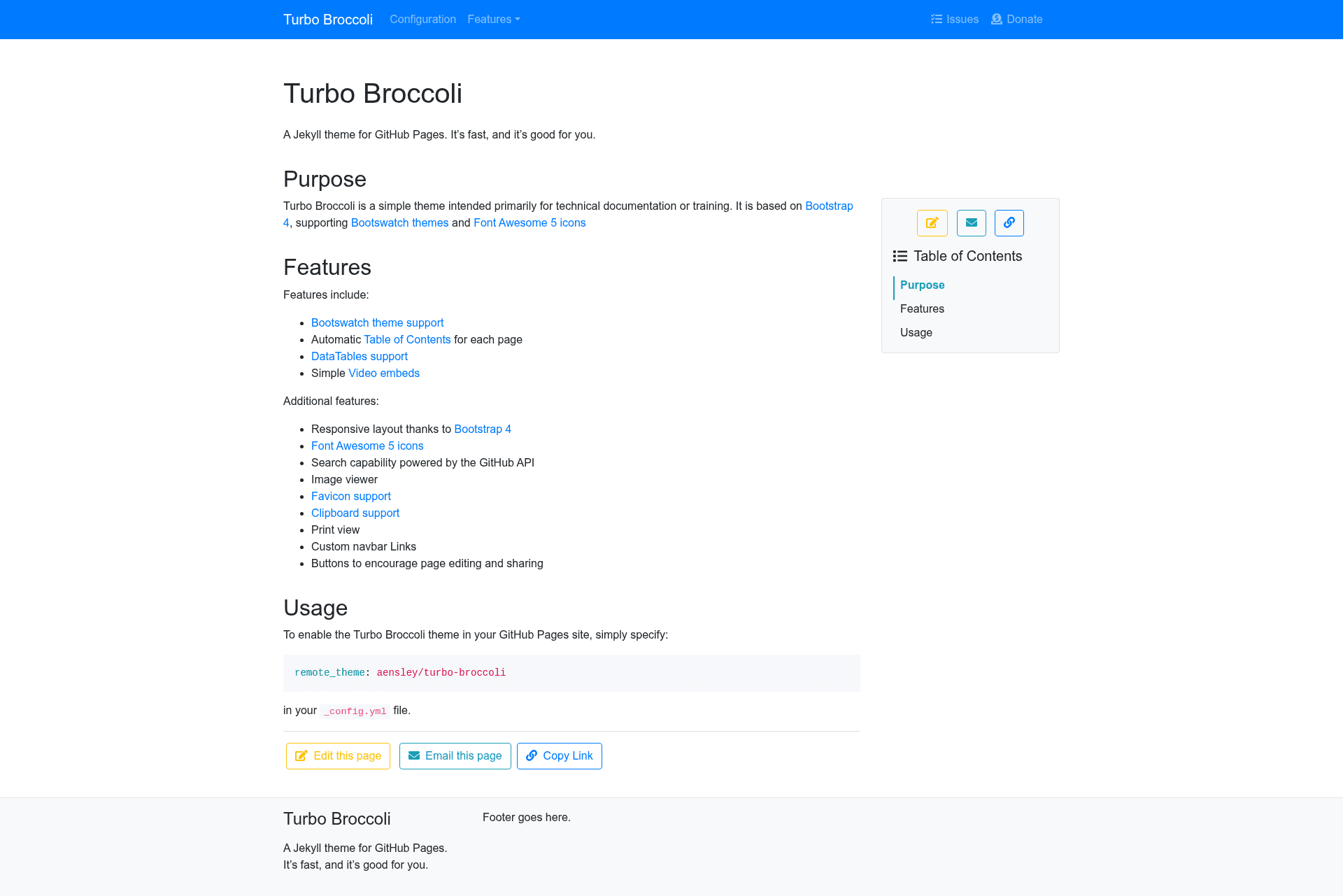
Turbo Broccoli is a Jekyll theme built specifically for GitHub Pages that turns Markdown files into a responsive technical documentation site with automatic tables of contents.
What is Turbo Broccoli?
Turbo Broccoli is a Jekyll theme designed to run on GitHub Pages. It accepts Markdown pages placed in the _pages directory and renders them into a static website styled with Bootstrap 4. The theme is published on GitHub by aensley and is open source under the MIT license. It is intended primarily for technical documentation or training, with support for Bootswatch themes and Font Awesome 5 icons.
What makes Turbo Broccoli stand out?
- Responsive Bootstrap 4 layout — The theme is built on the Bootstrap 4 framework, so every page adapts to phones, tablets, and desktops without custom CSS.
- Bootswatch theme support — You can swap the entire look by choosing any open-source Bootswatch theme and setting it in
_config.yml. - Automatic table of contents — Tocbot scans each page's h2–h6 headings and builds a clickable table of contents automatically.
- Search via the GitHub API — Site search is powered by the GitHub API, which works without a separate search service.
- Font Awesome 5 icons — Pages can include icons by specifying the full class string of any free Font Awesome 5 icon in the page's front matter.
- DataTables support — HTML tables are enhanced with sorting, filtering, and page navigation through the DataTables library.
- Clipboard support — clipboard.js adds one-click copy buttons to code blocks, making examples easier to reuse.
- Print view — The theme includes a print-friendly layout so visitors can save or print pages cleanly.
Who is it for?
Turbo Broccoli is for anyone who needs a straightforward documentation or training site hosted on GitHub Pages. Technical writers can publish multi-page guides with auto-generated navigation and TOC. Educators can structure course content with icons, YouTube embeds, and a print view. Developers maintaining open-source projects can set up project documentation quickly without building a custom Jekyll theme.
What can you do with Turbo Broccoli?
- Technical documentation teams: Publish a set of Markdown pages under
_pageswith front matter variables like title, order, icon, and menu to control navigation and page layout. - Trainers and instructors: Use YouTube embeds and an image viewer to enrich training material, then let learners use the print view for offline reading.
- Open-source maintainers: Host project docs on GitHub Pages, enable custom navbar links, and add page edit buttons that link back to the repository.
How does Turbo Broccoli work?
Write each page as a Markdown file in the _pages directory and add a YAML front matter block with a title and order. The theme generates the sidebar menus and main navbar from those fields. To add a favicon, generate a package with realfavicongenerator.net, place the files in assets/icon/, and set the theme_color and logo_image values in _config.yml.
FAQ
Is Turbo Broccoli free?
Yes. The repository is published under the MIT license, so it is free to use, modify, and redistribute.
Does Turbo Broccoli work on GitHub Pages?
Yes. It is built specifically for GitHub Pages and runs as a standard Jekyll theme, so it can be set as a remote theme or used in a Pages build.
How do I change the theme colors?
You can select a Bootswatch theme and set it in _config.yml. For the favicon, set the theme_color to the same color value used on the Favicon Generator.
Which Markdown features are supported?
Most GitHub Flavored Markdown is supported, including tables, lists, images, links, quotes, syntax highlighting, username mentions, and emojis. Automatic code, commit, and issue links are not available.