Template details
Turndown
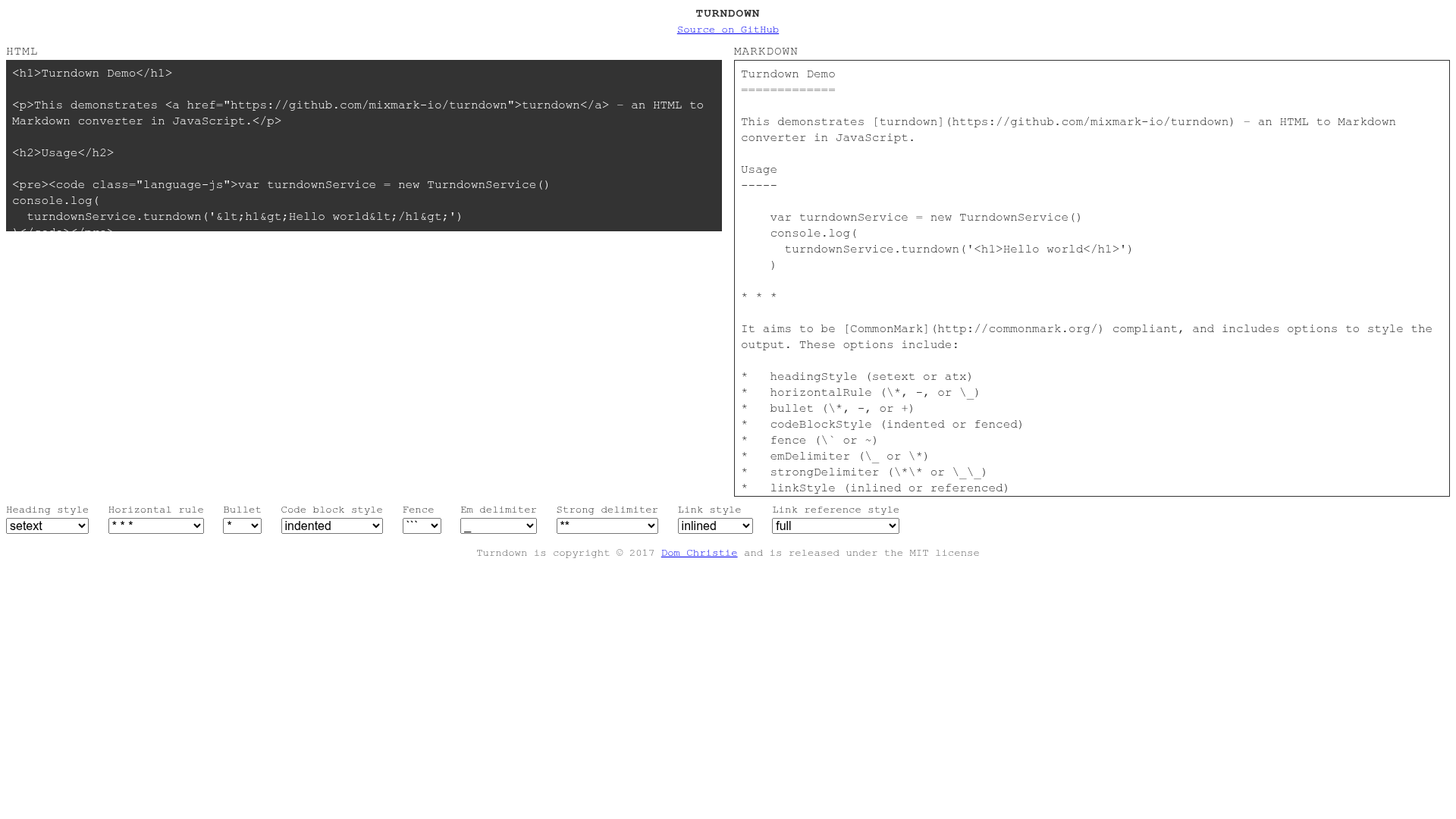
An HTML to Markdown converter written in JavaScript for Node.js and the browser.
About this template
Turndown is a JavaScript library that converts HTML into Markdown, running in Node.js and the browser. It accepts HTML strings, DOM element nodes, document nodes, and document fragment nodes, and returns a Markdown string. The library was originally named to-markdown and later renamed to Turndown; it is maintained by Dom Christie and released under the MIT license. Installation is done via npm or a script tag from unpkg.
What is Turndown?
Turndown is a JavaScript library that takes HTML as input and produces Markdown as output. It works on both Node.js and in browsers, and can accept raw HTML strings or DOM nodes. Originally known as to-markdown, the project was renamed to Turndown and is released under the MIT license by Dom Christie.
Key Features
Turndown offers a range of conversion options and extension points that give developers precise control over the Markdown output.
- Multiple input types — Accepts HTML strings, element nodes, document nodes, and document fragments as input for conversion.
- Configurable output — Offers options such as headingStyle (setext or atx), bulletListMarker, codeBlockStyle, fence, emDelimiter, strongDelimiter, linkStyle, and linkReferenceStyle to control the generated Markdown.
- Extensible rule system — addRule, keep, remove, and use methods let developers define custom conversion rules, preserve HTML elements, remove elements, and apply plugins.
- Plugin support — Supports plugins like turndown-plugin-gfm to handle GitHub Flavored Markdown features such as tables and strikethrough.
- Automatic escaping — Escapes Markdown characters such as periods after numbers so that converted text is not misinterpreted as Markdown syntax.
- UMD builds — Includes UMD builds for RequireJS: lib/turndown.umd.js for Node.js and lib/turndown.browser.umd.js for browsers.
- Customizable replacement functions — Special rules like blankReplacement, keepReplacement, and defaultReplacement allow fine-grained control of edge cases.
Who is it for?
Turndown is aimed at developers who need to convert HTML to Markdown programmatically.
- Node.js developers — Integrate HTML-to-Markdown conversion into scripts, CLI tools, or build processes.
- Front-end developers — Convert HTML from rich text editors or DOM nodes into Markdown directly in the browser.
- Static site authors — Migrate existing HTML content into Markdown for use with static site generators.
What can you do with Turndown?
Here are common use cases that take advantage of Turndown's conversion capabilities.
- Content migration: Convert exported HTML files into Markdown for use in static site generators.
- Web scraping: Clean up scraped HTML by converting it into readable Markdown for analysis or storage.
- Rich text editing: Transform the HTML generated by a content-editable div into Markdown before saving to a database.
How does Turndown work?
Turndown converts HTML by iterating over elements and applying rules to produce Markdown. Create a TurndownService instance with optional configuration, then call the turndown method passing either an HTML string or a DOM node. The service processes the input through a set of rules and returns a Markdown string; custom rules and plugins extend this pipeline.
FAQ
Is Turndown free?
Yes, Turndown is released under the MIT license, so it is free for commercial and personal use.
Can Turndown convert tables?
Turndown itself does not handle tables by default, but the turndown-plugin-gfm plugin adds table conversion plus strikethrough.
Does Turndown work in the browser?
Yes, you can load turndown.js from unpkg or include the browser UMD build, then use it with a DOM node.
How do I keep HTML tags in the output?
Use the keep method, for example turndownService.keep(['del', 'ins']) to render those elements as HTML in the Markdown output.