Template details
Crinita
Python static site generator for blogs, data catalogues, and simple pages, outputting plain HTML with no server-side scripting.
About this template
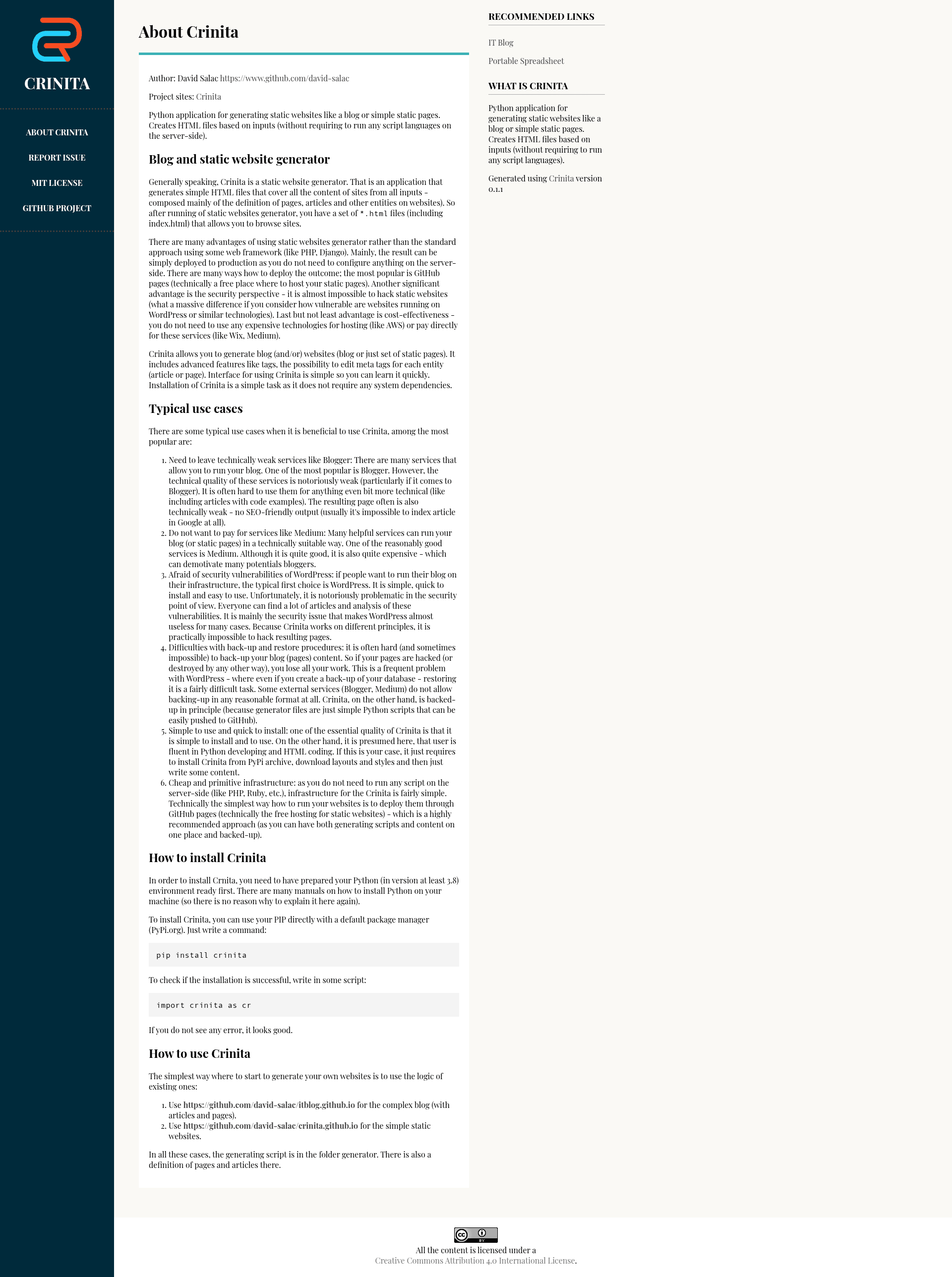
Crinita is a Python static website generator that directly produces plain HTML files for blogs, data catalogues, and simple static pages, created by David Salac.
What is Crinita?
Crinita is a Python application that takes definitions of pages, articles, datasets, and other entities and generates a set of *.html files, including index.html. It runs on the Python interpreter and requires Python version 3.8 or higher. The output requires no server-side scripting languages, making the result static and simple to host. The author's project site is https://crinita.salispace.com/, and the code is available on GitHub.
Key Features
- Pure HTML output — Crinita creates
*.htmlfiles directly from input definitions, so the generated site runs on every static hosting without server-side configuration. - Multiple website types — Supports blogs, data catalogues, and simple static pages from the same generator.
- Tags and meta tags — Each entity can have tags and custom meta tags edited, which can be used for search engine optimization and organization.
- Simple installation — Install via PyPI with
pip install crinita; no system dependencies are required. - Easy deployment — The generated files can be deployed to GitHub Pages, and the generator scripts themselves can be stored in git for backup.
- Example repositories — Two ready-made examples are provided: a complex blog at https://github.com/david-salac/itblog.github.io and a simple static website at https://github.com/david-salac/crinita.github.io.
Who should use Crinita?
Crinita is aimed at developers and technical users who are fluent in Python and HTML. Bloggers who are tired of the limitations of Blogger or Medium can use Crinita to generate SEO-friendly static pages. Teams that want to avoid WordPress security concerns can host their site as static files that are practically impossible to hack. Users who need a simple backup strategy can keep all generator scripts and content in a git repository like GitHub.
What can you do with Crinita?
- Bloggers: Generate a technical blog with articles and code examples, deploy to GitHub Pages for free hosting.
- Data catalog publishers: Create a data catalogue website where each dataset is an entity with its own meta tags.
- Static page owners: Build simple static websites with multiple pages and share them through any static host.
How does Crinita work?
After installing with pip install crinita, you import the package with import crinita as cr to verify it installed. To generate a site, you start from one of the example repositories: copy the generator folder, edit the page and article definitions, then run the generator script. The output is a set of HTML files ready to upload.
FAQ
What Python version is required for Crinita?
Crinita requires Python 3.8 or higher. You need to have Python set up before installing the package via pip.
Does Crinita need a server-side language?
No. Crinita produces static HTML files directly, so no PHP, Ruby, or other server-side scripting is needed. This makes the generated sites secure and easy to host.
How do I install Crinita?
Install it from PyPI using the command pip install crinita. There are no system dependencies beyond Python.