Template details
Next.js Playground
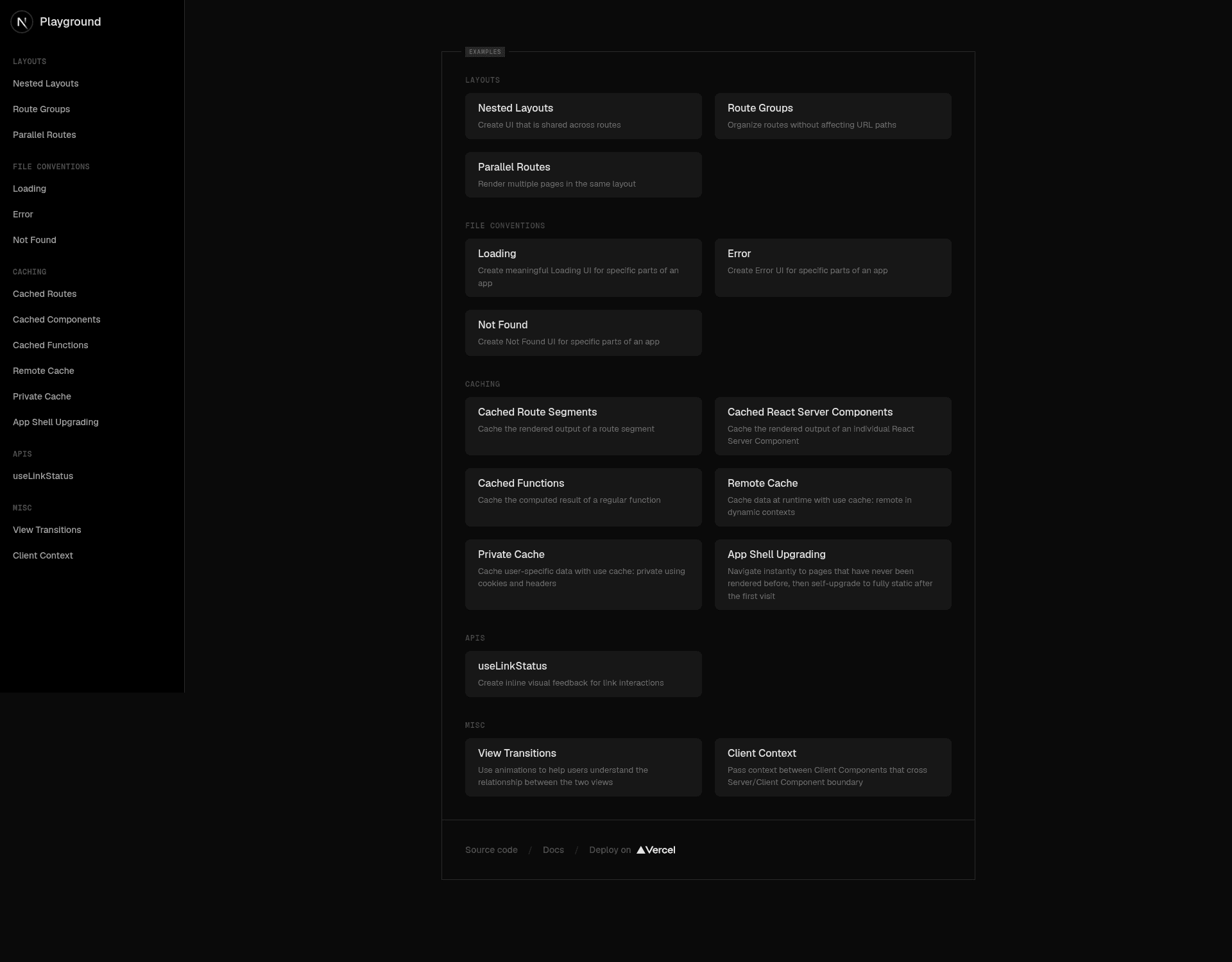
A playground to explore Next.js features such as nested layouts, instant loading states, streaming, and component level data fetching.
About this template
Next.js Playground is a GitHub repository maintained by the Next.js DX team for exploring, testing, and demoing new Next.js features before they are documented.
What is Next.js Playground?
Next.js Playground is a minimal, runnable Next.js app designed specifically for the DX team to experiment with framework capabilities. It takes no user input and produces a local development server that showcases several modern App Router concepts: nested layouts, instant loading states, streaming, and component-level data fetching. The project is built with Next.js and React, and its GitHub topics include Vercel, reflecting its place in the Vercel ecosystem.
Key Features
- Nested layouts — Demonstrates how to compose layouts within layouts using the Next.js App Router, enabling shared UI across multiple routes.
- Instant loading states — Shows how to give users immediate feedback during navigation using loading.tsx conventions or Suspense boundaries.
- Streaming — Illustrates server-side streaming of HTML and React components, so page content renders progressively without blocking.
- Component-level data fetching — Displays patterns for fetching data directly inside a component rather than only at the page level, using async components or data hooks.
- pnpm-based setup — Uses pnpm as the package manager; you can start exploring with just two commands:
pnpm installandpnpm dev.
Who is it for?
- Next.js DX team members — use the playground to experiment with unreleased or upcoming framework features in a controlled environment.
- Documentation writers — use the running examples as a starting point for writing accurate, hands-on documentation.
- Next.js developers — explore concrete implementations of nested layouts, loading states, streaming, and data fetching to learn App Router patterns.
- Framework feedback contributors — identify bugs and provide feedback to the Next.js team based on real usage.
What can you do with Next.js Playground?
- Explore new features: test how nested layouts and streaming behave before adopting them in production applications.
- Write documentation: reference the code to create step-by-step guides that match actual framework behavior.
- Report bugs: run edge cases in the playground and file issues with reproducible examples.
- Demo to others: present new Next.js capabilities to teams or at meetups using a ready-to-run app.
How does Next.js Playground work?
- Clone or download the repository.
- Run
pnpm installto install dependencies. - Run
pnpm devto start the development server. Then open the printed local URL to see the examples in the browser.
FAQ
Is Next.js Playground a production-ready template?
No — it is explicitly a playground for exploration and testing, not a starter for building real applications.
What Next.js features does it demonstrate?
It covers nested layouts, instant loading states, streaming, and component-level data fetching, all key App Router concepts.
How do I run it locally?
Install dependencies with pnpm install, then start the dev server with pnpm dev.
Who maintains Next.js Playground?
The Next.js DX team maintains it, and it has around 2,997 stars on GitHub.