Template details
Twenty Twenty Hugo
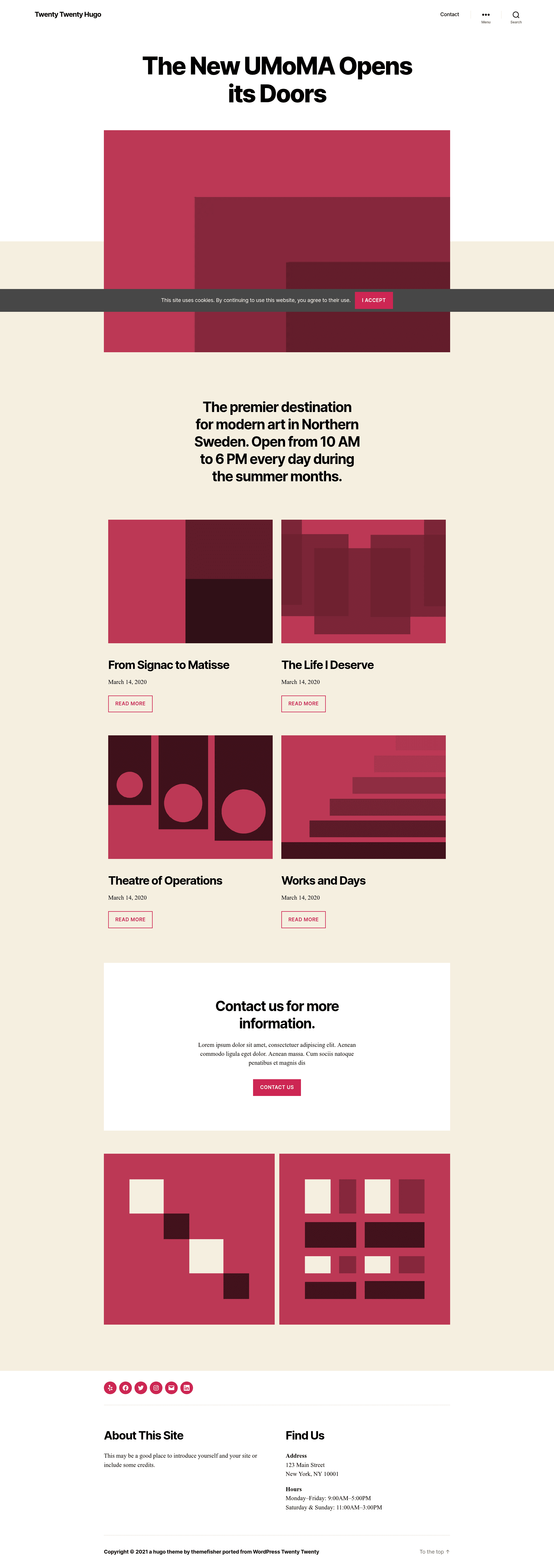
Twenty Twenty Hugo is a lightweight Hugo blog theme forked from the WordPress Twenty Twenty theme.
About this template
Twenty Twenty Hugo is a lightweight blog theme for the Hugo static site generator, built by Gethugothemes and Themefisher as a port of the WordPress Twenty Twenty theme. It turns Markdown content and site configuration into a static HTML blog with SEO and GDPR features, and runs on Hugo version 0.163.3 or newer.
What is Twenty Twenty Hugo?
Twenty Twenty Hugo is a Hugo theme that recreates the look and functionality of the WordPress Twenty Twenty default theme for static site workflows. It takes Markdown-based content, site configuration files, and front matter as input, and produces a fully static HTML website that can be deployed anywhere Hugo supports. The theme is developed by Gethugothemes in partnership with Themefisher and is released under the MIT license.
Key Features
- Google Analytics support — Add your tracking ID in the configuration and page views are measured without additional code.
- Netlify settings predefine — A ready-to-use
netlify.tomlis included so deploys to Netlify work with minimal setup. - Forestry CMS pre-configured — The theme includes the front matter defaults and structure needed for the Forestry CMS for Git-based editing.
- Sitepins CMS integration — A one-click "Edit with Sitepins" button lets you clone the repository and edit content visually through Sitepins.
- GDPR consent enable — A cookie consent banner is built in to help comply with European privacy regulations.
- Google PageSpeed optimized — The theme scores 99% on desktop Google PageSpeed according to the linked test results.
- Open Graph and Twitter Card meta tags — Social sharing snippets are generated from each post's front matter.
- Lightweight asset stack — The theme uses Bootstrap, jQuery, Themify Icons, FuseJs for search, and MarkJs for keyword highlighting.
Who is it for?
- Bloggers migrating from WordPress — They can keep the Twenty Twenty look while switching to Hugo's simpler and faster static site setup.
- Hugo developers — They get a clean, minimal blog theme that follows Hugo conventions and includes an npm-based local development workflow with
npm run project-setupandnpm run dev. - Content editors using a CMS — Editors can use Sitepins or Forestry to update page text and images without touching code, thanks to the pre-configured front matter and Git integration.
What can you do with Twenty Twenty Hugo?
- Launch a personal blog — Write posts in Markdown, set categories and tags in front matter, and publish with Hugo's build command.
- Deploy to Netlify quickly — Use the included
netlify.tomlto get automatic deploys and previews. - Manage content with a Git CMS — Edit your site with Sitepins in a browser, or use Forestry, and merge changes via commits.
- Optimize for search and privacy — Toggle Google Analytics, GDPR consent, Open Graph, and Twitter Card settings from the config file.
How does Twenty Twenty Hugo work?
Clone the repository, run npm run project-setup to install dependencies, then npm run dev to start a live local server. For production, Hugo builds the static output from your content and configuration. Full setup instructions are in the theme documentation at docs.gethugothemes.com.
FAQ
Is Twenty Twenty Hugo free?
Yes. The theme's code is released under the MIT license, so it can be used freely in personal and commercial projects. The demo images included are for demonstration only and carry their own licenses.
What Hugo version does Twenty Twenty Hugo require?
The minimum supported Hugo version is 0.163.3. Older Hugo versions may not render the theme correctly.
Does Twenty Twenty Hugo work with Forestry?
Yes, Forestry CMS is pre-configured with the theme. You can sync the repository to Forestry and edit content with the correct front matter structure out of the box.
Can I edit content without writing code?
Yes. The theme buttons link to Sitepins, a Git-based headless CMS. Clicking that button clones the repository and lets you edit content visually, with changes committed back to GitHub.
Does the theme include Google Analytics?
Yes. The theme provides Google Analytics support through its configuration file, so you can add your tracking ID without writing custom templates.