Template details
Hexo Theme Fluid
An elegant Material Design–style theme for Hexo with dark mode, LaTeX math, mermaid diagrams, and built-in search, comments, and analytics.
About this template
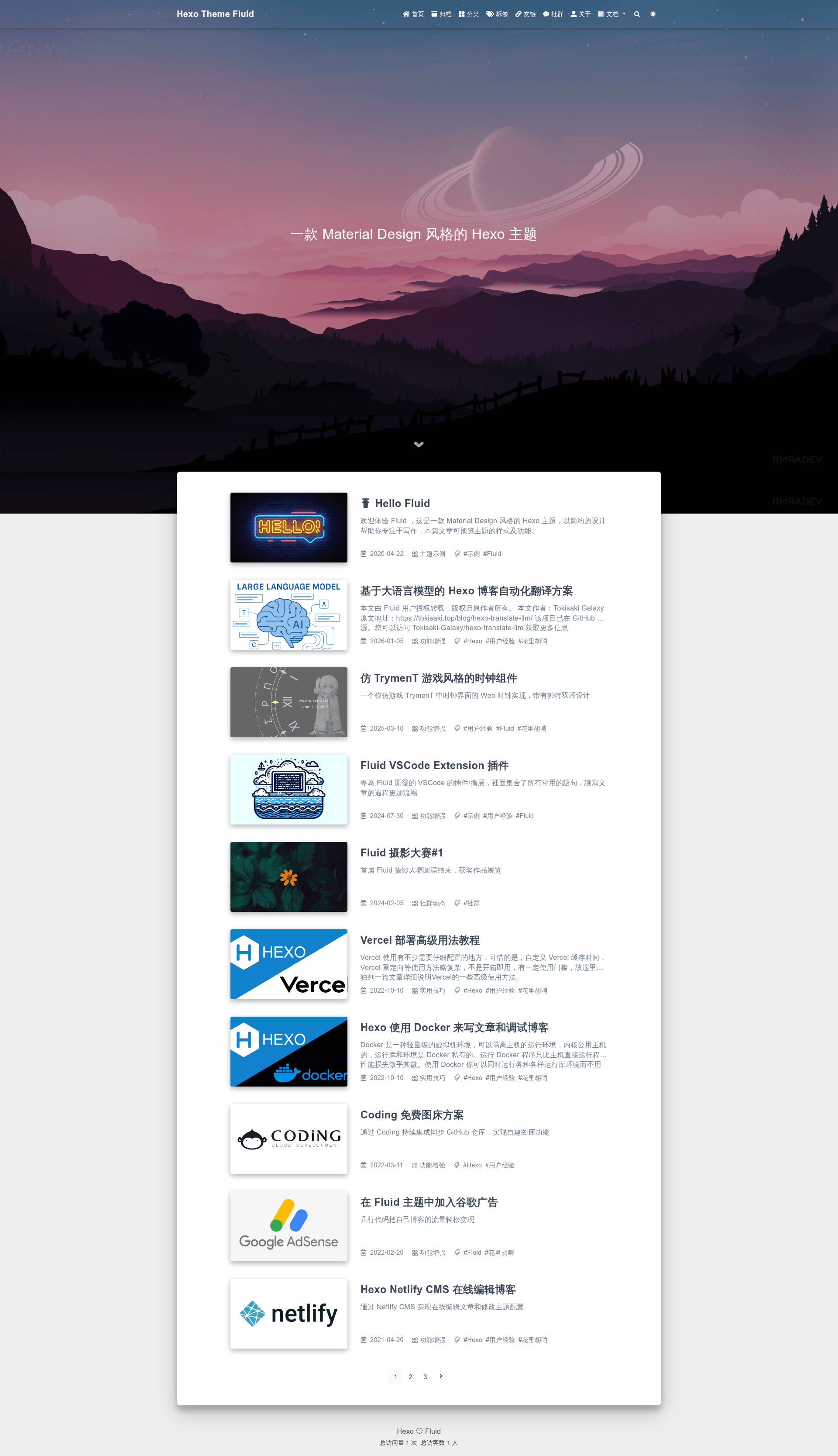
Hexo Theme Fluid is a Material Design–style theme for the Hexo static site generator, turning a standard Hexo blog into a modern site with dark mode, lazy loading, and built-in search.
What is Hexo Theme Fluid?
Hexo Theme Fluid is an open-source theme for Hexo, developed by the fluid-dev community. It takes your Hexo blog's Markdown content and renders it as a Material Design–styled website with configurable colors, layouts, and features. The theme requires Hexo 5.0.0 or newer and Node.js 10.13.0 or newer. You can install it via npm or by downloading a release from GitHub.
What makes Hexo Theme Fluid stand out?
- Lazy loading — Page components load lazily, so images and scripts load only when they enter the viewport, improving initial load time.
- Multiple code highlighting schemes — Choose from several highlighter options to match your blog's aesthetic for code blocks.
- Multi-language support — The theme ships with built-in Chinese and English translations, selected via the
languagesetting in Hexo's_config.yml. - Built-in comment plugins — Several comment systems are integrated, enabling reader engagement without installing a separate plugin.
- Built-in web analytics — Visitor statistics are collected locally, so you don't need an external analytics service.
- Built-in local search — Full-text article search runs entirely in the reader's browser with no backend dependency.
- Dark mode — A dark color scheme can be enabled by visitors, with automatic or manual switching.
- LaTeX math formulas — Standard LaTeX math delimiters are rendered natively, so you can write equations in Markdown posts.
The theme also renders Markdown footnotes and mermaid diagrams, which are useful for technical and academic content.
Who should use Hexo Theme Fluid?
- Hexo bloggers who want a Material Design look — If you run a Hexo blog and want a clean, modern design without building a theme yourself, this is a ready-made option.
- Technical writers and academics — Write posts with LaTeX math and mermaid diagrams and have them render correctly out of the box.
- Developers who want minimal setup — Comment plugins, analytics, and local search are built in, so you don't need to configure third-party services separately.
- Bilingual site owners — The theme's language configuration supports Chinese and English, making it easy to switch site language.
What can you do with Hexo Theme Fluid?
- Personal bloggers: Publish a fast, responsive blog with lazy-loaded images and built-in local search for readers.
- Academic writers: Include LaTeX equations in posts without adding a separate math plugin.
- Tech documentation: Create documentation or changelogs with mermaid flowcharts and Markdown footnotes.
- Community engagement: Enable built-in comment plugins to let readers participate, and use analytics to track visits.
How does Hexo Theme Fluid work?
Follow the quick-start steps in the README: make sure you have a Hexo site, then install the theme via npm install --save hexo-theme-fluid (or download and extract the latest release into the themes directory). Copy the theme's _config.yml into a new _config.fluid.yml in your site root, set theme: fluid in the main _config.yml, and optionally set language: zh-CN. Finally, run hexo new page about and add layout: about to the file's front matter to create the About page.
Pricing
Hexo Theme Fluid is free and open source, released under the MIT license. You can use it for personal or commercial projects without paying a fee.
FAQ
Is Hexo Theme Fluid free?
Yes, it is released under the MIT license, so it is free to use, modify, and distribute.
What are the version requirements?
You need Hexo 5.0.0 or newer and Node.js 10.13.0 or newer.
Does Hexo Theme Fluid support dark mode?
Yes, it includes a dark mode option that visitors can toggle, and it can be configured in the theme settings.
Can I write math formulas in my posts?
Yes, the theme renders LaTeX math natively, so you can include equations using standard math delimiters in Markdown.
Does the theme support multiple languages?
Yes, it ships with Chinese and English translations. You can set the language in Hexo's _config.yml using language: zh-CN for Chinese or en for English.