Template details
Velt Next.js Starter Kit
Collaborative docs app: real-time editing, comments, presence, and per-document sharing. Built with Next.js and Velt.
About this template
The Velt Next.js Starter Kit is a boilerplate for building collaborative document apps — a minimal Google Docs clone with real-time editing, comments, live cursors, and per-user sharing — built on Next.js App Router and the Velt collaboration SDK.
What is the Velt Next.js Starter Kit?
The Velt Next.js Starter Kit is a full-stack Next.js template that scaffolds a multi-user collaborative documents application. It takes Velt API credentials and an auth token as environment variables and produces a deployable app where users sign in, create documents, share them with teammates as viewer or editor, and edit together in real time. The kit is published by Velt (velt.dev) and is designed for deployment on Vercel via its Deploy with Vercel button.
Key Features
- Real-time CRDT editing — A TipTap editor synced with Yjs, so multiple users see each other's changes as they type.
- Inline comments — Select text to leave a comment, with a sidebar showing comments and replies.
- Presence & live cursors — Shows who is online and where each collaborator's cursor is positioned.
- Notifications — An in-app panel surfaces mentions, replies, and document shares.
- Sharing & permissions — Each document can be set to restricted, with per-user viewer/editor roles enforced on the client by an AccessGate and by Velt's permission system.
- Tech stack — Next.js 16 with App Router, React 19, TypeScript, Tailwind CSS v4, and the @veltdev/react SDK.
- Document directory — A lightweight per-organization document store that writes JSON files locally in development and switches to Vercel KV (Upstash Redis) for serverless deployments.
Who should use the Velt Next.js Starter Kit?
- Developers building collaborative SaaS apps — Use the kit as a starting point to add real-time co-editing, comments, and presence to a Next.js product, replacing the demo auth with NextAuth, Clerk, Auth0, or another provider.
- Product teams prototyping document workflows — Spin up a working Google-Docs-like experience in minutes to test sharing and permission flows.
- Developers evaluating the Velt SDK — Use the kit as a reference implementation that shows the core Velt features working in a realistic multi-user app.
What can you do with the Velt Next.js Starter Kit?
- Build a collaborative document editor — Set up real-time editing, comments, and live cursors out of the box.
- Implement per-user sharing — Invite teammates as editors or viewers, then revoke access; the UI updates immediately on reload.
- Deploy a complete app to Vercel — Click the Deploy with Vercel button, add two environment variables, and connect an Upstash Redis store so the document directory persists in production.
How does the kit work?
Velt is the source of truth for collaboration data and permission enforcement, but it has no "list every document a user can access" query, so the dashboard keeps its own document directory. Authentication uses fixed demo users stored in localStorage, and a server route mints a Velt JWT that encodes the user's role for each document. The document store is the only part that touches storage: local JSON files in development, Redis when the KV_REST_API_URL and KV_REST_API_TOKEN environment variables are present.
FAQ
What environment variables are required?
The kit requires NEXT_PUBLIC_VELT_API_KEY and VELT_AUTH_TOKEN, both obtained from console.velt.dev. On Vercel, you can also connect an Upstash Redis store to persist the document directory; Vercel automatically injects KV_REST_API_URL and KV_REST_API_TOKEN.
How does the document directory work in local dev vs. production?
In local development the store writes one JSON file per organization under the data/ directory, which is gitignored. On serverless platforms like Vercel the filesystem is read-only, so you must connect a Vercel KV (Upstash Redis) database; the kit detects the Redis environment variables and stores the directory there instead.
Can I use my own authentication system?
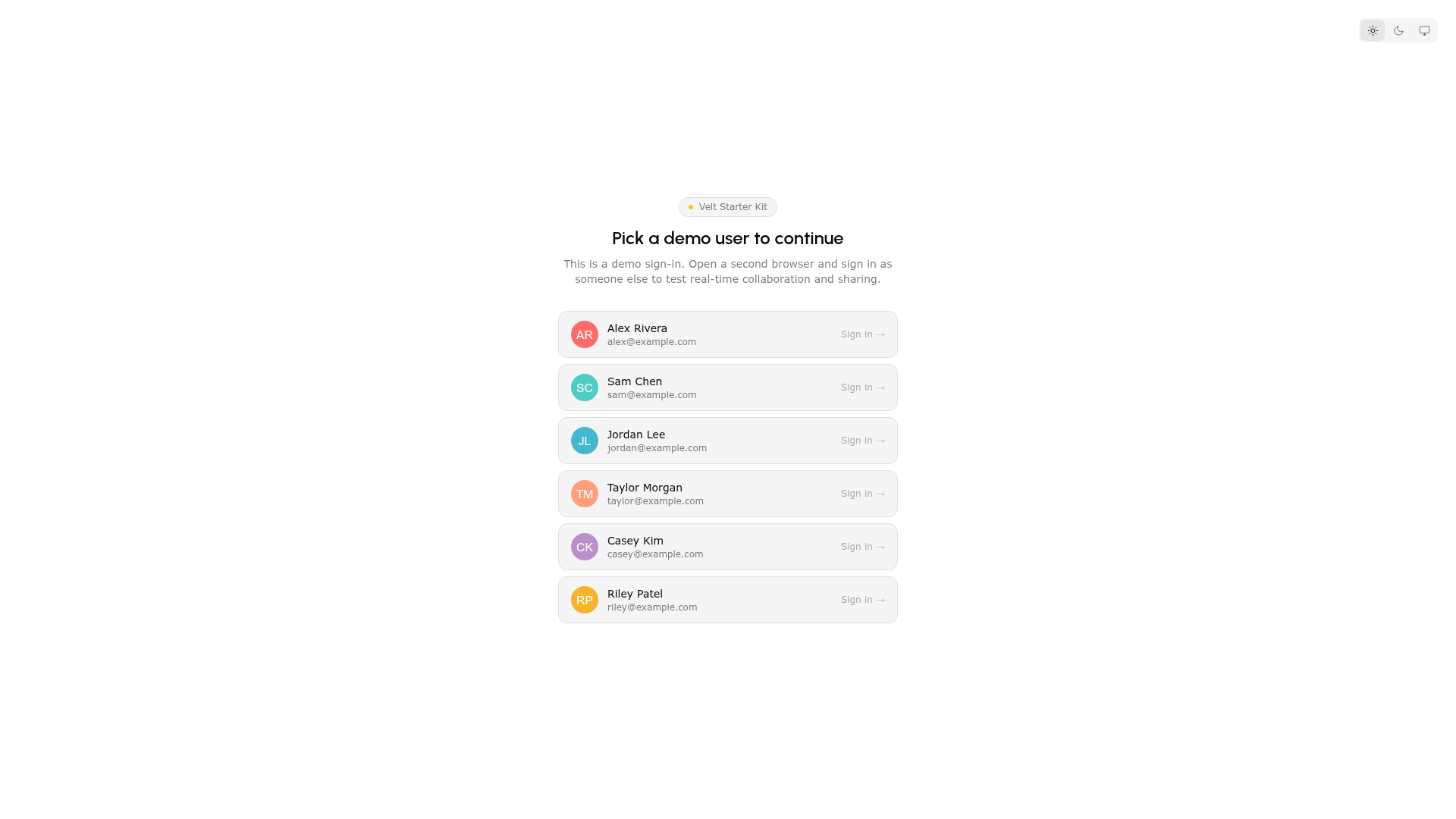
Yes. The demo user picker and localStorage auth are meant to be replaced. The integration point is components/velt/VeltInitializeUser.tsx, where you pass your authenticated user from NextAuth, Clerk, Auth0, or another provider to Velt.
How does sharing and access control work?
Each new document is created as restricted, so only explicitly invited users can access it. The client-side AccessGate shows a locked screen to users without access and a read-only editor to viewers. Velt enforces permissions, and the kit's ShareMenu wires sharing to both the backend and the dashboard directory.






![TacoDAO [UI] preview](https://cdn.sanity.io/images/asuw607r/production/e1ee34c0af73c2ebfc8aae0b0180cb45a7a8b8db-1500x1000.png)