Template details
suCSS
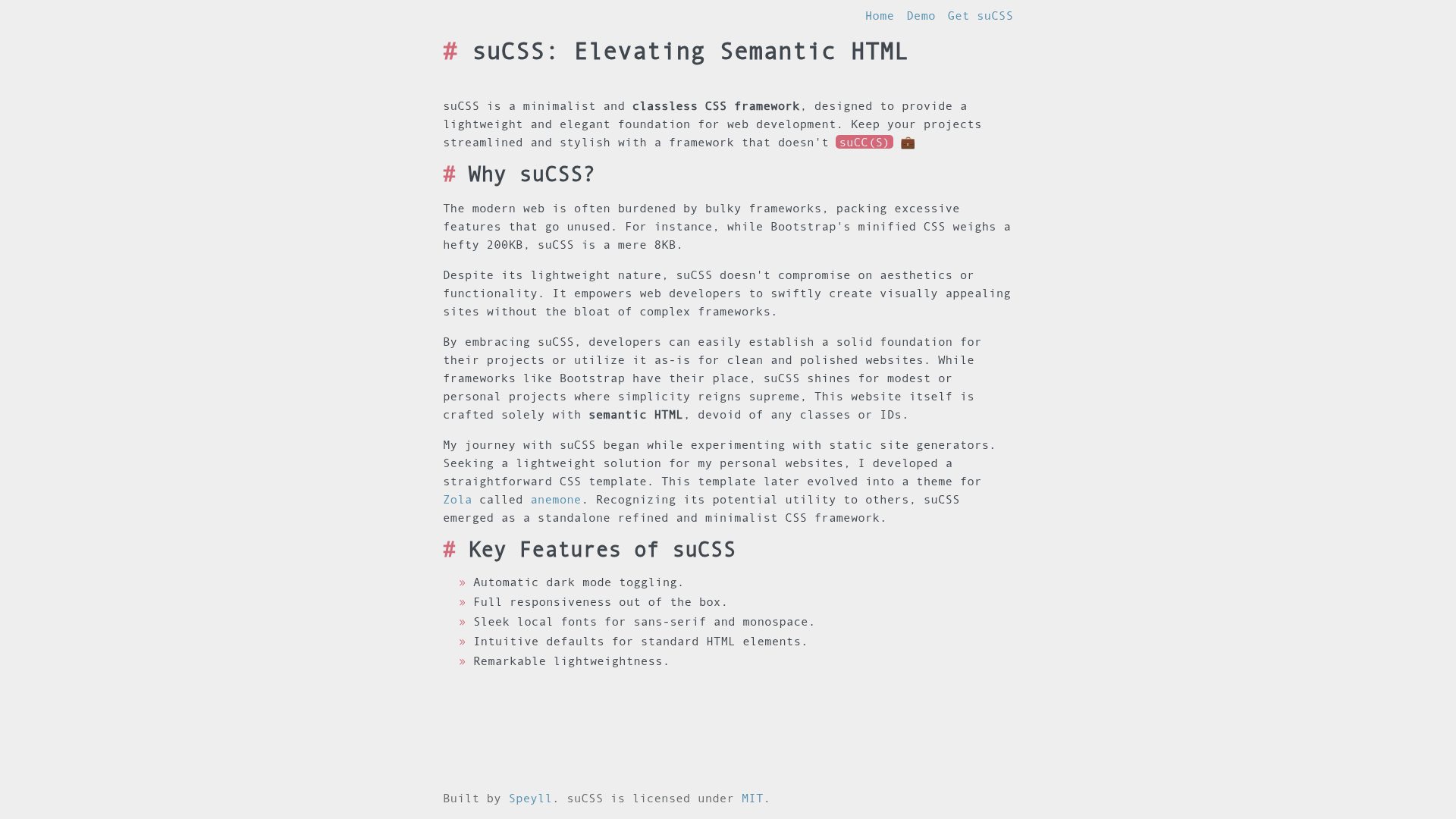
A lightweight classless CSS framework for semantic HTML with automatic dark mode and responsive defaults.
About this template
suCSS is a minimalist classless CSS framework that styles standard semantic HTML with automatic dark mode and responsive defaults, weighing only 8KB minified. It is an open-source project by Speyll, distributed under the MIT license, and designed to be a lightweight foundation for web development without requiring any CSS classes.
What is suCSS?
suCSS is a classless CSS framework, meaning it applies styles to plain semantic HTML elements (headings, paragraphs, links, lists, forms, tables, and more) without the need for class attributes or utility classes. You include two stylesheets — a reset and the main framework — then write standard HTML5 markup, and suCSS handles the visual presentation. It runs entirely in the browser via CSS, with no JavaScript dependencies, and is maintained on GitHub by Speyll.
Key Features
- Automatic dark mode — suCSS toggles between light and dark themes automatically, with no configuration or custom JavaScript needed.
- Full responsiveness — the framework uses CSS Grid and Flexbox to ensure layouts adapt to screen sizes out of the box.
- Local fonts — it loads sleek sans-serif and monospace font stacks locally, so no external font requests are made.
- Intuitive defaults — standard elements like headings, paragraphs, links, forms, and tables get clean, readable styling with no classes.
- Lightweight footprint — the minified CSS is only 8KB, making it one of the smallest classless frameworks available.
- MIT license — free to use, modify, and distribute in personal or commercial projects.
Who is it for?
- Front-end developers who want a fast, no-configuration baseline for prototypes, demos, or small static sites can drop in the two stylesheets and start writing semantic HTML immediately.
- Designers who need a clean, readable starting point for typography and spacing can use suCSS to style content without writing custom CSS.
- Technical writers building documentation or blog sites can pair suCSS with a static site generator and get a polished look using only Markdown-rendered HTML.
What can you do with suCSS?
- Build a blog: write semantic HTML articles and get a responsive, readable layout with automatic dark mode.
- Create a documentation site: the framework styles headings, code blocks, tables, and navigation links cleanly, which suits API docs or user guides.
- Prototype a landing page: quickly structure content with standard HTML and let suCSS handle spacing and responsiveness while you validate the design.
How does suCSS work?
Using suCSS means adding two lines to your HTML head: one for the reset stylesheet and one for the framework itself, both available from the project's GitHub Pages CDN or downloadable for local hosting. After linking the stylesheets, you write standard HTML5 elements, and suCSS applies its defaults automatically. A live demo page is available to preview the styling.
Pros and cons
- Pros: extremely small (8KB minified), automatic dark mode, responsive via CSS Grid and Flexbox, no classes required, MIT licensed.
- Cons: CSS only — no JavaScript widgets or utility classes are provided; the default look is minimal and may need customization for complex layouts.
Alternatives
- Water.css — another classless CSS framework that shares the same "just add semantic HTML" approach.
- Pico.css — a classless framework that also includes some component styles and is popular for lightweight projects.
FAQ
Does suCSS work without a build tool?
Yes. You can include the two CSS files via link tags directly from the CDN, so no npm, bundler, or build step is required.
Is suCSS free to use?
Yes, suCSS is open source under the MIT license, so you can use it in personal and commercial projects freely.
Does suCSS require me to write semantic HTML?
Yes, the framework is designed for semantic HTML5. Its defaults assume you use proper tags for headings, lists, forms, and other content.
How large is suCSS?
The framework's minified CSS is 8KB. That does not include the reset stylesheet, which is separate and smaller.