Template details
Vercel Toolbar Feature Flags SvelteKit Starter
Simple SvelteKit template that uses the Vercel Toolbar and Feature Flags.
About this template
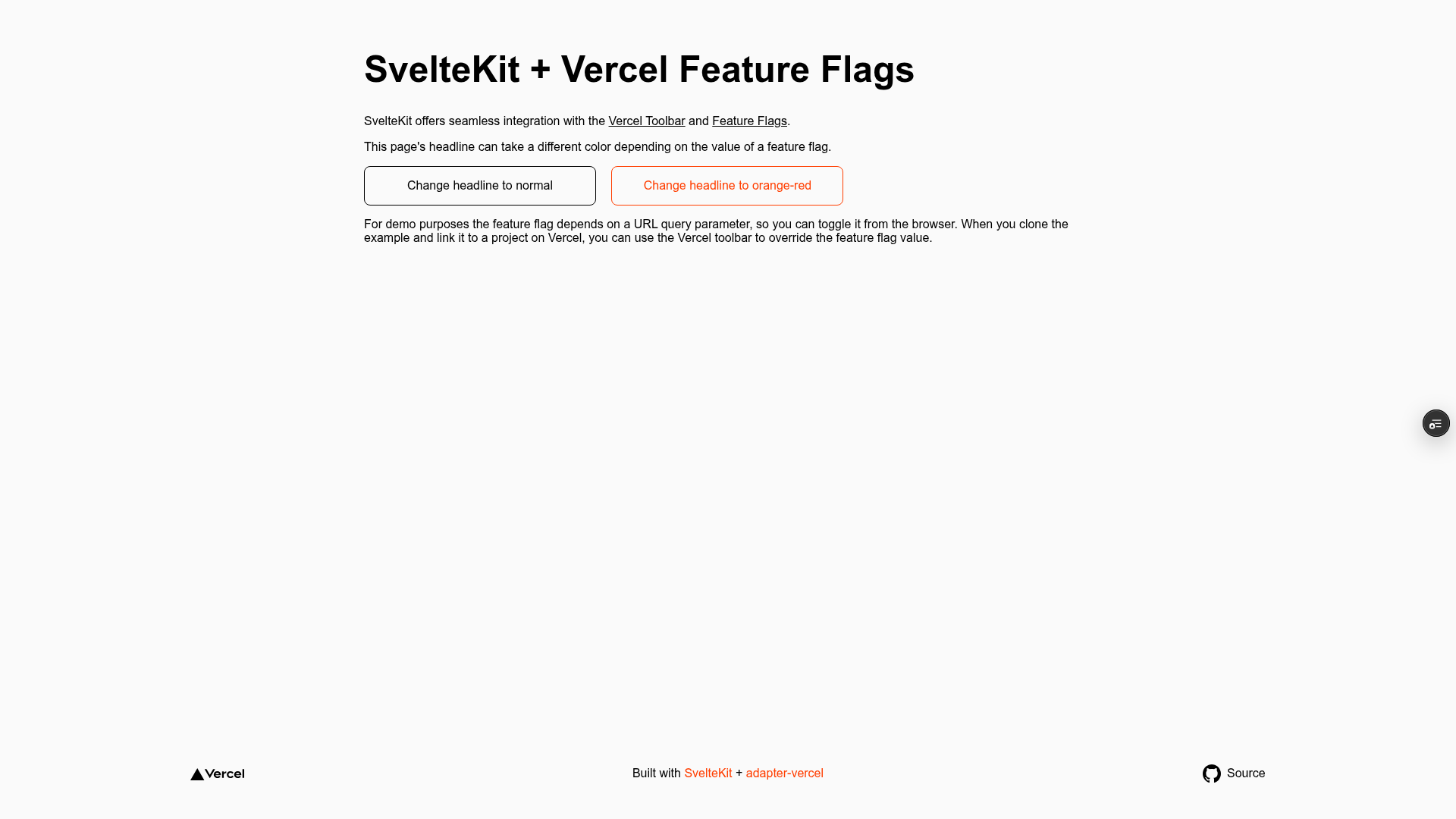
Vercel Toolbar Feature Flags SvelteKit Starter is a starter template from Vercel's examples repository that connects SvelteKit apps to the Vercel Toolbar and feature flag system, letting you visually toggle flags during development and preview deployments.
What is the Vercel Toolbar Feature Flags SvelteKit Starter?
This starter is a minimal SvelteKit project preconfigured to work with the Vercel Toolbar and Feature Flags. It takes a fresh SvelteKit app and adds the Vercel Toolbar widget, which displays a floating control panel for turning feature flags on or off. The output is a deployable SvelteKit application hosted on Vercel, with local development via pnpm dev. Created by Vercel and available in the vercel/examples GitHub repository, it is one of several toolbar starters that pair the Toolbar with different feature flag providers.
Key Features
- SvelteKit framework — Built on the SvelteKit meta-framework, giving you file-based routing, SSR/SSG, and adapter support without any CSS framework included.
- Vercel Toolbar integration — Adds the Vercel Toolbar widget to your app, enabling in-context flag controls in development and preview environments.
- Vercel Feature Flags — Uses the built-in Vercel feature flagging system, controlled through the FLAGS_SECRET environment variable that encrypts flag values.
- One-click deploy — Deploys directly to Vercel with a preconfigured repository URL that sets the required FLAGS_SECRET environment variable during setup.
- Local development workflow — Clone via
npx degit, install withpnpm, connect to Vercel withvercel link, pull env variables withvercel env pull, then runpnpm dev. - Official example — Maintained by Vercel, part of the vercel/examples collection with over 5,000 GitHub stars.
Who is it for?
SvelteKit developers who want to integrate feature flags into their projects without building the configuration from scratch. Product engineers working on Vercel who need to preview feature variants before merging. Teams that rely on Vercel's Toolbar for collaboration during code reviews and want a minimal starting point for flag-driven development.
What can you do with it?
- Preview features safely — Toggle flags in the Toolbar to see how the app behaves with different configurations before they reach production.
- Test variants in preview deployments — Use the Toolbar to share a preview URL with stakeholders, who can adjust flags themselves while reviewing.
- Learn Vercel's feature flag workflow — Study a concise reference implementation that shows how to secure flags with FLAGS_SECRET and structure a SvelteKit project for flagging.
How does it work?
The template requires a Vercel project with a FLAGS_SECRET environment variable set to a 32-byte random value encoded in base64url. After cloning and installing dependencies, you connect your local environment to the Vercel project, pull the variables, and start the dev server. When you deploy to Vercel, the Toolbar appears in preview deployments, and you can toggle flags through its UI.
Pros and cons
- Pros: Minimal and official; simple one-command deploy; demonstrates a complete feature-flag setup with proper secret handling; works with the Vercel Toolbar's collaborative features.
- Cons: Tied to the Vercel platform — the Toolbar and feature flagging only function when deployed to Vercel; no styling framework is included, so you'll add your own CSS; requires manual setup of FLAGS_SECRET outside the one-click deploy path.
FAQ
What is FLAGS_SECRET?
FLAGS_SECRET is an environment variable used to encrypt feature flag values in your Vercel deployment. It must be exactly 32 random bytes encoded in base64url; the template provides a Node.js one-liner to generate a valid key.
Is this template free to use?
The template is open source and available from Vercel's examples repository at no cost. Deploying it to Vercel requires a Vercel account; you may incur hosting charges depending on your usage and plan.
Can I use a different feature flag provider?
Yes. Vercel also maintains toolbar starters for LaunchDarkly, Optimizely, Split, and Statsig, which replace the default Vercel flag system with those providers while keeping the same Toolbar interface.
Does it work without Vercel?
The SvelteKit app itself runs anywhere, but the Vercel Toolbar widget and feature flag toggling are tightly coupled to Vercel's platform. Running the app on another host will not display the Toolbar or process flags the same way.